

Open Databases in the left menu, click New database, pick MariaDB or MySQL and click Create database. Then click the database to see its Host, Port, Database, Username and Password, and put them into the plugin's config file. Plugins such as permission, logging and economy plugins can keep their data there instead of in files.
Do you need one?
Most plugins keep their data in files on the server and need no database. Use one when a plugin's own instructions offer MySQL, or when several servers in a network must share the same data, for example ranks on every server behind a proxy.
Create the database
- Open your server in the panel and click Databases in the left menu.
- Click New database. The header shows how many your plan allows, for example
0 of 2 used. - Type: MariaDB (selected) or MySQL.
Both accept the same MySQL clients. Pick whichever your plugin documents. - Label: optional, only to tell your databases apart, for example
plugins. - Click Create database. It is ready in a few seconds, with a username and password made for it.
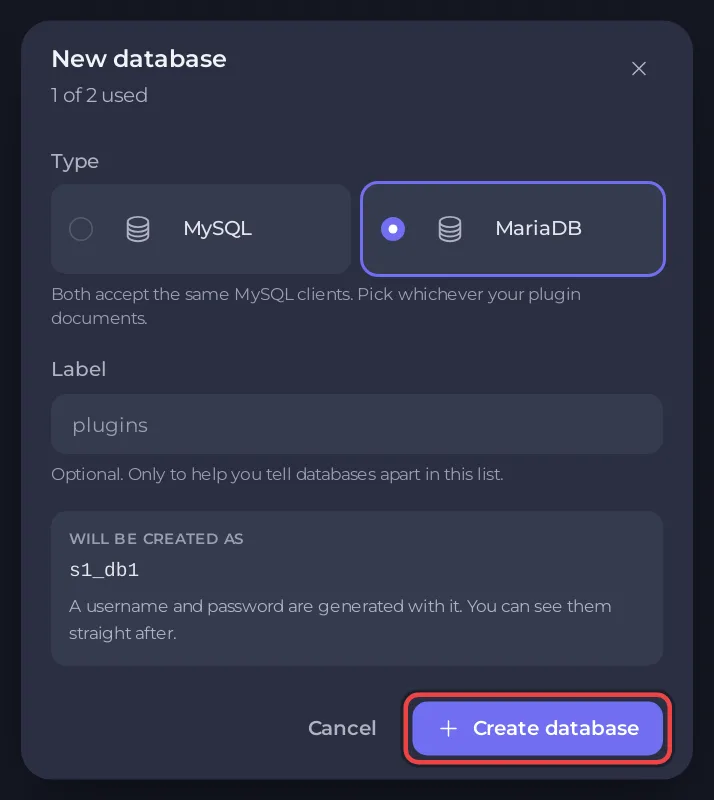
If the page says Databases are not included, your plan has no database slots, so there is no button to create one.
Connect a plugin
- Click the database under Your databases to open its connection details.
- Open the plugin's config file in Settings (under Config files) or in Files. Plugins keep it in their folder under
plugins. - Find the plugin's MySQL section and copy in the Host, Port, Database, Username and Password, each with its copy button. Switch the plugin's storage to MySQL or MariaDB as its own documentation describes.
- Restart the server and check the Console for the plugin connecting.
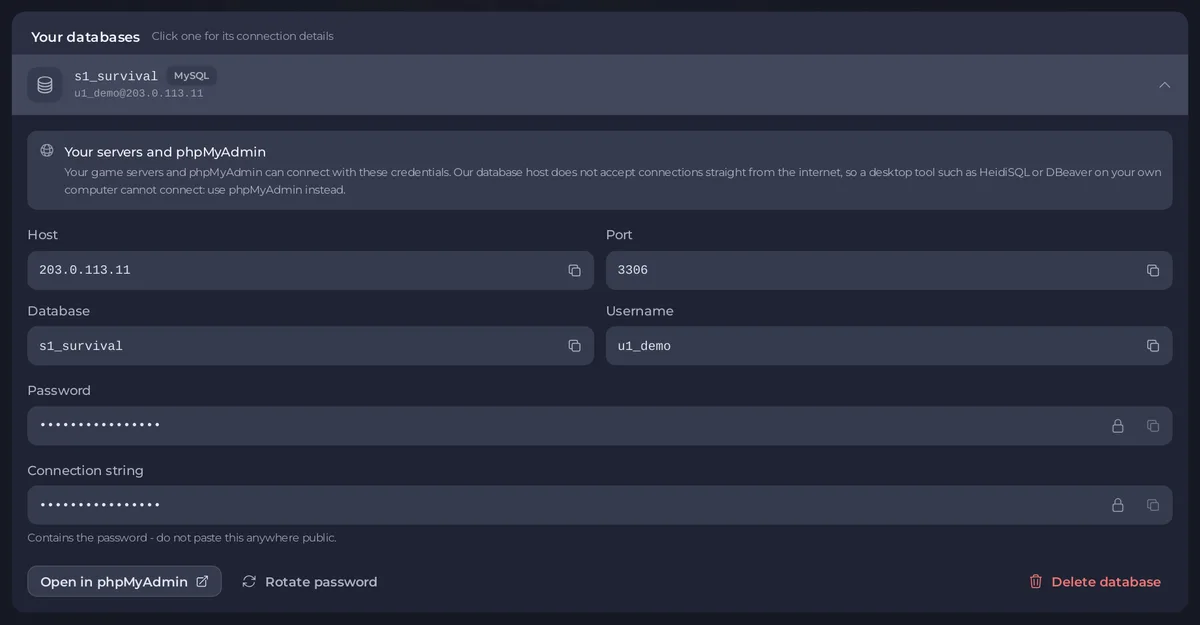
Some plugins take one Connection string instead. It contains the password: do not paste this anywhere public.
Look inside it
Click Open in phpMyAdmin on the database. Your game servers and phpMyAdmin can connect with these credentials, but a desktop tool on your own computer, such as HeidiSQL or DBeaver, cannot: the database host does not accept connections straight from the internet.
Keep a copy
A server backup does not include databases. Before a big change, export the database from phpMyAdmin.
Good to know
- Rotate password makes a new password at once. Anything using the old one stops connecting, so update the plugin's config and restart.
- Delete database destroys every table in it. You type the database name to confirm.
- You need the Databases permissions. See passwords gives full access to the data.
- Plugin guides: How to set up ranks and permissions with LuckPerms on your Minecraft server and How to undo griefing with CoreProtect on your Minecraft server.
- The Databases page for every game: How to use databases with your server.


