

The panel already picks the right Java for your Minecraft version, so most servers never need this. To change it, open the Settings tab, click Launch Details and choose a runtime under Docker image, such as Java 21. The panel refuses a Java your Minecraft version or server type cannot run on.
Which Java a Minecraft version needs
Minecraft's own requirements for the server:
- Minecraft 26.1 and newer: Java 25.
- 1.20.5 to 1.21.11: Java 21.
- 1.18 to 1.20.4: Java 17.
- Older versions need older Java versions.
Some older plugin servers do not start on a Java that is too new, so the panel also checks the newest Java your type and version can use.
Change it
- Open your server in the panel and click the Settings tab.
- Click Launch Details in the left card.
- Under Docker image (
The runtime this server starts in. Most people never need to change this.), choose the Java you want. - Restart the server so it starts on the new runtime.
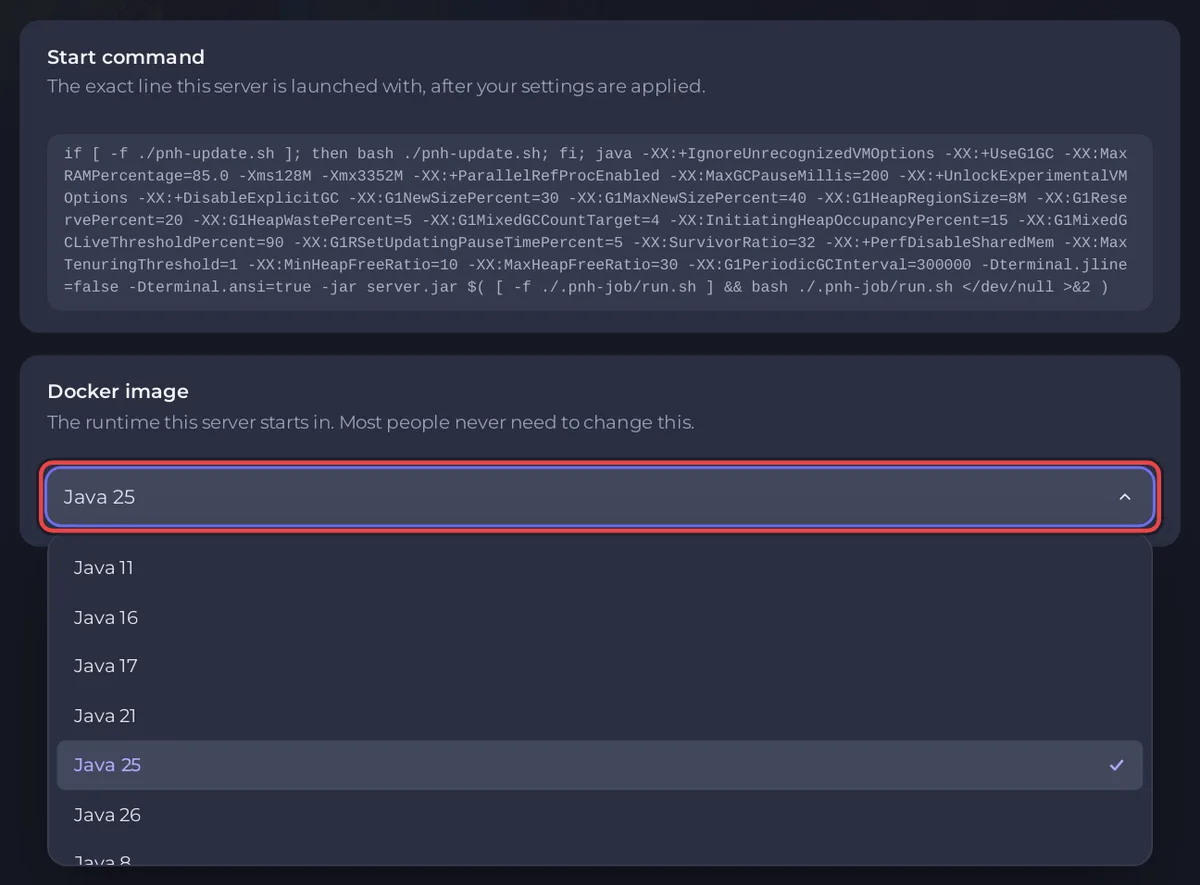
If the choice does not suit your version, the panel refuses it with a reason, for example Minecraft 1.21 needs Java 21 or newer, and the runtime you picked is Java 17. Choose a newer runtime. or does not start on Java 25. Choose Java 21 or older.
You need the Change the server image permission. If the page says This server's image was set by an administrator and cannot be changed here., ask support.
When you change the Minecraft version
Edit Server Type picks the right Java for the new version by itself. Under Show advanced options you see the Java runtime it chose, and the window advises leaving it alone. The setup works the same way: in its Advanced options, a runtime that is too old is marked (too old, needs Java and the version +). See How to change your Minecraft version or server type.
A plugin or mod needs a newer Java
If a plugin or mod refuses to load because it needs a newer Java, choose a newer runtime here, as long as your Minecraft version allows it. The panel's Why your server stopped card spots this: A Minecraft plugin or mod needs a newer Java.
Good to know
- The memory Java may use is set by the panel from your plan, whatever runtime you pick.
- Launch Details also shows the Start command: the exact line the server starts with.
- Your own extra Java flags go under Startup Parameters: How to add Java startup flags to your Minecraft server.


