

When a player is refused by your PlayNHost Factorio server for mods, the fix is almost always to accept Factorio's mod sync: the game offers to download and enable exactly the mods and versions the server uses (Factorio wiki, Modding). If the missing piece is part of Space Age, the player needs the expansion, which mod sync cannot download.
Fix it for the player
- The player joins with Multiplayer, Connect to address, as usual.
- When Factorio offers to synchronise mods, they confirm.
- They wait for the download, then join.
If they declined the sync before, they join again and accept it this time. The player's game must be on the same Factorio version as the server first: Players cannot join your Factorio server because of a version mismatch.
The missing mod is Space Age, Quality, Elevated Rails or Recycler
These four mods make up the paid Space Age expansion (Factorio wiki). With Space Age on (the default), every player needs the expansion, and mod sync cannot download it. Choose one:
- The player buys the expansion.
- You run a base game world: switch Space Age off and start a new world. An existing Space Age world needs it on. The switch turns off Space Age, Quality and Elevated Rails, but not Recycler, so read How to turn Space Age on or off on your Factorio server first.
Check the server's mod list
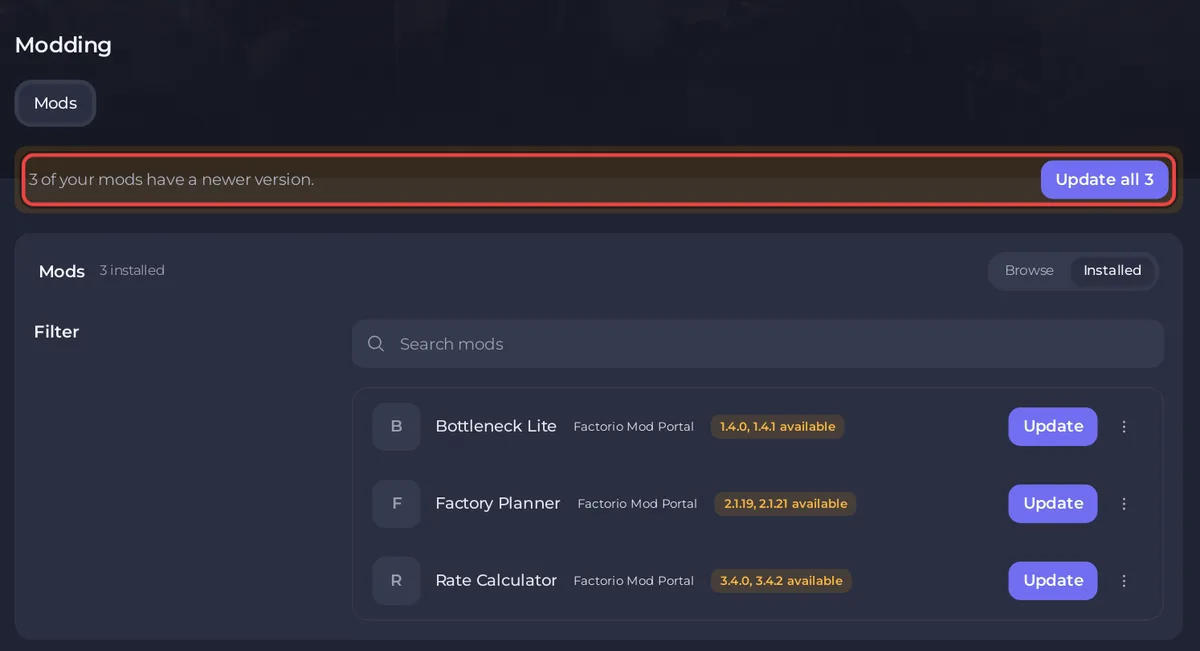
- Open the Modding tab and click Installed. It lists every mod in the
modsfolder with its version. - Remove what you do not use: How to update or remove mods on your Factorio server.
- Restart the server after any change.
A mod you uploaded by hand that is not on the Mod Portal cannot be synced: send players the same .zip to copy into their own mods folder.
Related: How to add mods to your Factorio server, Factorio server problems and fixes.


