

To update mods on a PlayNHost Factorio server, open Modding, Installed, and click Update on a mod or Update all on the notice at the top; to remove one, open its menu Options for and choose Uninstall. Factorio reads mods when it starts, so restart the server after any change.
Update mods
- Take a snapshot on Saves first: How to roll back your Factorio world with a snapshot.
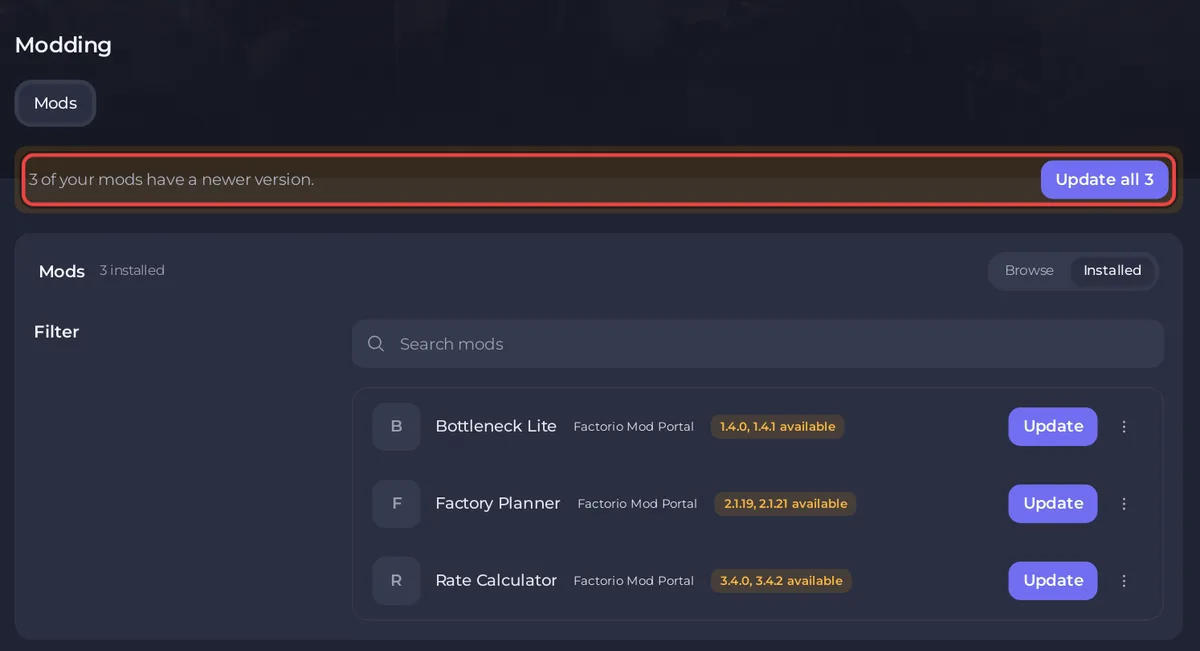
- Open the Modding tab and click Installed.
- When a newer release exists for your server's Factorio version, the notice says
3 of your mods have a newer version.(with your number). Click Update all 3, or Update on one mod. - For one mod, the window Update and the mod's name shows the versions, for example
From 1.2.0 to 1.3.0. Click Update and restart. The new file replaces the old one once it is in place. - Click Restart once the update is done: a single mod update does not restart the server on its own. When you update several at once with Update all, keep Restart the server when this finishes ticked in the update window.
Updates only offer releases built for the Factorio version your server runs. Players sync the new versions when they next join.
Install an older release
Open Options for on the mod, choose Choose a version, and pick the release. Use this when a new release breaks something. Restart afterwards.
Remove a mod
- Stop the server, or plan to restart it right after.
- On Installed, open Options for on the mod and choose Uninstall.
- Confirm with Uninstall. The panel says
... was removed. - Start or restart the server yourself: Factorio only notices the change when it starts.
Factorio refuses to start when a mod that another mod requires is missing, so remove the mods that depend on it too. Take a snapshot first: a world that ran with a mod may not be the same without it.
Switch a mod off without deleting it
The Factorio Mods list in the panel has no on and off switch. You can switch a mod off in mods/mod-list.json under Files: stop the server, set that mod's "enabled" to false, save the file and start the server. Space Age, Quality and Elevated Rails are the exception: the Space Age switch in Settings sets those three at every start.
After a Factorio update
A big game update can leave mods without a matching release for a while. If the server stops starting after an update, the Console names the mod: Your Factorio server will not start: Incompatible Factorio version. Related: How to add mods to your Factorio server, How to update your Factorio server.


