

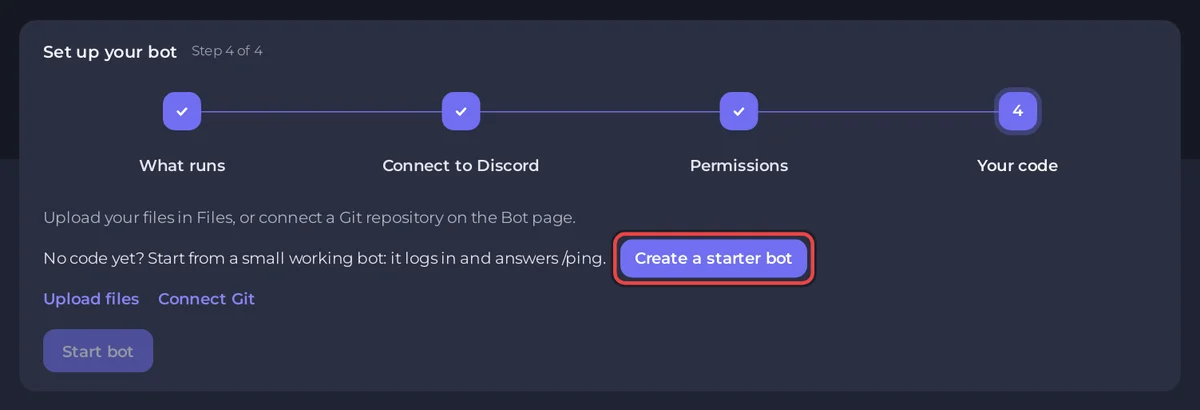
No code yet? On a Node.js Bot or Python Bot server with no code on it, the Set up your bot card on Overview has a Create a starter bot button. It writes a small working bot that logs in with your token and answers /ping, and sets it as the entry file. Press Start bot and it is online.
Create it
- Open your bot server in the panel. The Set up your bot card is at the top of Overview.
- Do the first steps if you have not: Connect to Discord (paste your token, Connect) and Permissions (click Add to a Discord server to invite the bot). See How to create a Discord bot and get its token.
- In the last step, Your code, the card says No code yet? Start from a small working bot: it logs in and answers /ping. Click Create a starter bot.
- The card now says Your code is on the server. Click Start bot.
- Watch the output in the card. After the packages install you see
Logged in as YourBotand Your bot is online in Discord. Click Done. - In your Discord server, type
/ping. The bot answersPong!with its delay in milliseconds. The very first time, the command can take a few minutes to show up.
What it writes
| Server type | Files | Entry file |
|---|---|---|
| Node.js Bot | index.js (discord.js) and package.json (discord.js 14) | index.js |
| Python Bot | bot.py (discord.py) and requirements.txt | bot.py |
Both read the token the panel saves as DISCORD_TOKEN, use only the default intents (no privileged intent to switch on), register /ping when the bot is ready, and print Logged in as, which turns the chip on Overview to Online in Discord.
Make it yours
- Open Files and click
index.jsorbot.py. The comment at the top says where to start. - Add a command next to
/ping, save, and press Restart. - Need a package? Add it to
package.jsonorrequirements.txt, or to Packages on the Code pane: How to install packages for your Discord bot.
The step-by-step tutorials build the same bot and go further: How to make a Discord bot with discord.js, How to make a Discord bot with Python.
I do not see the button
- The server already has code. The button only shows when the main folder holds no
.js,.ts,.py,.jaror.csprojfile, so it never overwrites your work. If it found a file, the card offers to use it instead. - The type is not Node.js Bot or Python Bot. Switch it first, keeping your files: How to switch your bot to another language.
- You are a friend on someone else's server without the right to create files and change the start settings. Ask the owner.


