

You can edit serverDZ.cfg, the DayZ server's main config file, in Files on your PlayNHost server, but 16 of its lines are rewritten from Game Settings every time the server starts. Change those in Game Settings. Every other line, such as the message of the day or the respawn time, stays as you write it.
Edit the file
- Open your server in the panel and click Stop. Wait for Offline.
- Take a backup on Backups, so you can put the old file back if an edit breaks it.
- Click the Files tab.
serverDZ.cfgis in the top folder. - Open it, change the lines you need and click Save content.
- Start the server and watch the Console for
Mission read.
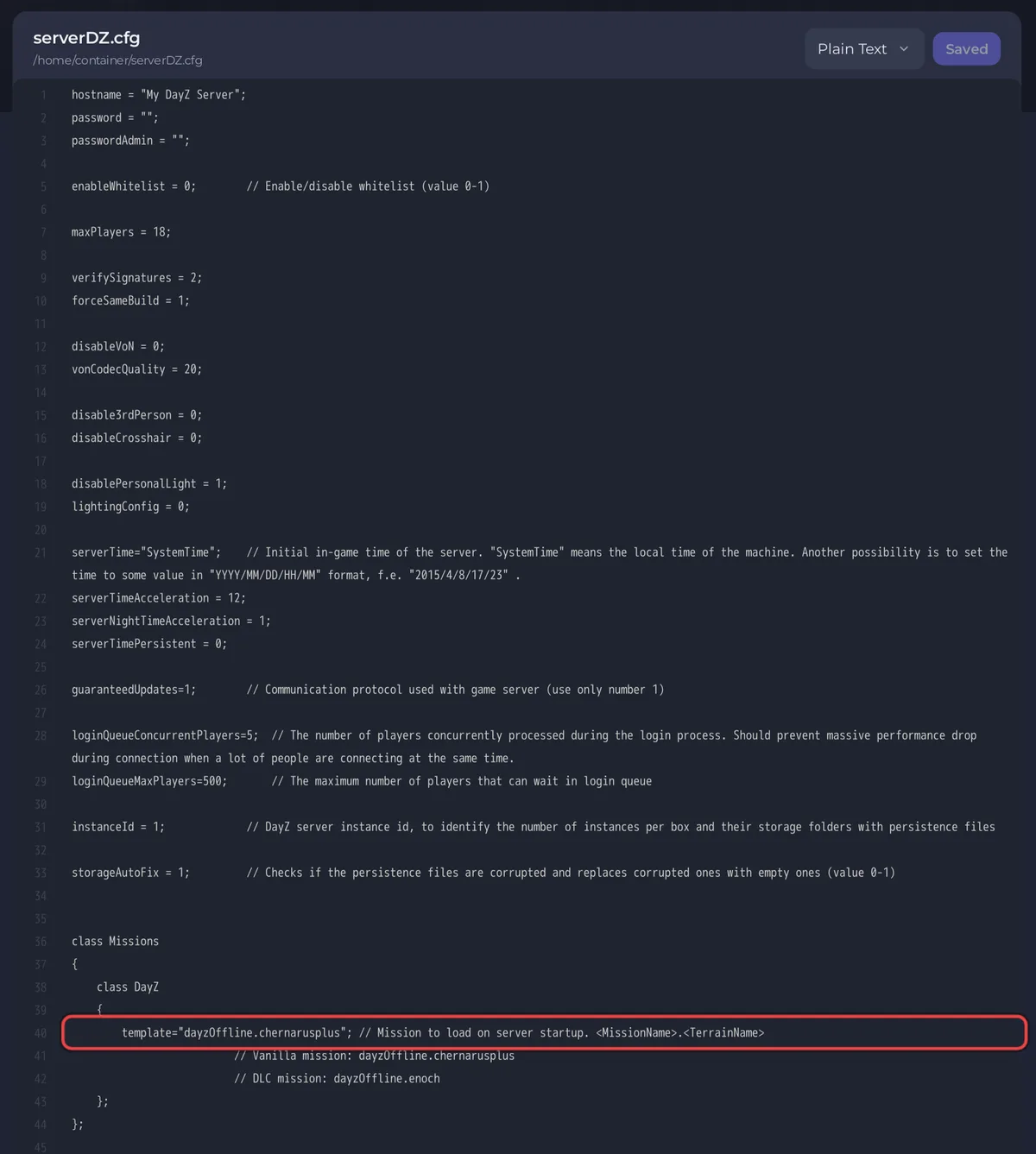
Bohemia documents every option of the file on its DayZ server configuration page. Keep the file's own format: each value ends with ;, and text values are in double quotes.
Lines the panel writes at every start
Change these in Settings, Game Settings. A value typed into the file is replaced at the next start.
| Line in serverDZ.cfg | Setting in Game Settings |
|---|---|
hostname | Server Name |
password | Server Password |
passwordAdmin | Admin Password |
maxPlayers | Max Players (set by your plan) |
verifySignatures | Verify Signatures |
forceSameBuild | Enforce Game Version |
disableVoN | Disable VoN |
vonCodecQuality | VoN Quality |
disable3rdPerson | Disable Third Person |
disableCrosshair | Disable Crosshair |
disablePersonalLight | Disable Personal Light |
lightingConfig | Night Lighting |
serverTimeAcceleration | Time Multiplier |
serverNightTimeAcceleration | Night Multiplier |
serverTimePersistent | Persistent Time |
steamQueryPort | Steam Query Port (assigned) |
The template line inside class Missions is the map. While Map is Chernarus, Livonia or Sakhal, the panel writes it at every start. Pick My own, set in serverDZ.cfg to write it yourself: How to change the map of your DayZ server.
The RCON port and password are in battleye/beserver_x64.cfg, also written from Game Settings.
Lines that stay as you write them
Everything else in the file. The panel's own help on the Game Settings page names the message of the day and the respawn time as examples. Your edits to those lines survive restarts, as long as the line is not one of the 16 above.
Some lines owners add, as Bohemia's server configuration page writes them (page last edited 10 October 2024):
| Line | What it does |
|---|---|
motd[] = { "line1","line2" }; | Message of the day, shown in the in-game chat |
motdInterval = 1; | Seconds between those messages |
respawnTime = 5; | Seconds before a player whose character died can take a new one |
description = "Some description"; | Description shown in the server browser, up to 255 characters |
disableBaseDamage = 0; | 1 stops damage to fences and watchtowers |
disableContainerDamage = 0; | 1 stops damage to tents, barrels, wooden crates and sea chests |
enableDebugMonitor = 1; | Shows a small window with information about the player's character |
Add a line only once. If it is already in the file, change the value where it is.
If the server does not start after an edit
Undo the last change, or restore serverDZ.cfg from the backup you took, and start again. Check that every line you touched still ends with ; and that quotes are closed. See DayZ server problems and fixes.


