

A DayZ server needs more than 4 GB of RAM even with nobody on it, and Bohemia's own DayZ server requirements list 6 GB. In PlayNHost's own boot check on 23 September 2026, a vanilla DayZ server with no players was stopped for running out of memory at a 4 GB limit after it had loaded its mission, connected to Steam and set up its spawners. Mods, more players and bigger bases add to that.
What does Bohemia say a DayZ server needs?
Bohemia's requirements page (last edited 19 March 2024) lists 6 GB of RAM for a DayZ server. It gives one figure, not one per player count or per map.
How do I see how much memory my server uses?
- Open your server in the panel. You land on Overview.
- On the Usage card, choose RAM.
- Pick a window: Live (30 minutes), Past 6 hours or Past day. The line shows use against your plan's limit.
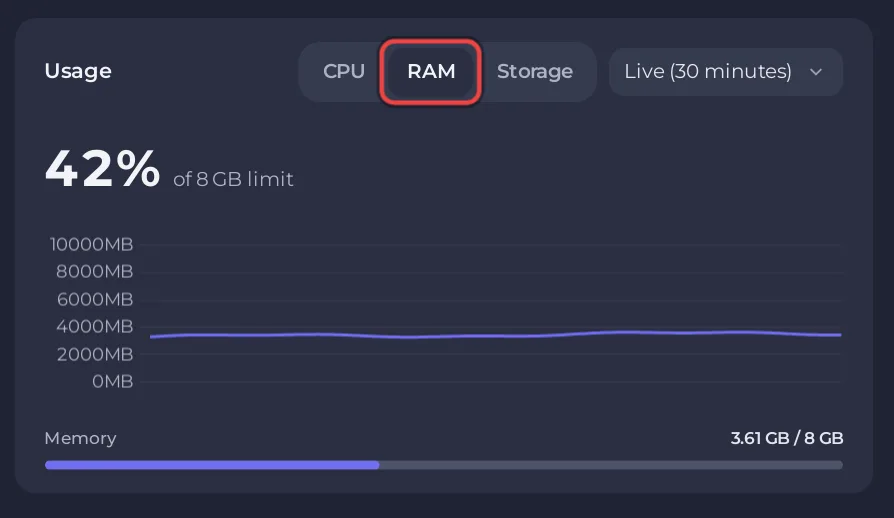
Watch it in the evening, when most players are on, and after you add mods.
What happens when it runs out?
When the server needs more memory than its plan gives it, the system stops it. The Overview page then shows a card This server ran out of memory, with the date of the last time and how many times it happened recently. That card, with its Add more memory button, is the clearest sign the server needs more memory than its plan has.
The plans and their memory are listed on the DayZ server hosting page.
What uses memory on a DayZ server?
As a rule of thumb, not a measurement:
- The map. Each map loads its own terrain and world.
- Mods. Every mod in Mods and Server-side mods is loaded into memory.
- Players and persistence. More players, more vehicles and bigger bases mean more objects in the world.
PlayNHost has measured an empty vanilla server, not a full or modded one, and Bohemia's 6 GB is a single figure, so there is no measured figure for a busy server. Watch the Usage card as your community grows.


