

To back up a Counter-Strike 1.6 server on PlayNHost, click Backups in the left menu, fill in Create backup and click Start backup. A backup holds the whole server folder: your configs, maps, plugins, AMX Mod X admins and ban lists. To go back, open the backup's menu and choose Restore to server.
Take a backup now
- Open your server in the panel and click Backups in the left menu.
- Under Create backup, keep Files and type a Name if you like, for example
before-new-plugins. - Leave When on Now.
- Click Start backup. The backup appears in the list when it is done.
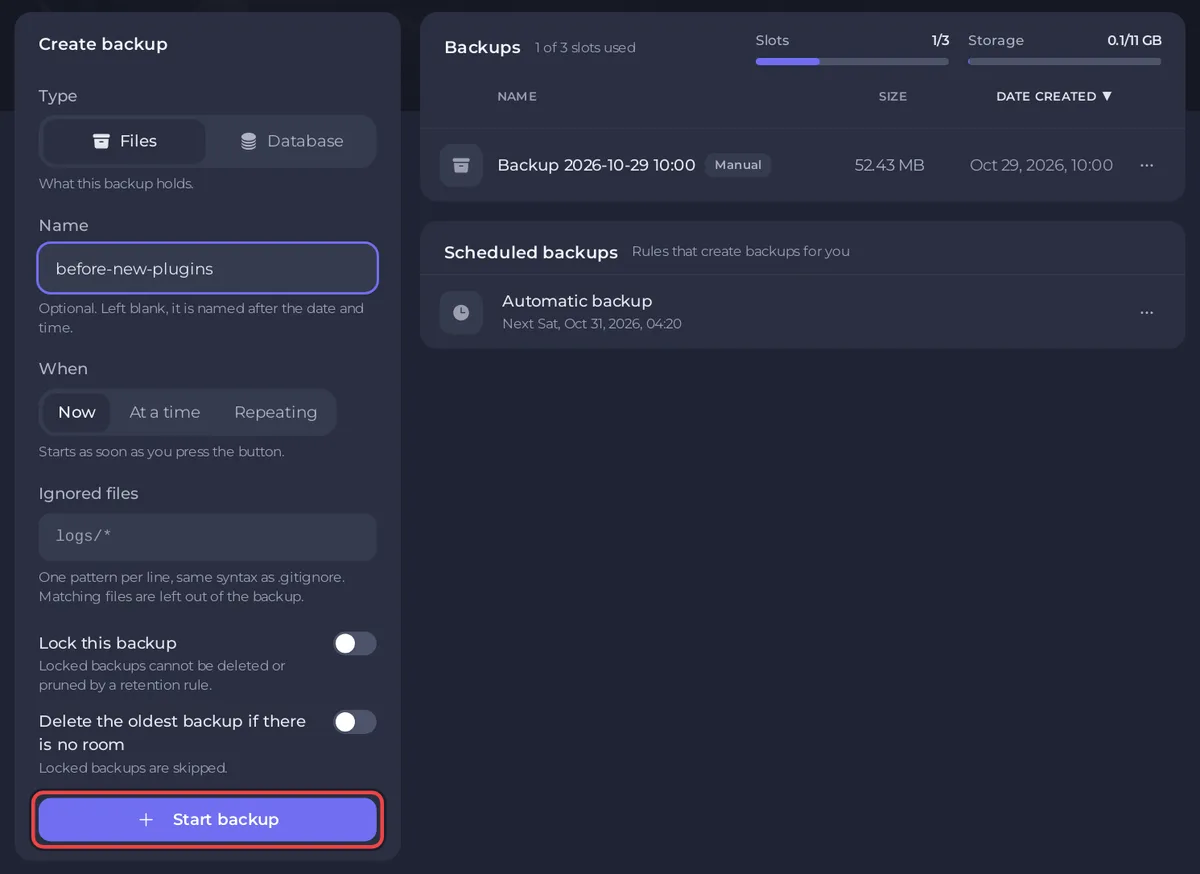
The server can stay online while the backup runs. Take one before you add plugins, upload map packs, change versions or edit many configs at once.
What does a Counter-Strike 1.6 backup hold?
Everything in the server folder, including:
cstrike/server.cfg,cstrike/game.cfgandcstrike/game_init.cfg: your server settings and game rules.cstrike/addons/amxmodx/configs/users.iniandplugins.ini: your admins and plugin list.cstrike/banned.cfgandcstrike/listip.cfg: your permanent bans.cstrike/mapsandcstrike/mapcycle.txt: your custom maps and rotation.- The game and add-on files themselves.
There is no world to save: Counter-Strike 1.6 is match-based, and every map starts fresh. The Settings values, such as Server Hostname and RCON Password, are kept by the panel and are not in a backup.
Is my server backed up automatically?
Yes, when your plan has backup slots. A ready-made Automatic backup schedule takes a full backup every night, at a time between 02:20 and 06:20 panel time, also when the server is stopped. When your slots are full, the oldest backup makes room for the newest, so Lock the ones you want to keep. You can change its time on Backups, with Edit under Scheduled backups.
Restore a backup
A restore replaces the server's files with the backup. Changes made since then, such as new admins or bans, are lost.
- On Backups, open the menu of the backup you want and choose Restore to server.
- Read the warning. The server stops while the files are replaced.
- Leave Delete files that are not in the backup on, so files added since then, such as a plugin that broke the server, are removed too.
- Click Restore backup.
- Start the server when the restore has finished.
To get back only one file, such as users.ini, see How to restore only some files or one area of your map from a backup.
Good to know
- Download in a backup's menu saves a copy on your computer. Keep one of a setup you are happy with.
- Update and reinstall takes a backup by itself, named "Automatic - before update and reinstall", and keeps
users.ini,plugins.ini,game.cfgand your other settings. If you ever lose admins or rules, restore from a backup: How to become admin on your Counter-Strike 1.6 server. - Every option on the page: How to create, download and restore backups.


