

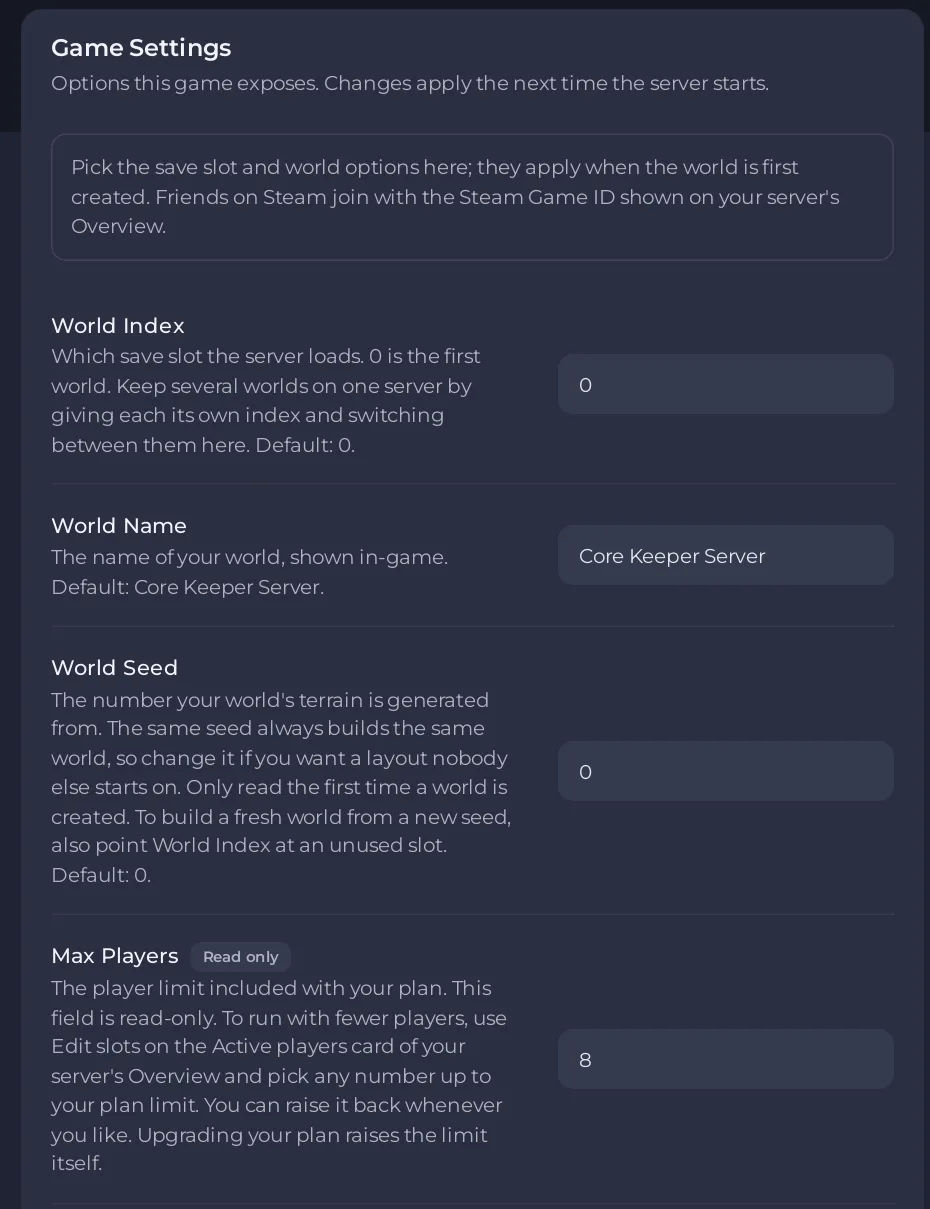
On a PlayNHost Core Keeper server, World Name, World Seed and Hard mode are on the Settings tab, Game Settings. The server uses them when it creates a world, so set them before the first start, or before you start a new world in an empty slot.
How do I set them before the first start?
- Open your server in the panel and click the Settings tab.
- Click Game Settings.
- Type a World Name: 3 to 100 characters, no
"or\. The default isCore Keeper Server. - Type a World Seed if you want a particular world: a whole number. The default is
0. - Switch Hard mode on for a hard world. Off is a normal world.
- Click outside each field or press Enter to save it. Switches save at once.
- Start the server. The world is built with these values in 3 to 5 minutes.
Can I change them for a world I already have?
No. Changing these values does not rebuild a world that exists. The panel's own help says the world options "apply when the world is first created". To play with new values and keep your current world:
- Set the new World Seed or Hard mode, and World Name if you like.
- Set World Index to a slot you have not used yet, for example
1. - Restart. The server builds a new world in that slot. Your old world stays in slot
0and you can switch back to it any time.
See How to run several worlds on your Core Keeper server and How to start a new world on your Core Keeper server.
What does the same seed give me?
Since Core Keeper 1.0, worlds made from the same seed have the same terrain, with boss arenas and unique items in the same places. Non-boss dungeons and custom scenes can still differ.
Which world options does the panel not offer?
- Hard mode is the only difficulty switch: normal or hard. Core Keeper also has other world modes, but the panel does not offer them.
- There is no setting for seasons.
- There is no config file to edit for these. The panel shows No config files for this game.
What if nothing changed after a restart?
- A new world takes 3 to 5 minutes to build. Do not restart while it builds.
- Nothing seems to change after a restart? See Changing a setting did not change your Core Keeper world.
- All settings: Core Keeper server settings: every option explained.


