

This server ran out of memory on the Overview page means your ARK: Survival Ascended server needed more memory than it has, and the system stopped it. Start it again first. Then bring memory use down: fewer wild creatures, fewer mods, fewer tames. ARK needs 8 to 10 GiB on an empty The Island world before anyone joins.
What you see
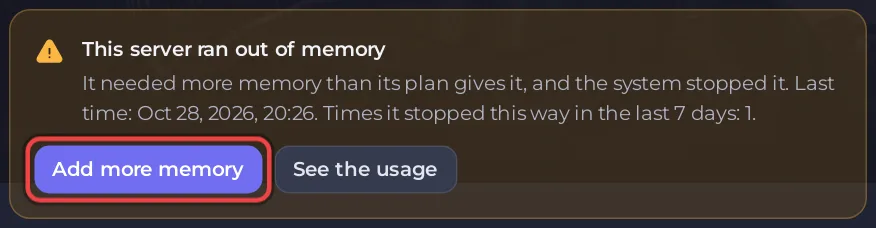
The card says It needed more memory than its plan gives it, and the system stopped it., with the last time and how many times it happened recently.
What to do now
- Click Start. The world comes back from its last save. Anything after the last save can be lost, so save often with Save World.
- Open Usage on Overview and choose RAM. Watch it while players are on.
Bring memory use down
- Wild creature numbers in Game User Settings, group Difficulty: set it back toward 1, then run Respawn Wild Dinos. See How to respawn wild dinos on your ARK: Survival Ascended server.
- Mods: remove the ones you do not need: How to add mods to your ARK: Survival Ascended server.
- Tames: lower Tame limit for the server: How to set tribe size and tame limits on your ARK: Survival Ascended server.
- Map: The Center needs more than The Island, per the ARK wiki: How to change the map of your ARK: Survival Ascended server.
- Daily restart: keep it on, so memory starts fresh each morning.
The card's Add more memory button shows the options for your server. Before you use it, compare your RAM graph with the figures in How much RAM does an ARK: Survival Ascended server need?


