

The rules of your ARK: Survival Ascended server are in two Rules groups: one in Game User Settings (tame limit, PvE extras, idle kick) and one in Game Rules (Game.ini) (tribe size, engrams, friendly fire). For a tribe size limit, set Tribe size limit in Game Rules (Game.ini): 0 means no limit, 1 turns tribes off.
Set tribe size and other Game.ini rules
- Open your server in the panel and click the Settings tab.
- Under Config files, click Game Rules (Game.ini). If it is missing, create
Game.inifirst: How to edit GameUserSettings.ini and Game.ini on your ARK: Survival Ascended server. - Open the Rules group, change what you want and click Save & restart.
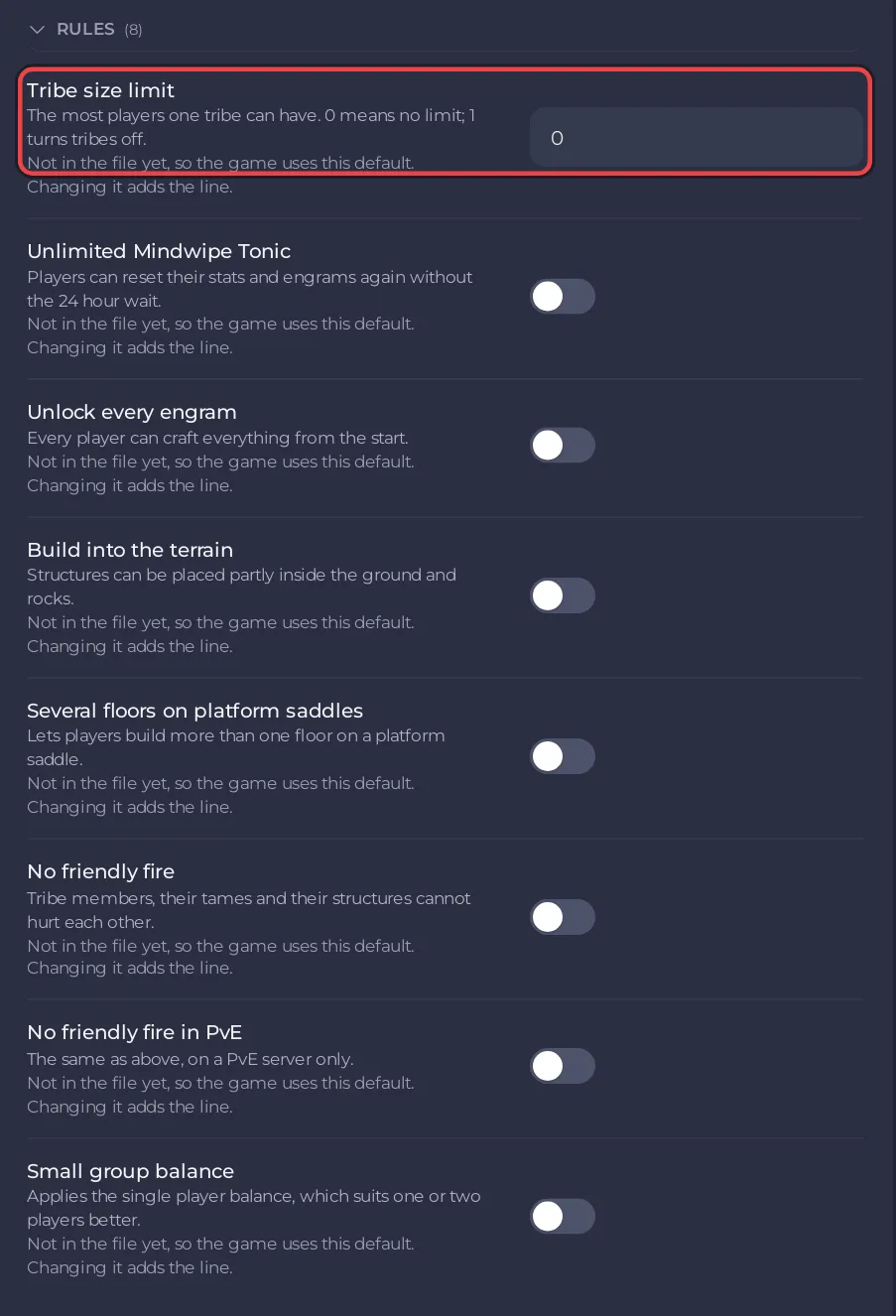
| Setting | What the panel says | Default |
|---|---|---|
| Tribe size limit | The most players one tribe can have. 0 means no limit; 1 turns tribes off. | 0 |
| Unlimited Mindwipe Tonic | Players can reset their stats and engrams again without the 24 hour wait. | off |
| Unlock every engram | Every player can craft everything from the start. | off |
| Build into the terrain | Structures can be placed partly inside the ground and rocks. | off |
| Several floors on platform saddles | Lets players build more than one floor on a platform saddle. | off |
| No friendly fire | Tribe members, their tames and their structures cannot hurt each other. | off |
| No friendly fire in PvE | The same, on a PvE server only. | off |
| Small group balance | Applies the single player balance, which suits one or two players better. | off |
Set the tame limit and other Game User Settings rules
- Click Stop and wait for Offline: ARK writes this file back when it stops.
- On the Settings tab, click Game User Settings, open the Rules group, change what you want and click Save & start.
| Setting | What the panel says | Default |
|---|---|---|
| Flyers can carry wild creatures in PvE | Lets flying tames pick up wild creatures on a PvE server. | off |
| Building in caves in PvE | Lets players build inside caves on a PvE server. | off |
| Tame limit for the server | The most tamed creatures the whole server can hold at once. | 5000 |
| Kick idle players after (seconds) | How long a player can stand still before being kicked. It only applies when -EnableIdlePlayerKick is in the extra launch options. | 3600 |
The idle kick needs a launch flag as well: How to kick idle players on your ARK: Survival Ascended server.
Good to know
- The ARK wiki marks the game setting behind Tribe size limit (
MaxNumberOfPlayersInTribe) as unknown on Ascended. After you set it, check in the game that a tribe stops at your limit. - A small group of one or two friends may like Small group balance together with lower rates: How to change XP, taming and harvest rates on your ARK: Survival Ascended server.
- The labels and defaults follow the ARK wiki.


