

To change the map of your ARK: Survival Ascended server, type the map's name, such as TheCenter_WP, in Server Map under Game Settings and restart. Each map is its own world: the new map starts fresh, and the world you had is kept and comes back if you switch the map back.
Switch the map
- Open your server in the panel and click the Settings tab.
- On Game Settings, click in Server Map and type the map name exactly, with the capital letters and
_WPat the end. - Click outside the field. The panel saves it.
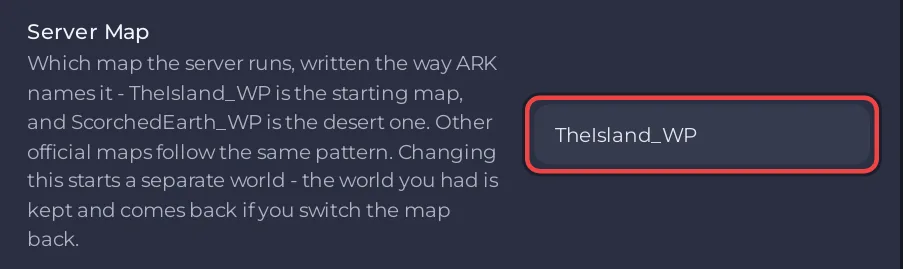
- Click Restart now. The server loads the new map. The first start on a new map builds its world, so it takes a little longer.
The field takes letters, numbers, _ and -, up to 64 characters. A name ARK does not know does not load a map, so copy it from the list below.
Map names
These are the official Ascended map names as the ARK wiki writes them:
| Map | Type in Server Map |
|---|---|
| The Island | TheIsland_WP |
| The Center | TheCenter_WP |
| Scorched Earth | ScorchedEarth_WP |
| Ragnarok | Ragnarok_WP |
| Aberration | Aberration_WP |
| Extinction | Extinction_WP |
| Astraeos | Astraeos_WP |
| Lost Colony | LostColony_WP |
A new server runs TheIsland_WP.
What happens to your world
Each map keeps its own world in its own folder under ShooterGame/Saved/SavedArks in Files, for example TheIsland_WP. Switching map does not convert or delete the world you had. Set Server Map back to the old name and restart, and that world loads again with everything built on it.
Take a backup before you switch, in case you change your mind about anything: How to back up and restore your ARK: Survival Ascended world.
Good to know
- Some maps use more memory than others. The ARK wiki lists The Center at 10.5 to 12 GiB on an empty map, more than The Island: How much RAM does an ARK: Survival Ascended server need?
- To start the same map over, use a world reset instead: How to wipe your ARK: Survival Ascended server.
- Tell your players: everyone plays the map the server runs.


