

To respawn the wild dinos on your ARK: Survival Ascended server, run Respawn Wild Dinos on Quick Tasks, or type DestroyWildDinos in the Console. Every wild creature is removed and the map fills again with fresh spawns. Tamed dinos are not touched.
Run it now
- Open your server in the panel. The server must be Online.
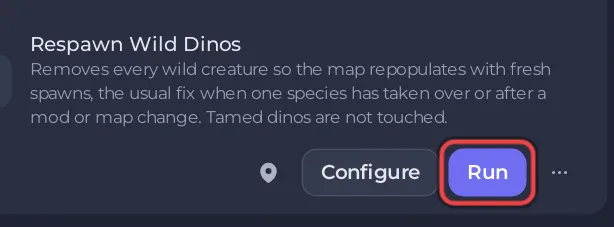
- Click Quick Tasks in the left menu and find Respawn Wild Dinos:
Removes every wild creature so the map repopulates with fresh spawns, the usual fix when one species has taken over or after a mod or map change. Tamed dinos are not touched. - Click Run.
Or type DestroyWildDinos in the Console tab and press Enter. No cheat needed in the panel.
When to use it
- One species has taken over the map.
- You changed the difficulty and want every wild creature to spawn again under it: How to change the difficulty and creature levels on your ARK: Survival Ascended server.
- After adding or removing a mod that changes creatures.
Do it on a timer
Open the task's menu, choose Schedule… and pick a time, for example weekly at a quiet hour. See How to use Quick Tasks on your ARK: Survival Ascended server.
At every start
The ARK wiki lists the launch option -ForceRespawnDinos, which destroys all wild creatures each time the server starts. Put it in Extra Launch Flags in Game Settings only if you want that at every restart, including the Daily restart. Take it out again to stop it.
Good to know
- Wild creatures that players are taming are wild too, so warn players first. The ARK wiki notes that memory use can be unstable or higher for several minutes while creatures spawn again: How to send a message to every player on your ARK: Survival Ascended server.
- To reset the whole world instead: How to wipe your ARK: Survival Ascended server.


