

To send a message to everyone on your ARK: Survival Ascended server, type broadcast followed by your message in the Console tab, for example broadcast Server restart in 10 minutes. Every player sees it on screen. Announce to Players on Quick Tasks does the same, and can run on a timer.
Type it in the Console
- Open your server in the panel and click the Console tab. The server must be Online.
- Type
broadcastand a space, then your message, and press Enter.
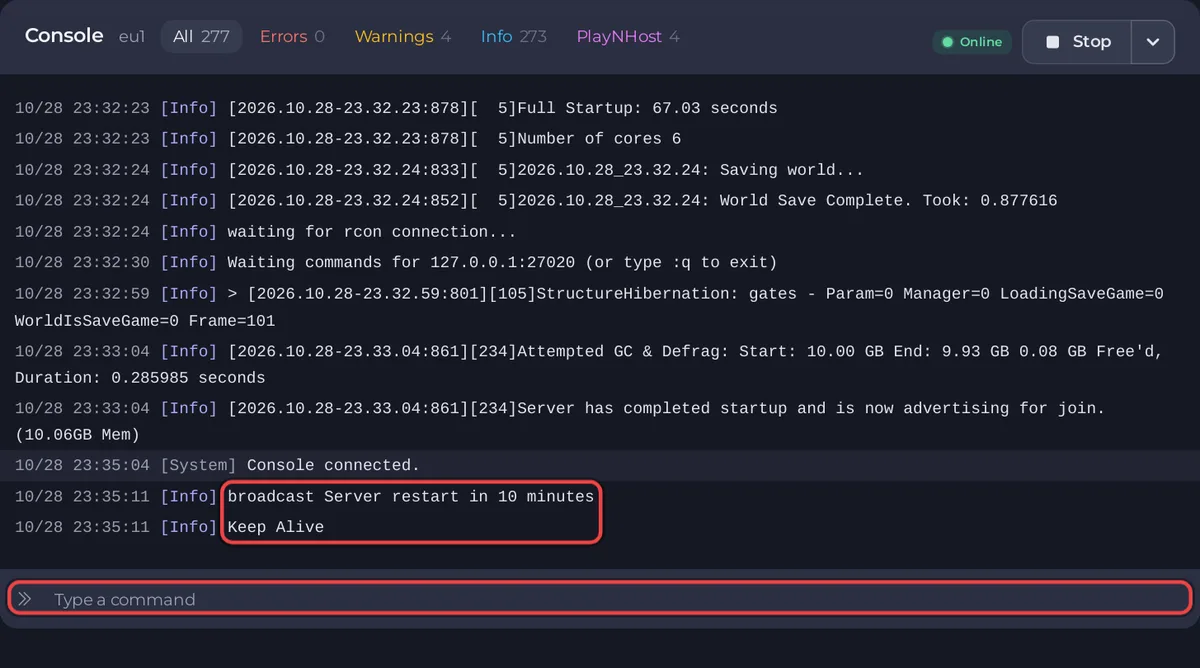
No cheat in front: the panel's Console is already an admin. For a chat line instead of an on-screen message, use serverchat and your message. The log then shows SERVER: and your text.
Use Announce to Players
- Click Quick Tasks in the left menu.
- Under All tasks, find Announce to Players:
Shows a message to everyone on the server. - Click Run. Because it needs a message, Configure task opens.
- Type your text in Message, up to 200 characters, and click Save task. Saving does not send the message yet.
- Above the list, click Your tasks. Click Run on Announce to Players there: it sends your saved message.
On Default tasks, Run always opens Configure task again, because that list runs each task as it ships, without your saved message.
Warn players before a restart
Make a schedule with Announce to Players a few minutes before your restart: open the task's menu, choose Schedule…, type the message, and pick the time. See How to restart your ARK: Survival Ascended server on a schedule.
Good to know
- A message only reaches players who are on at that moment.
- More Console commands: How to use the Console on your ARK: Survival Ascended server.


