

To send a message to everyone on a Vintage Story server on PlayNHost, type /announce followed by your text in the Console, for example /announce Restarting in 5 minutes, and press Enter. Vintage Story shows it to every player, in all chat groups. To send the same message on a timer, use Announce to Players under Quick Tasks.
How do I send it now?
- Open your server in the panel and click the Console tab. The badge must say Online.
- Type
/announceand your message, for example/announce Server restart at 20:00. - Press Enter.
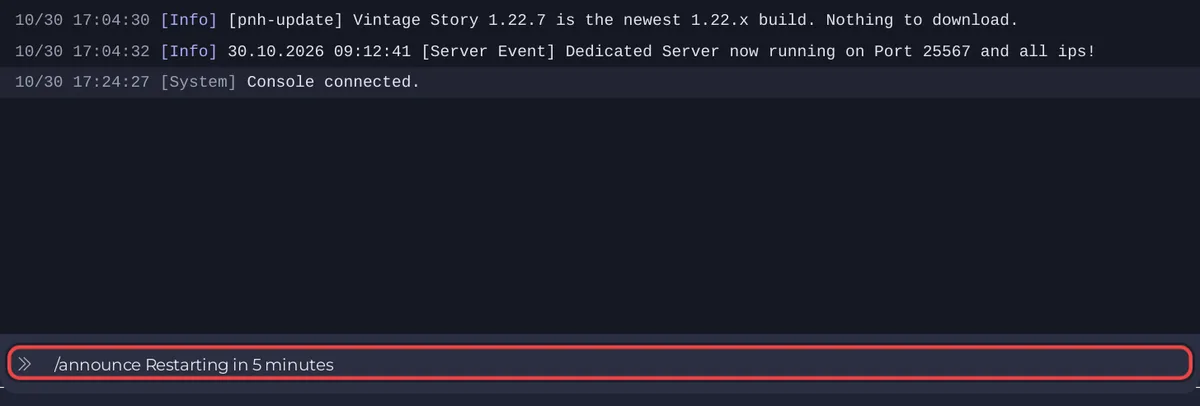
The official list of server commands describes /announce [message] as a server-wide message "in all chat groups". Admins and survival moderators can also type it in the game's chat.
How do I send it with Quick Tasks?
- Click Quick Tasks in the left menu.
- Under All tasks, find Announce to Players ("Shows a message to everyone on the server.").
- Click Run. Configure task opens and asks for a Message.
- Type the message and click Save task. This saves your version under the Your tasks filter; it sends nothing yet.
- Click the Your tasks filter, then Run on your Announce to Players. The message goes out.
Run under the Default tasks filter always runs the task as it ships, so it asks for the message again.
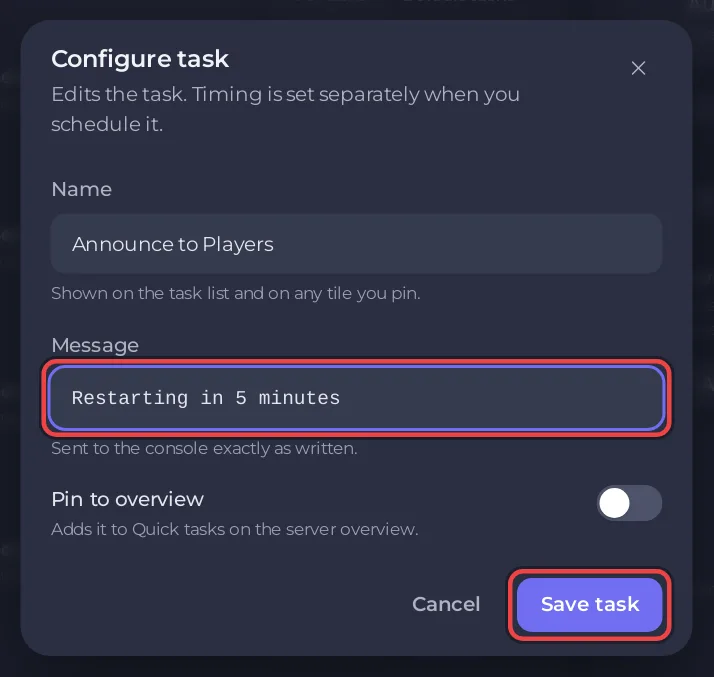
How do I send it on a timer?
In the task's menu, choose Schedule…. The Schedule task window asks for the Message under Arguments, then the time under Time: Once or Repeats. The usual use is a warning a few minutes before a scheduled restart: How to restart your Vintage Story server on a schedule.
Can I greet every player who joins?
Yes, with the Welcome message in the serverconfig.json card under Settings, Config files: How to change your Vintage Story server name and description.


