

Your players join your V Rising server with its Server Address, shown on the server's Overview page in the panel. V Rising is a vampire survival game where you build a castle and hunt for blood in an open world, and a hosted server gives you and your friends a persistent shared world that stays online without anyone having to run the game.
Join in a few steps
- Open your server in the panel. If the status badge says Offline, click Start and wait until it says Online. See How to start, stop, restart and force-stop your server.
- On the Overview page, click the copy icon next to Server Address. It looks like
address:port.
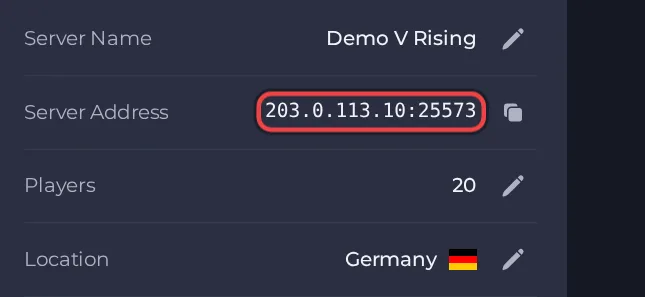
- Launch V Rising from Steam.
- From the main menu, open the online play section and look for the option to connect to a server by address (the game's server list also lists servers by name).
- Type the Server Address from your server's Overview page (address:port) and connect.
- If you set a Server Password, enter it when asked.
Ports
Players join with the address and port shown in the Server Address on the Overview page. The Server Query Port only feeds the Steam server list, and the RCON Port is only for remote admin tools. Both come with your server, cannot be changed, and are not typed by players.
Game version
Keep the server updated, because updates fix bugs and rebalance the game. Automatic Updates is on by default and checks for a new server version every time the server starts, so restart the server after a game patch if players cannot join.
If you cannot join
- The server must be Online. Check the badge at the top of the page.
- Copy the address again from the panel. A missing or mistyped port is the most common cause.
- Make sure every player runs a compatible game version.
- Check the password, if you set one. See How to set up your V Rising server.
- More checks: How to join your server and V Rising server problems and fixes.





