

To kick or ban a player on a Necesse server on PlayNHost, open the Console, type players to see who is online, then kick or ban followed by the player's name. unban lifts a ban and bans lists them all. The same commands work in the game's chat with a slash, for Moderators and Admins.
Kick or ban a player
- Open your server in the panel and click the Console tab. The badge must say Online.
- Type
playersand press Enter. Necesse lists the players online now. - To remove someone who may come back, type
kickand their name, with a reason if you like:kick Alex Please read the rules. - To keep someone out, type
banand their name:ban Alex. - Type
bansto check the ban list.
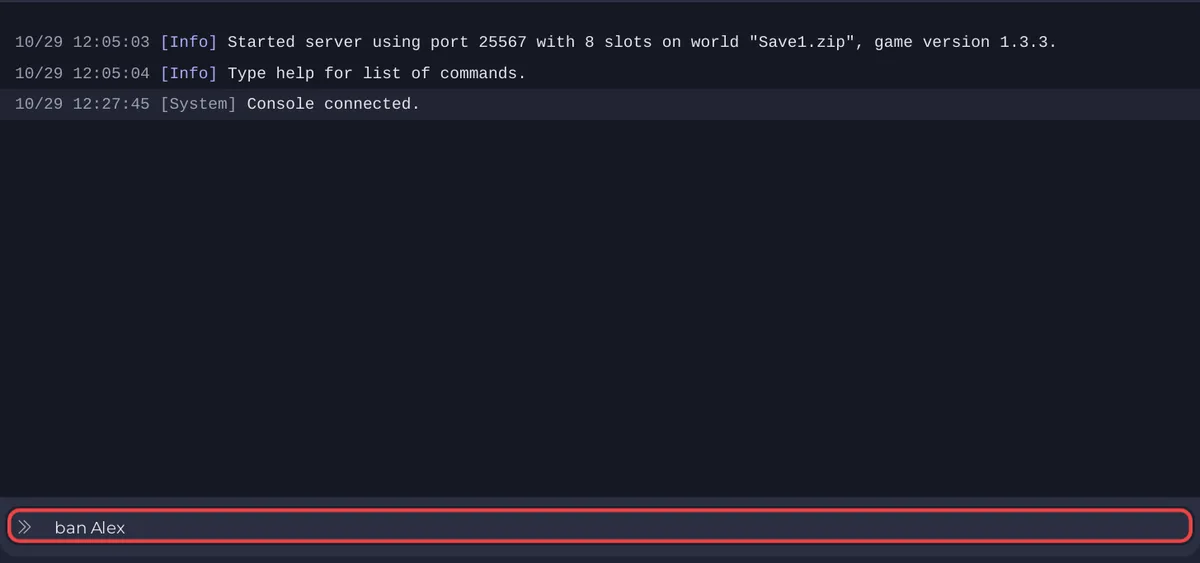
The commands and their levels come from the official Necesse wiki. In the panel's Console you type them without a slash and need no level.
How do I unban someone?
Type unban and the name in the Console, or /unban <name> in the game as an Admin. bans shows the exact names on the list.
Which level do my moderators need?
| Command | What it does | Level in game |
|---|---|---|
/players | Lists players online now | Moderator |
/playernames | Lists every player the server knows, with their name | Moderator |
/kick <player> [reason] | Removes a player; they can join again | Moderator |
/ban <name> | Bans a player | Admin |
/unban <name> | Removes a ban | Admin |
/bans | Lists all bans | Admin |
The wiki also accepts a player's authentication instead of a name for ban and unban; playernames lists both. Give helpers a level: How to become admin on your Necesse server.
Is there a whitelist?
No. Necesse's server commands have no whitelist. To keep a server for your group only, set a Server Password and change it if it leaks: How to set a password on your Necesse server.
Who can do this in the panel?
The server's owner and team members with the Use the console permission under Team & Roles. That permission allows every Necesse command, so give it with care.


