

To download a Necesse world from a PlayNHost server, save it first with save in the Console or stop the server, then open Files, go into saves and download the .zip named after your Save Name. That one file is the whole world.
Download the world file
- Open your server in the panel and click the Console tab.
- Type
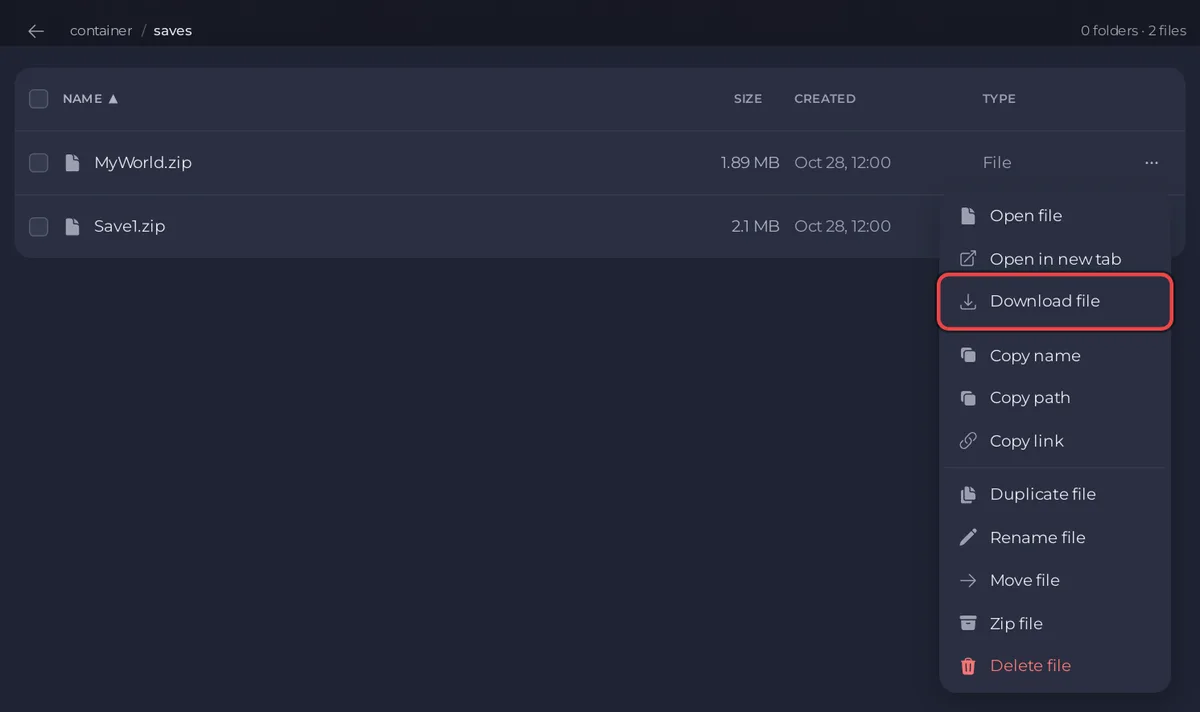
saveand press Enter, so the zip holds the latest state. Or click Stop and wait for Offline. - Click the Files tab and open the
savesfolder. - Find the zip with the same name as Save Name under Settings, Game Settings, for example
Save1.zip. - Open the file's menu and click Download.
How do I play it on my PC?
Put the zip in the saves folder of Necesse on your PC. On Windows that is %APPDATA%\Necesse\saves, according to the official Necesse wiki. Necesse lists it with your worlds.
Can I download everything at once?
Yes, with a backup. A Necesse backup holds the whole server folder: the world, cfg/server.cfg, mods and logs. Create one on the Backups page, then choose Download in its menu: How to back up and restore your Necesse world.
To move the world to another server: How to upload your own Necesse world.


