

A seed and a world type only apply when a world is created. Set World seed and World type in Settings, Server Properties (Java), then make a new world: the simplest way is to give World name a new name, which creates a fresh world next to the old one. The old world stays on the server.
Find the seed of your current world
Type seed in the Console and press Enter. The server answers with the seed. In the game, an operator of level 2 or more types /seed.
Choose them in the setup
A new server asks for them in the setup, on the Your world step: Seed (optional) and World type (Normal, Flat, Large biomes or Amplified). See How to set up your new Minecraft server.
Use a seed or world type on an existing server
- If you may want your current world back, back it up first: How to back up, restore and reset your Minecraft world.
- Open your server in the panel, click the Settings tab and, under Config files, click Server Properties (Java).
- Type the seed in World seed. Leave it empty for a random world.
- Pick a World type if you want one. The choices are
minecraft:normal,minecraft:flat,minecraft:large_biomes,minecraft:amplifiedandminecraft:single_biome_surface. Older Minecraft versions show their own names instead. - Change World name to a name you have not used, for example
world2. - Click Save & restart. The server creates the new world from your seed and type.
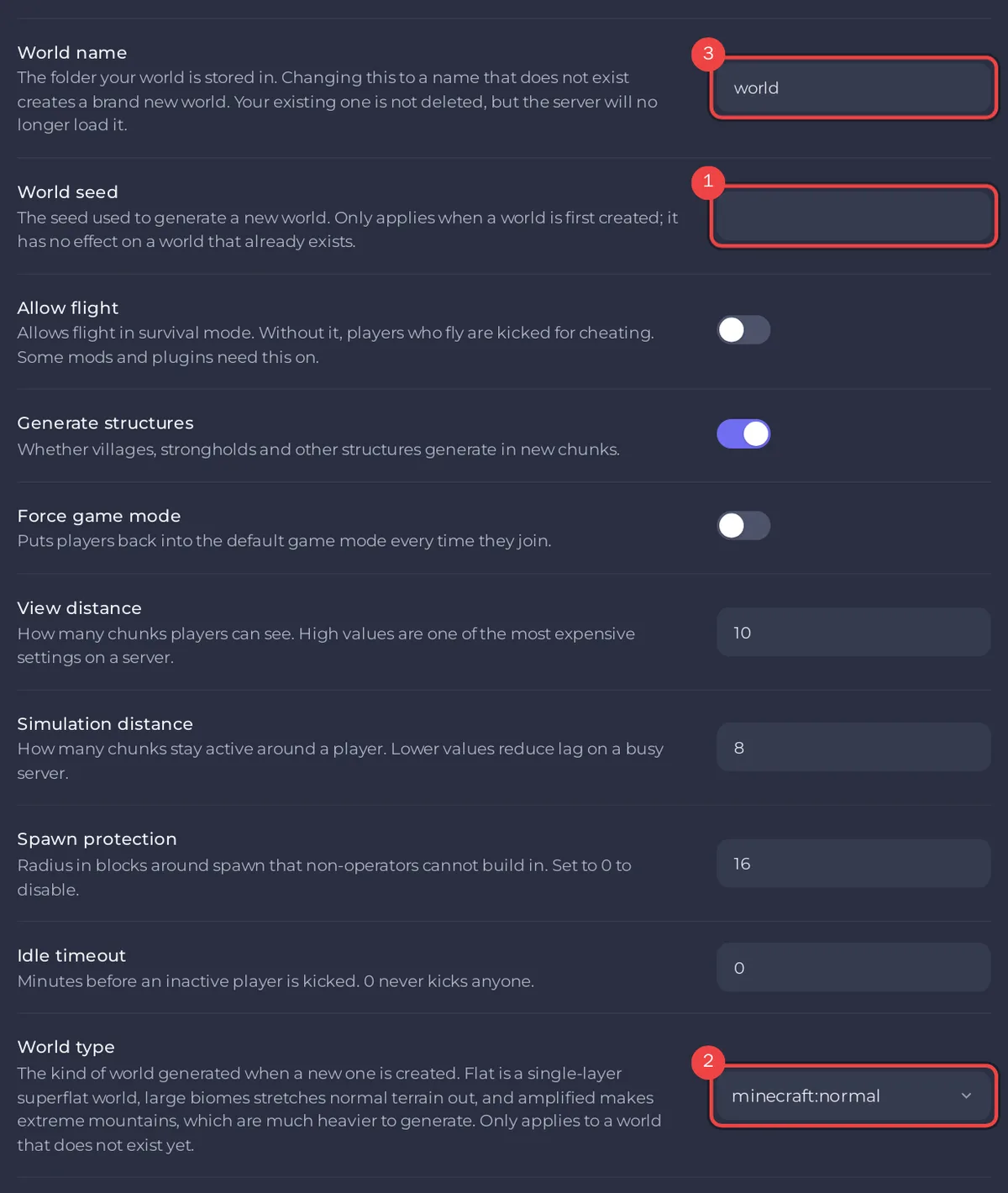
Your old world stays in its folder, unloaded. To go back to it, set World name back to its old name and restart. See How to switch to another world on your Minecraft server.
To replace the world instead of keeping it, keep the same World name and reset the world: How to reset your Minecraft world.
The world types
- Normal: the Minecraft world everyone knows.
- Flat: completely flat ground, for building.
- Large biomes: normal terrain with every biome much bigger.
- Amplified: huge mountains and deep valleys. It takes much longer to generate and needs more memory: on a small plan, expect lag while players explore new land.
minecraft:single_biome_surface(not offered in the setup): a world of one biome.
Good to know
- As the setup puts it,
The same seed always makes the same world.Use it with the same Minecraft version and world type to get the world a friend shared. - Hardcore is also set when the world is made. Switch it on before the new world is created if you want one.
- Generate structures decides whether villages, strongholds and other structures appear in new chunks.
- Exploring a new world generates it as players go. To generate it ahead of time, see How to pregenerate your Minecraft world.


