

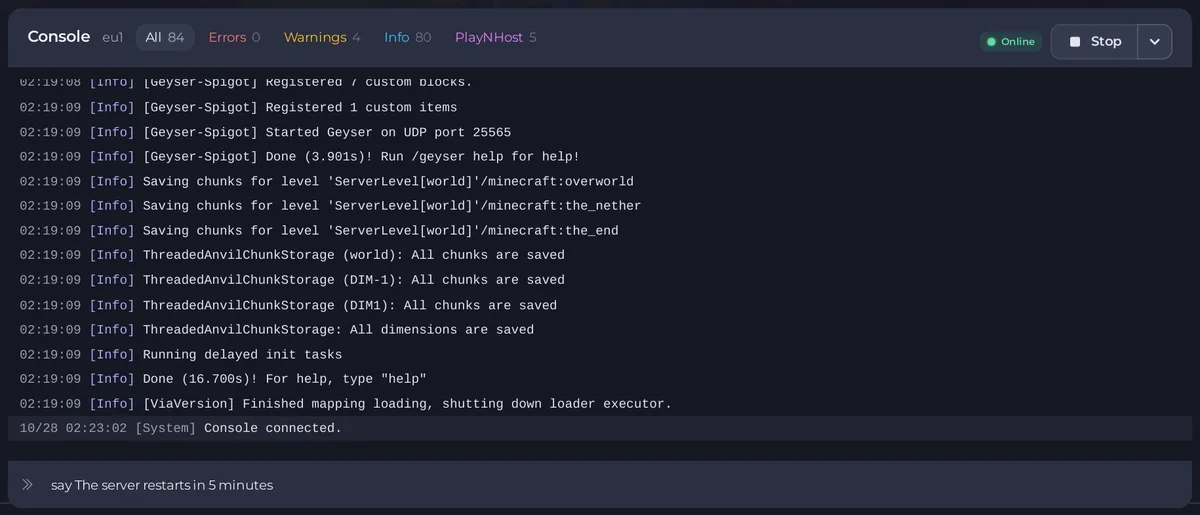
Type say and your message in the Console tab, for example say Restart in 5 minutes, and press Enter. Everyone on the server sees it in chat. To do it from Quick Tasks or on a timer, use the Announce to Players task.
From the Console
- Open your server in the panel and click the Console tab. The server must be running.
- Click the box that says Type a command.
- Type
sayand your message, without a slash:
say The server restarts in 5 minutes- Press Enter. The message appears in every player's chat.
To message one player privately, type msg and their name, for example msg Alex Please read the rules.
With Quick Tasks
Quick Tasks in the left menu has Announce to Players (Shows a message to everyone on the server.) for Minecraft Java servers. Run on a task that needs a value opens Configure task, where you type the Message. The task sends say with your text. You can also put it on a schedule, for example a reminder every hour. See How to use Quick Tasks on your Minecraft server.
Warn players before a restart
The Restart with Warning task on Quick Tasks warns players in chat one minute and then ten seconds before, then restarts the server. See How to restart your Minecraft server on a schedule.
In the game
Operators of level 2 or more can type /say and a message in chat. Any player can use /msg for a private message.
Good to know
- Chat lines show in the Console too. Click the Chat filter above the output to see only chat.
- For a message every player sees in the server list instead, change your message of the day: How to style your Minecraft server list entry with the MOTD and icon editor.


