

Your Minecraft server writes everything it prints to logs/latest.log, and when it crashes it writes a report in the crash-reports folder. Open both in Files. In a log, the lines that matter are the first error and the lines just above it. In a crash report, read the Description: line near the top.
Where the files are
Open your server in the panel and click Files:
logs/latest.log: the log of the current run, or of the last run if the server is stopped.- Older logs, in the same
logsfolder, packed as.log.gzfiles. Download one and open it with an archive tool on your computer. crash-reports: one file per crash, a.txtfile namedcrash-followed by the date and time.- A file named
hs_err_pidand a number, ending in.log, in the main folder: written by Java itself when Java, not the game, crashed. It is usually about memory.
Logs and crash reports are not kept in backups. The server writes new ones when it starts.
Read the log
- Open
logs/latest.login Files. - Scroll to the bottom, then up to the first line marked
ERRORorWARNnear the time it went wrong. - Read the lines just above it too: they often name the plugin or mod that was loading or running.
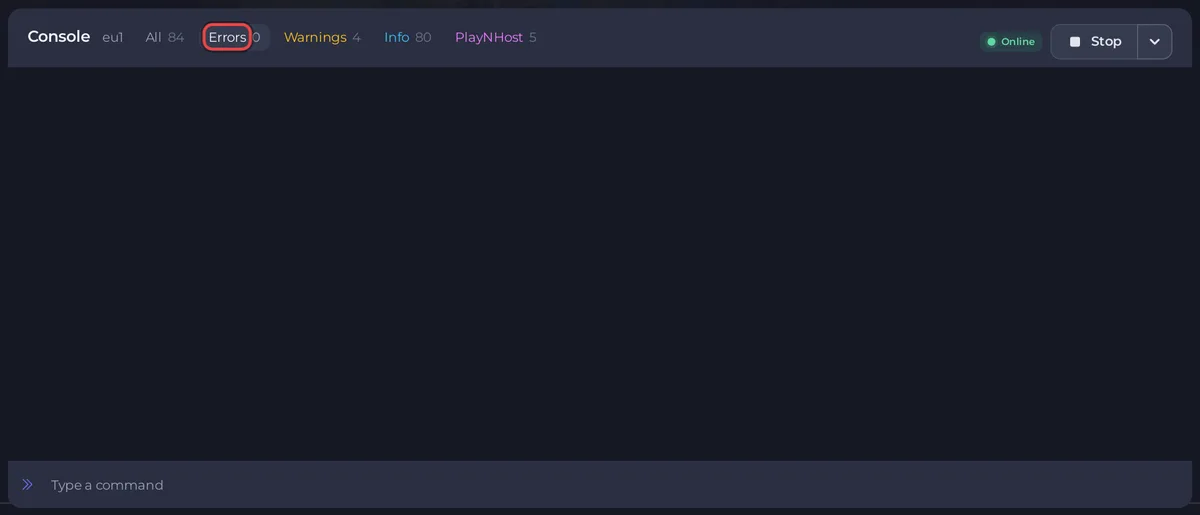
The Console shows the same lines live. Its filter buttons Errors and Warnings show only those lines. Once the console has seen your server start, a Since last start button also appears: it shows only the current run. See How to use the Console on your Minecraft server.
Read a crash report
Open the newest file in crash-reports. Near the top:
Description:says what the game was doing, for exampleTicking entityorException in server tick loop.- The next lines are the error and the code it came from. A plugin's or mod's name in those lines is your best lead.
- Further down, sections such as the affected entity or block give its type and position, and a list shows the mods that were loaded.
Let the panel read them for you
When the server stopped by itself, the Why your server stopped box on Overview and above the Console reads the newest crash report and the console for you. If it knows the cause, it says it in one sentence with the fix. If not, it quotes the crash report's description as The server crashed. and The crash report says:. See How to see why your Minecraft server stopped.
Share a log to ask for help
- In a ticket: turn on Attach the server log in the ticket form to send the latest console output, or download a crash report in Files and add it with Attach a file (up to 8 MB). See What to include in a ticket for each kind of problem.
- As a link: on the Console, open the console's menu (the three dots) and choose Share log. It makes a link anyone can open, for a plugin author or a friend. Turn on Hide IP addresses, then click Create the link. The panel warns:
Anyone with the link can read it, and logs often contain player IP addresses, plugin keys and database connection strings. Check the output before sharing.
Never post a password, a database login or a forwarding secret.
Good to know
- Every common error and its fix: Minecraft server problems and fixes.


