

Ready-made worlds, such as adventure maps, parkour courses and puzzle maps, install from the Worlds tab. Search under Find a map, click Install, and the map becomes your server's world at the next start. Your current world stays on the server, so you can switch back.
Install a map
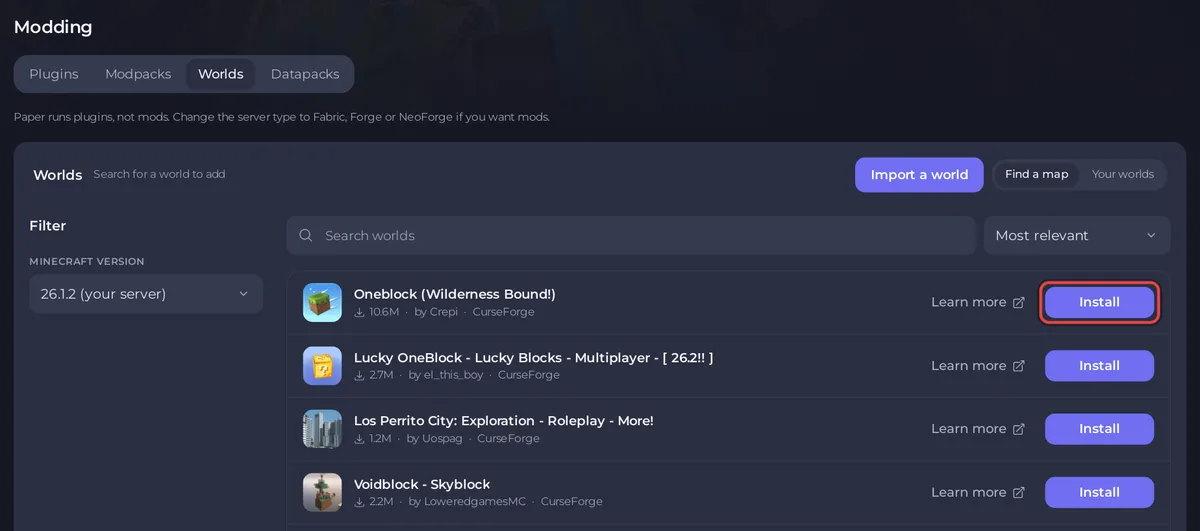
- Open your server in the panel, click the Modding tab, then Worlds. It opens on Find a map.
- Search for a map. The list comes from CurseForge. Use the Minecraft version filter to see maps made for your server's version.
- Click Install on the map you want.
- The panel says the map
is being installed, and will load at the next server start if it has a build for your Minecraft version. - Restart the server, then join.
What happens to your world
Your current world is not deleted. The map is placed in a folder of its own, and the server is pointed at it. The old world stays in Your worlds: to play it again, choose Make this the active world in its menu and restart. See How to switch to another world on your Minecraft server.
If the map does not load
- The map is for a newer Minecraft. A world saved by a newer version cannot open on an older server. The panel installs it but keeps your current world active. Pick a build of the map for your version, or change the server version: How to update your Minecraft server.
- The panel cannot download it. Some map authors allow downloads only on CurseForge itself. The panel then says
only allows downloads through CurseForge, so the panel cannot install it for you.and gives the map's page. Download it there, then bring it in with Import a world: How to upload your own Minecraft world.
Before players join
Adventure maps often expect certain settings. Read the map's page for what it needs, for example:
- Adventure mode, so players cannot break blocks freely: set Game mode to adventure in Settings, Server Properties (Java).
- Command blocks on: How to turn on command blocks on your Minecraft server.
- A resource pack: How to use resource packs and data packs on your Minecraft server.
Good to know
- A map with mods needs a server with the same mods: How to install a modpack on your Minecraft server.
- Installing needs permission to create files.


