

A PlayNHost Factorio server autosaves every 10 minutes by default; change it with Auto Save Interval in Settings, Game Settings. Whether the game pauses while nobody is online, and how saving behaves, are on the server-settings.json card of the same page. Type /server-save in the Console to save at once.
Change the autosave interval
- Open your server in the panel and click the Settings tab.
- In Game Settings, set Auto Save Interval in minutes, for example
5. - Click Restart now on the notice.

A shorter interval loses less progress if the server stops unexpectedly. On a big factory each autosave makes the game hold still for a moment, which players notice more often with a shorter interval.
Where do autosaves go?
Wube's own settings file describes autosave slots that are "cycled through when the server autosaves" (server-settings.example.json). On a PlayNHost server the panel's own note on Auto Save Slots says something different: measured in September 2026, the server writes each autosave back onto the save in use rather than into numbered copies, so that setting does not decide how many autosaves you keep. If files named like _autosave1.zip do appear on the Saves page, they carry the badge Autosave. The save in use is also written when the server stops or restarts, because Factorio saves on exit.
Do not count on older autosaves being kept. For a copy that nothing overwrites, take a snapshot: How to roll back your Factorio world with a snapshot.
Save right now
Type /server-save in the Console. Stop and Restart also save, because Factorio saves when it shuts down (Factorio wiki, Multiplayer).
Does the factory keep running with nobody online?
Not by default. Factorio's own setting Pause when empty is on, so the game pauses while no players are connected and belts and trains are where players left them. To keep the factory running for nobody:
- On the Settings page, click server-settings.json under Config files.
- Switch Pause when empty off.
- Click Save & restart.
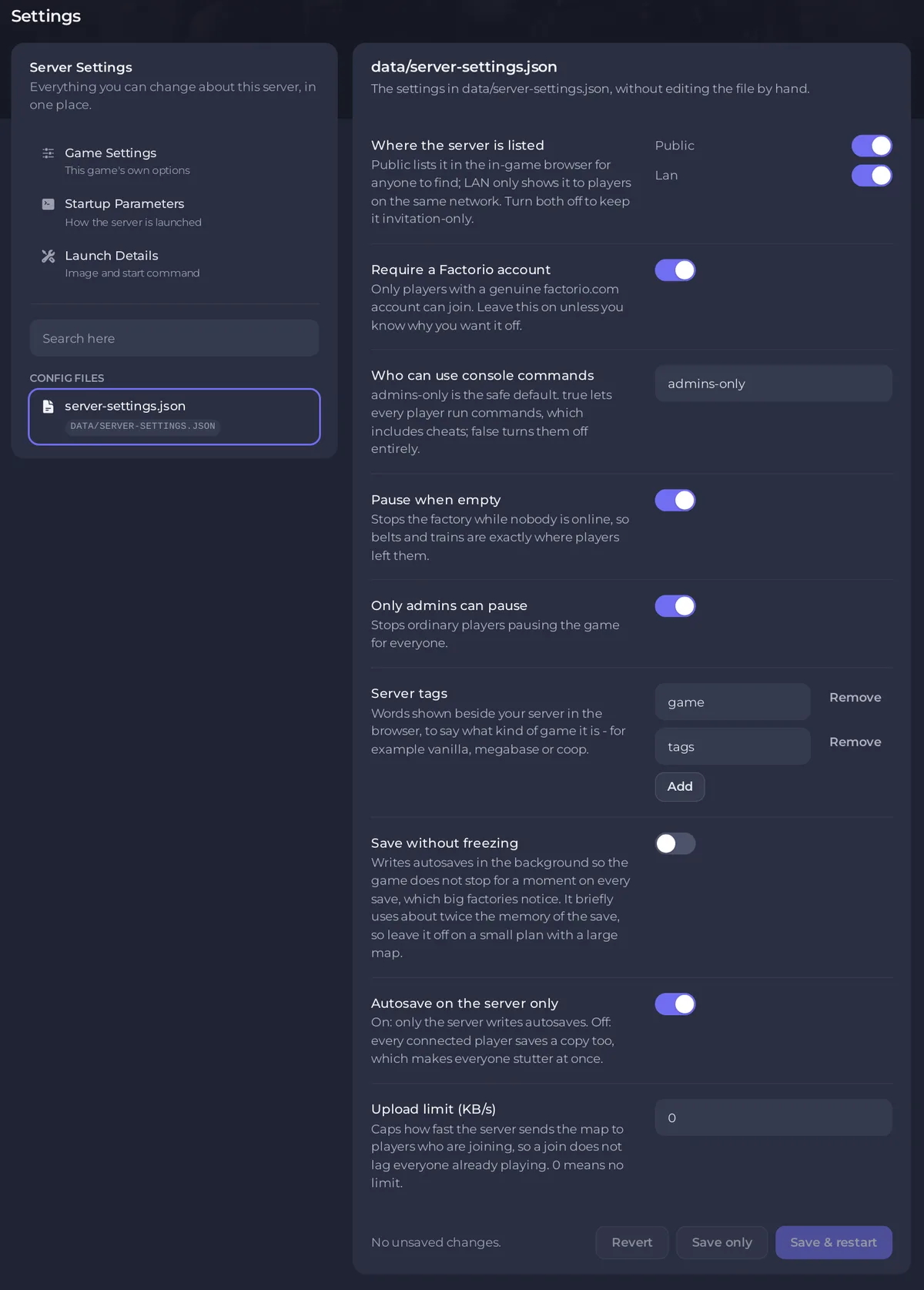
With it off, the game keeps running, so time-based enemy evolution goes on while nobody is there to defend.
The other save options on the card
- Autosave on the server only: on by default. Wube's file says that when it is off, autosaves are also written on every connected player's computer.
- Save without freezing: off by default. It writes autosaves in the background. Wube's own file calls it a "Highly experimental feature, enable only at your own risk of losing your saves" (server-settings.example.json), and the panel notes it briefly uses about twice the memory of the save. Take a backup before you try it.
- Only admins can pause: on by default, so ordinary players cannot pause the game for everyone.
Every other option: Factorio server settings: every option explained.


