

To restart your PlayNHost DayZ server every night, add the ready-made Nightly restart schedule on Quick Tasks and switch it on. It restarts the server at 05:00 while it is running, so the server installs any DayZ update and players on the new version can keep joining.
Add the Nightly restart
- Open your server in the panel and click Quick Tasks in the left menu.
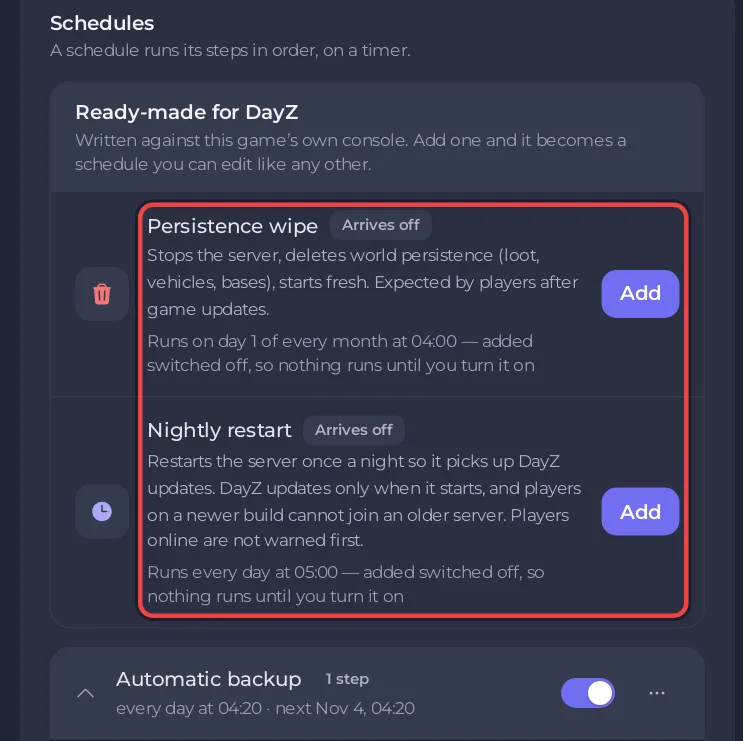
- Find Nightly restart under Ready-made for DayZ. Its row shows when it runs.
- Click Add. It becomes one of your Schedules, switched off.
- Under Schedules, switch Nightly restart on.
The schedule card then shows the next run. A stopped server stays stopped: the schedule only runs while the server is running.
What players notice
The panel's own description of the schedule says it plainly: Players online are not warned first. The restart takes a few minutes, because DayZ can take more than two minutes to stop and then checks for updates as it starts. Pick a time when few people play. To warn players yourself, send a message to everyone from a BattlEye RCON tool with say -1 followed by the message (BattlEye documentation): How to become admin on your DayZ server.
Restart at another time
Quick Tasks cannot change the time of a schedule that already exists. For another time, build a new schedule:
- On Quick Tasks, open Default tasks and find Send Restart.
- Open its menu and choose Schedule….
- Give the schedule a Name, then click Next step.
- Choose Repeats, set How often to Every day, and set the time under At.
- Keep Enabled on and click Schedule.
- Switch Nightly restart off, or never add it, so the server does not restart twice.
The general guide explains the schedule window, including the option to skip a run while players are online: How to schedule tasks and automatic backups.
Switch it off or delete it
Switch the schedule off under Schedules, or remove it with Delete schedule in its menu. The server then only updates when you restart it yourself: How to update your DayZ server.
Related
- How to wipe your DayZ server (the monthly Persistence wipe schedule)
- DayZ server hosting


