

To install SourceMod on a Day of Defeat: Source server on PlayNHost, switch on Install SourceMod under Game Settings, click Update and reinstall to apply, or upload Metamod:Source and SourceMod into the dod folder yourself. A restart alone does not install it. When it works, meta list in the Console lists SourceMod.
Install it with the Install SourceMod setting
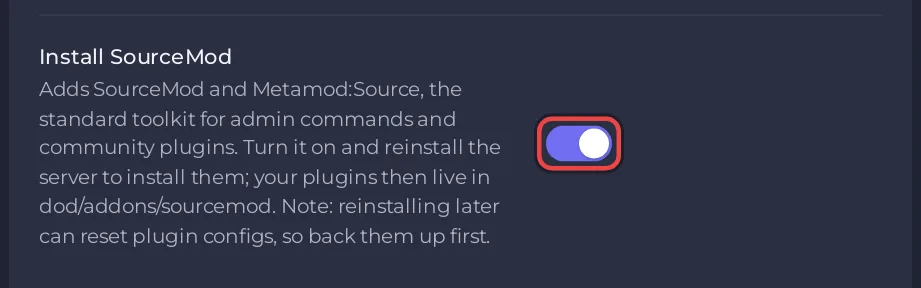
Install SourceMod adds SourceMod and Metamod:Source, the standard toolkit for admin commands and community plugins. The panel installs them only while it installs the server, so the switch needs Update and reinstall, which you start yourself.
- Click the Settings tab. Under Game Settings, switch Install SourceMod on. It saves at once, and the row shows Applies on reinstall.
- The panel shows "Saved. This is read while the server installs, so a restart will not apply it." with a button Update and reinstall to apply. A restart alone does not install SourceMod, so click that button and confirm. You can also scroll to the Update and reinstall card at the bottom of Game Settings.
- The server stops, the panel takes a backup (listed on Backups as "Automatic - before update and reinstall"), and the install runs again. It usually takes a few minutes, and a server that was running starts again by itself.
- When the server is back, check it as shown under "How do I check that SourceMod runs?" below.
If a backup is not possible, the panel asks "Update without a backup?" and does nothing until you press Update without a backup. Only the owner and subusers with the Reinstall permission can use the button.
During the install, the Console prints Installing Metamod:Source + SourceMod into dod/... and then SourceMod + Metamod installed with the two versions. If the download fails it prints ERROR: SourceMod/Metamod install failed - addons/ not populated. NOT installed. and the install fails: contact support through the website chat or a ticket and say what it printed. The panel's installer takes the 1.12 branch of both from AlliedModders.
Install it yourself
This needs no reinstall.
- Download the Linux package (
.tar.gz) of Metamod:Source and of SourceMod, the stable builds. - In the panel, click the Files tab and open the
dodfolder. - Click Upload and upload both files into
dod. - Tick the box next to the Metamod:Source file and click Unzip. Do the same for the SourceMod file. A folder
addonsappears indod. - Delete the two
.tar.gzfiles and restart the server.
AlliedModders' installation guide says the same: extract the Linux package into your mod folder, which is dod for Day of Defeat: Source.
How do I check that SourceMod runs?
We have not yet confirmed SourceMod loading on a Day of Defeat: Source server ourselves, so check it after either install:
- On the Console tab, type
meta listin the Type a command box and press Enter. The list shows SourceMod. - Type
sm versionand press Enter. It prints the SourceMod version.
If meta list is an unknown command, Metamod:Source is not loaded. Check that dod/addons/metamod.vdf exists and restart once more. If it still does not load, contact support through the website chat or a ticket.
Where do plugins go?
SourceMod plugins are .smx files. Upload them into dod/addons/sourcemod/plugins and restart the server. SourceMod's own settings, such as the admin list, are in dod/addons/sourcemod/configs. Update and reinstall keeps these settings, your plugins and your maps, and replaces only the SourceMod and Metamod program files. It keeps dod/cfg/server.cfg, cfg/mapcycle.txt, mapcycle.txt, motd.txt and motd_text.txt, SourceMod's admins_simple.ini, admins.cfg, admin_groups.cfg, admin_overrides.cfg, admin_levels.cfg, databases.cfg, core.cfg, maplists.cfg, languages.cfg, banreasons.txt and the four adminmenu_*.txt files in addons/sourcemod/configs, cfg/sourcemod/sourcemod.cfg, the two sm_warmode_*.cfg files and addons/metamod/metaplugins.ini. Stock plugins you moved to plugins/disabled stay disabled. Switching Install SourceMod off later does not remove SourceMod: the install only adds.
Next, make yourself admin: How to add admins and kick or ban players on your Day of Defeat: Source server.
Can I add bots with a plugin?
The Valve Developer Community names RCBot2, a Metamod plugin, as the way to get proper bots in Day of Defeat: Source, which has none built in. We have not tested RCBot2 on our servers.
More on files and backups: How to upload, edit and manage your server files and How to back up and restore your Day of Defeat: Source server.


