

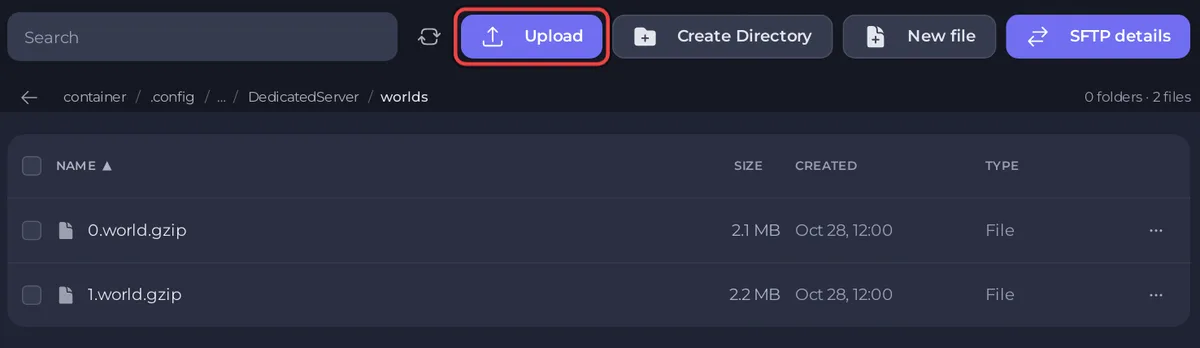
Your Core Keeper world is one file in the server's worlds folder, such as 0.world.gzip for World Index 0. To download it from your PlayNHost server, stop the server, open that folder in Files and choose Download file in the file's menu.
How do I download one world?
- Open your server in the panel and stop it, so the world is fully saved.
- Click the Files tab.
- Open
.config/unity3d/Pugstorm/Core Keeper/DedicatedServer/worlds. - Open the menu of the world file and choose Download file. The number is the slot:
0.world.gzipis the world of World Index0.
How do I download every world at once?
- All worlds: go up to
DedicatedServer, open the menu of theworldsfolder and choose Download folder. - Worlds plus the admin and ban lists: download the whole
DedicatedServerfolder the same way. - The whole server: make a backup and download it: How to back up and restore your Core Keeper world.
How do I play the world on my own PC?
Put the file in the worlds folder of your own game's save folder, under a slot number you do not use yet. Pugstorm gives the save folder on Windows as:
C:\Users\<your name>\AppData\LocalLow\Pugstorm\Core Keeper\Steam\<your Steam ID>(Pugstorm, April 2022.) Keep a copy of that folder first, so you never replace one of your own worlds by mistake.
Why stop the server before downloading?
The server writes its world when it stops. A file downloaded from a running server can miss the latest play. Downloading does not remove anything from the server.
Moving a world to the server is the other way round: How to upload your own Core Keeper world.


