

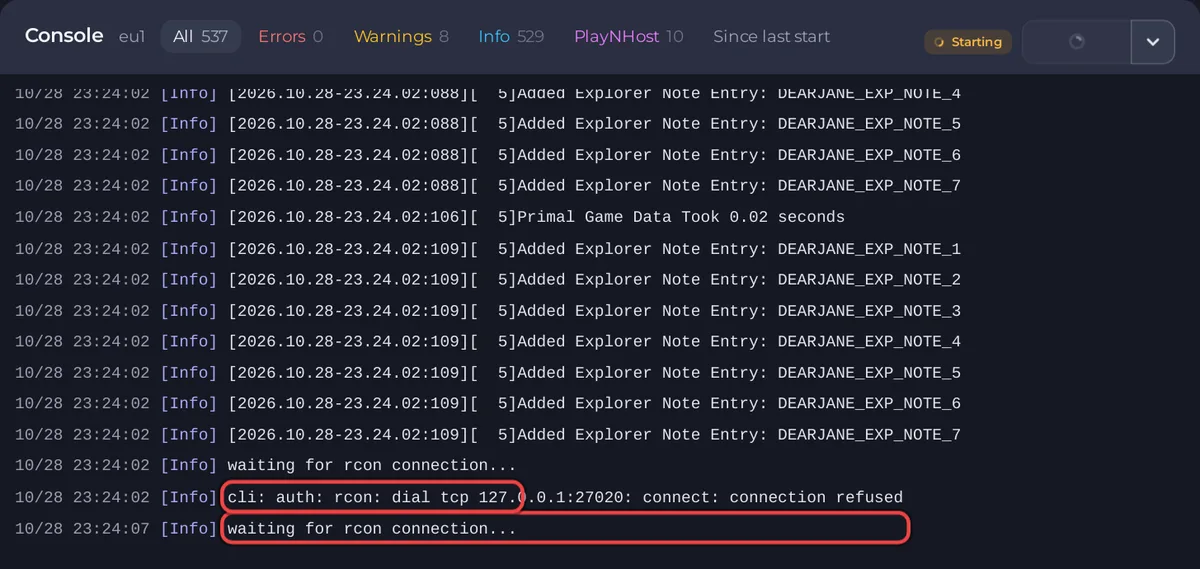
An ARK: Survival Ascended server stays on Starting until the Console shows Waiting commands for 127.0.0.1:. After a game update or after adding mods, it downloads first, so give it extra minutes. The repeated waiting for rcon connection... lines are normal while the game loads.
What is normal
- A new server: the game server, about 11 GiB on disk, is downloaded while the badge says Installing, before the first start.
- Every start: with Auto Update on, the update check:
Checking for game server updates... - While the game loads:
waiting for rcon connection...every few seconds, often withconnection refusedori/o timeout. That is the panel's console waiting for the game. - On an installed PlayNHost server running The Island, the badge turned Online about 1.5 minutes after the start.
When to look closer
- The Console stopped moving for many minutes. Scroll up to the last lines. Look for a mod or a download that failed.
- The server stops and starts again. If you see
[PlayNHost] The ARK server process stopped on its own; restarting the server., the game ended on its own. Take out the newest mod and check memory. - Overview says This server ran out of memory. See Your ARK: Survival Ascended server ran out of memory.
- The panel says Out of disk part-way through an update. Free space with Manage files, then start again.
- You recently changed Extra Map Settings or Extra Launch Flags. Empty the field, save and start again, to check whether the value is the cause.
What not to do
Do not click Kill while an update downloads or a world loads. As long as new lines keep appearing in the Console, the server is still working.
Still stuck?
Open a ticket with the last 50 to 100 lines of the Console: How to open a support ticket. More: ARK: Survival Ascended server problems and fixes and What happens the first time you start your ARK: Survival Ascended server.


