

To change the rates of your ARK: Survival Ascended server, stop it, open Game User Settings under Config files on the Settings tab, and set the numbers in the Rates group: 1 is normal, 2 is double. Click Save & start. A 2x server has Experience rate, Taming speed and Harvest amount at 2.
Set the rates
- Open your server in the panel and click Stop. Wait for Offline.
- Click the Settings tab, then Game User Settings under Config files.
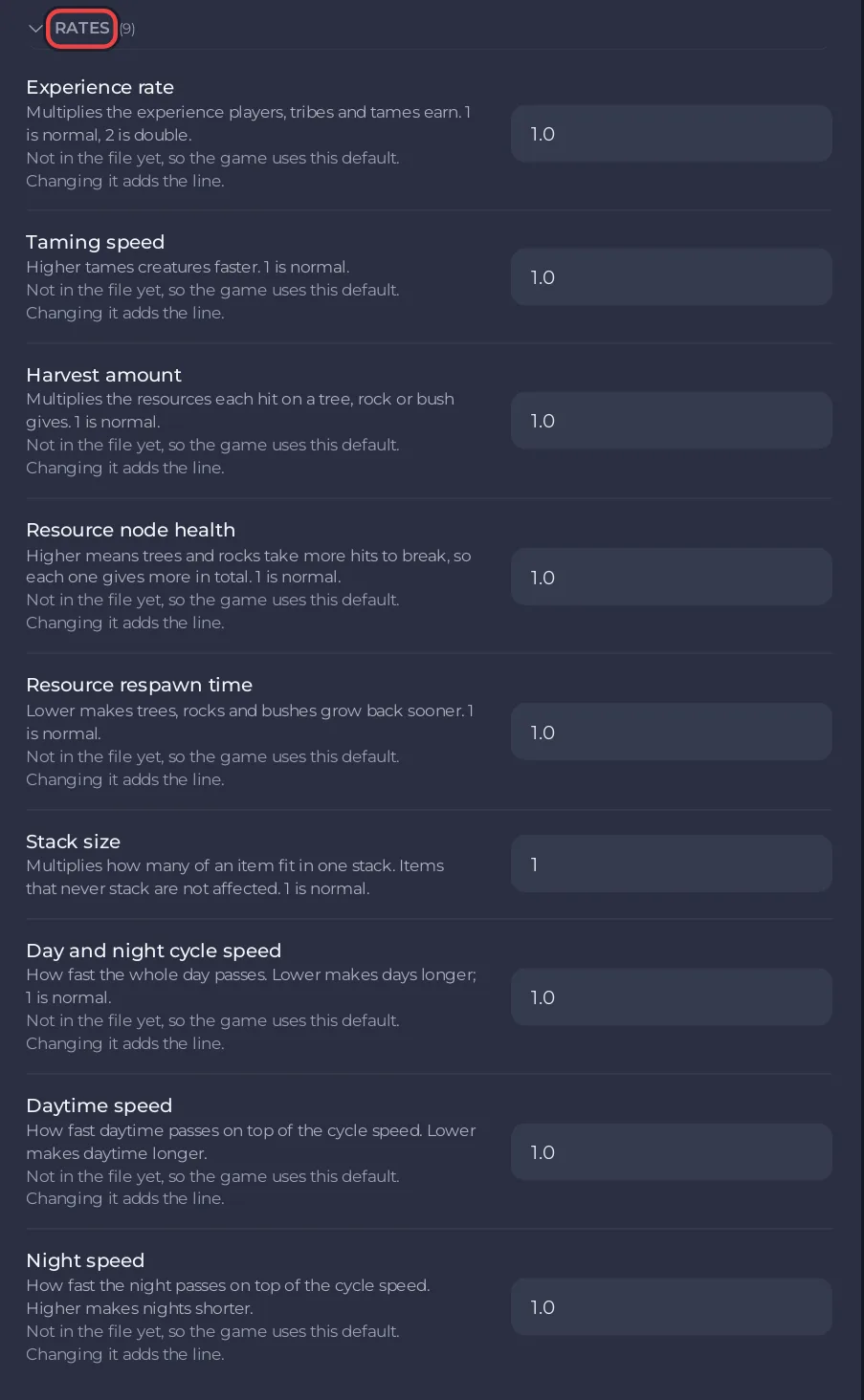
- Open the Rates group and type the new numbers.
- Click Save & start.
Numbers can have decimals, such as 1.5. Write them with a dot, without thousands separators.
The Rates group
| Setting | What the panel says | Default |
|---|---|---|
| Experience rate | Multiplies the experience players, tribes and tames earn. 1 is normal, 2 is double. | 1.0 |
| Taming speed | Higher tames creatures faster. | 1.0 |
| Harvest amount | Multiplies the resources each hit on a tree, rock or bush gives. | 1.0 |
| Resource node health | Higher means trees and rocks take more hits to break, so each one gives more in total. | 1.0 |
| Resource respawn time | Lower makes trees, rocks and bushes grow back sooner. | 1.0 |
| Stack size | Multiplies how many of an item fit in one stack. Items that never stack are not affected. | 1.0 |
| Day and night cycle speed | How fast the whole day passes. Lower makes days longer. | 1.0 |
| Daytime speed | How fast daytime passes on top of the cycle speed. Lower makes daytime longer. | 1.0 |
| Night speed | How fast the night passes on top of the cycle speed. Higher makes nights shorter. | 1.0 |
Extra experience sources (Game.ini)
Game Rules (Game.ini) has an Experience group that multiplies experience from one source, on top of Experience rate:
| Setting | Default |
|---|---|
| Experience from kills | 1.0 |
| Experience from harvesting | 1.0 |
| Experience from crafting | 1.0 |
Game.ini can be saved while the server runs. If Game Rules (Game.ini) is not under Config files yet, create the file first: How to edit GameUserSettings.ini and Game.ini on your ARK: Survival Ascended server.
Common setups
| Server | Experience rate | Taming speed | Harvest amount |
|---|---|---|---|
| Official speed | 1 | 1 | 1 |
| 2x | 2 | 2 | 2 |
| 5x | 5 | 5 | 5 |
Breeding is separate: How to change breeding and imprinting on your ARK: Survival Ascended server.
Good to know
- Labels and defaults come from the ARK wiki server configuration page.
- Put the rates in your Server Name, such as
My Tribe 3x PvE, so players see them in the list. - If a rate seems to reset after a restart, it was saved while the server ran: Your ARK: Survival Ascended Game User Settings will not save.


