

If your ARK: Survival Ascended Game User Settings will not save, or your rates change back after a restart, the server was running. ARK writes GameUserSettings.ini back from memory when it shuts down, which undoes changes made while it ran. Stop the server, make your changes, and click Save & start.
What you see
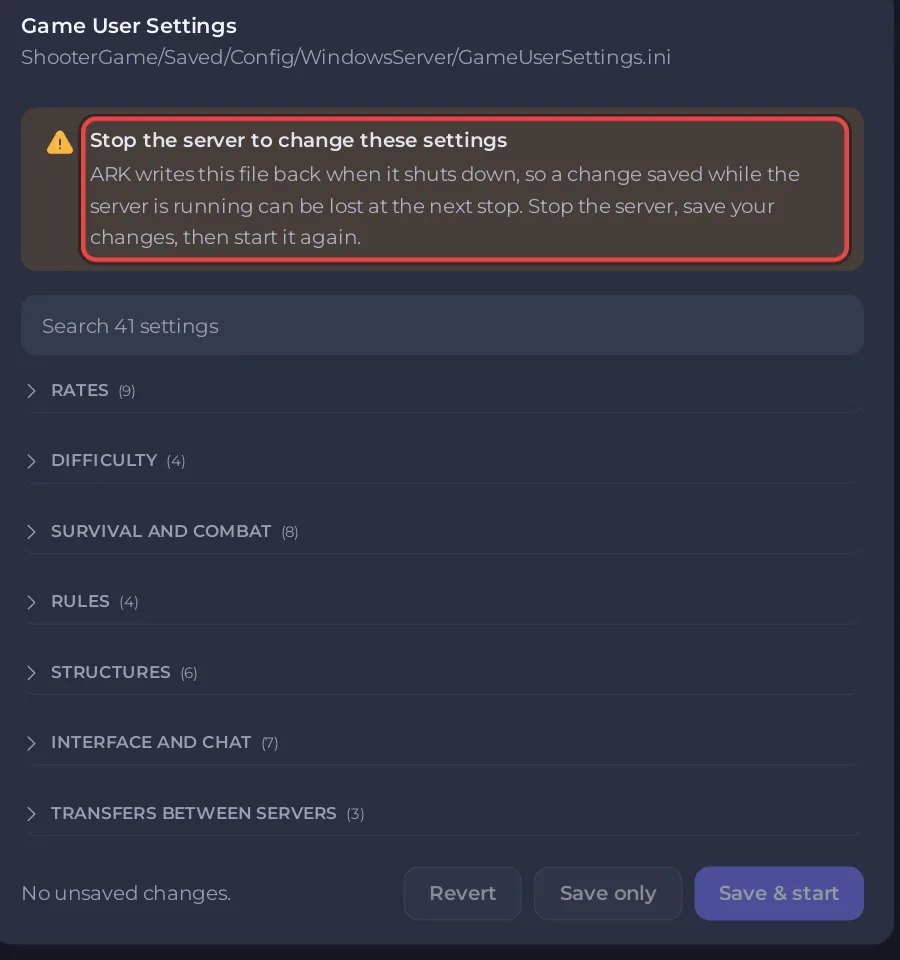
While the server runs, the editor shows Stop the server to change these settings and the reason: ARK writes this file back when it shuts down, so a change saved while the server is running can be lost at the next stop. Stop the server, save your changes, then start it again. The save buttons are greyed out.
Save so it sticks
- Click Stop and wait for Offline.
- On the Settings tab, open Game User Settings under Config files.
- Make your changes and click Save & start.
Other causes
- You edited the file in Files while the server ran. The same rule applies: ARK overwrote it at the next stop. Stop first, edit, then start.
- The value is also in Extra Map Settings. A
?Setting=Valuethere is on the start line too. Keep each setting in one place. - A number with a comma. Write decimals with a dot, such as
1.5. The editor refuses a value that is not a plain number. - The setting is not in this editor. Server name, passwords, player limit and PvE are in Game Settings, not here.
Good to know
Game Rules (Game.ini) does not have this rule and saves while the server runs. The full editor guide: How to edit GameUserSettings.ini and Game.ini on your ARK: Survival Ascended server. Other fixes: ARK: Survival Ascended server problems and fixes.


