

Breeding on an ARK: Survival Ascended server is set in the Breeding group of Game Rules (Game.ini), under Config files on the Settings tab. Set Egg hatch speed and Baby growth speed above 1 to breed faster, then click Save & restart. A new server has no Game.ini, so create it once in Files first.
Change the breeding rates
- Open your server in the panel and click the Settings tab.
- Under Config files, click Game Rules (Game.ini). If it is not there, create the file first, as the next section explains.
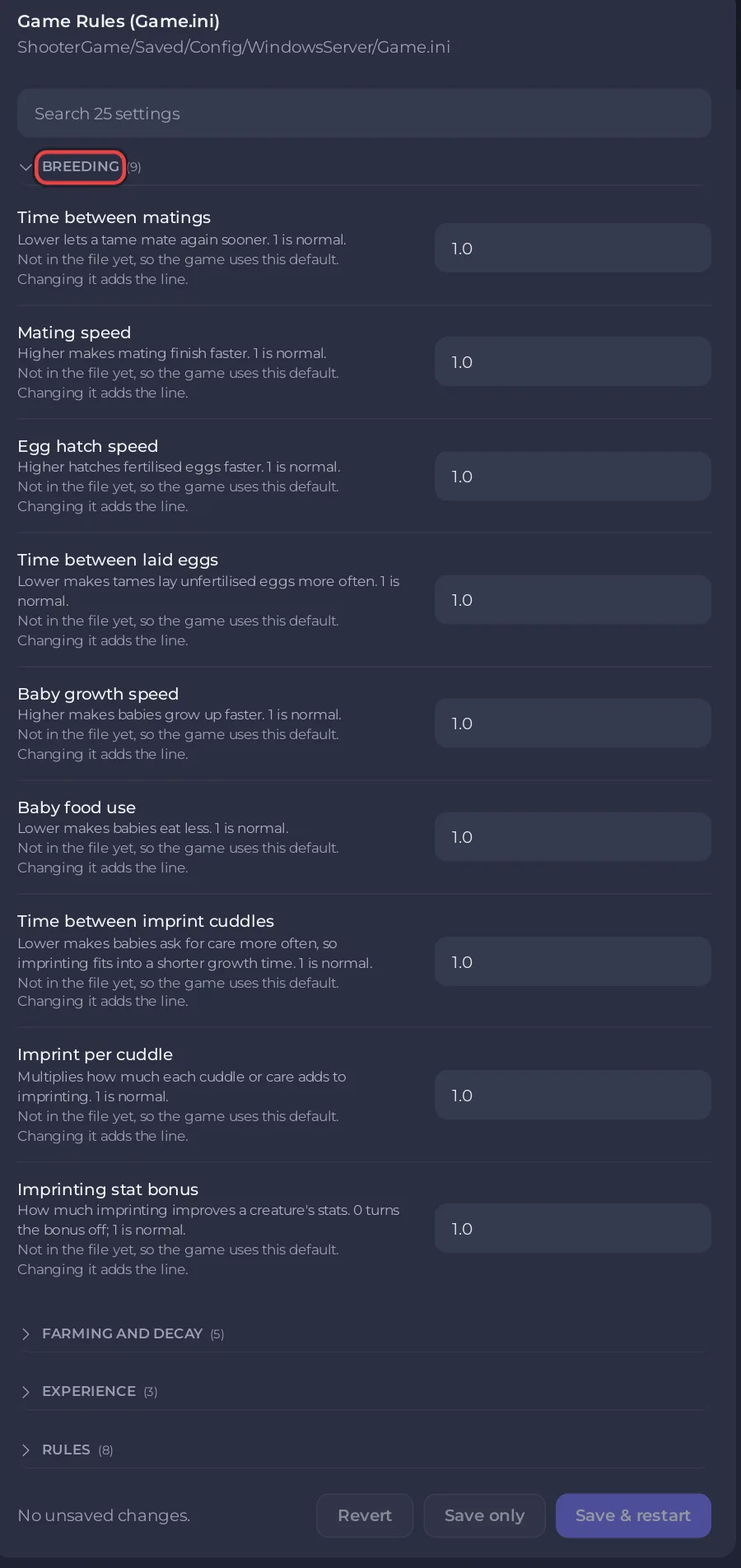
- Open the Breeding group and type the new numbers.
- Click Save & restart.
Game.inican be saved while the server runs.
Create Game.ini when it is missing
A new server has no Game.ini, so Game Rules (Game.ini) is not under Config files yet. Create the file once in Files, in ShooterGame/Saved/Config/WindowsServer, with the steps in How to edit GameUserSettings.ini and Game.ini on your ARK: Survival Ascended server.
The Breeding group
| Setting | What the panel says | Default |
|---|---|---|
| Time between matings | Lower lets a tame mate again sooner. | 1.0 |
| Mating speed | Higher makes mating finish faster. | 1.0 |
| Egg hatch speed | Higher hatches fertilised eggs faster. | 1.0 |
| Time between laid eggs | Lower makes tames lay unfertilised eggs more often. | 1.0 |
| Baby growth speed | Higher makes babies grow up faster. | 1.0 |
| Baby food use | Lower makes babies eat less. | 1.0 |
| Time between imprint cuddles | Lower makes babies ask for care more often, so imprinting fits into a shorter growth time. | 1.0 |
| Imprint per cuddle | Multiplies how much each cuddle or care adds to imprinting. | 1.0 |
| Imprinting stat bonus | How much imprinting improves a creature's stats. 0 turns the bonus off. | 1.0 |
Keep imprinting possible on fast breeding
When babies grow faster, there is less time for cuddles. If you raise Baby growth speed, lower Time between imprint cuddles too, so a baby still asks for care often enough to reach a full imprint. The panel's own description says this is what the setting is for.
Good to know
- The labels and defaults follow the ARK wiki.
- Taming and experience rates are in Game User Settings: How to change XP, taming and harvest rates on your ARK: Survival Ascended server.
- Crops and spoiling are in the same file: How to change crop growth and spoiling on your ARK: Survival Ascended server.


