%7B.s%7Banimation%3Ab%201.5s%20ease-out%20both%7D.d%7Banimation-delay%3A.16s%7D%7D%40keyframes%20b%7B0%25%7Bfill%3A%23F4F6FA%7D18%25%7Bfill%3A%23FFE08A%7D34%25%2C70%25%7Bfill%3A%23FF8A1F%7D80%25%7Bfill%3A%23FFE08A%7D100%25%7Bfill%3A%23FF8A1F%7D%7D%3C%2Fstyle%3E%3Cg%20transform%3D%22translate(143%20428.93)%20scale(3.885906)%22%3E%3Cg%20transform%3D%22translate(0%202)%22%20fill%3D%22%23706EF0%22%3E%3Cpath%20d%3D%22M0%200%20H48%20A40%2040%200%200%201%2048%2080%20V100%20H0%20Z%22%2F%3E%3Cpath%20transform%3D%22translate(91.75%200)%22%20d%3D%22M0%200%20L48%200%20L48%2050%20L76%2050%20L76%20100%20L0%20100%20Z%22%2F%3E%3Cpath%20transform%3D%22translate(173%200)%22%20d%3D%22M0%20100%20L58%20-4%20L116%20100%20Z%22%2F%3E%3Cpath%20transform%3D%22translate(264.25%200)%22%20d%3D%22M0%200%20L104%200%20L76%2050%20L76%20100%20L28%20100%20L28%2050%20Z%22%2F%3E%3Cg%20transform%3D%22translate(375%200)%22%3E%3Cpath%20d%3D%22M0%200%20L50%2038%20L50%200%20L100%200%20L100%20100%20L0%20100%20Z%22%20fill%3D%22%23F4F6FA%22%2F%3E%3Crect%20class%3D%22s%22%20x%3D%2247%22%20y%3D%2263%22%20width%3D%2219%22%20height%3D%2230%22%2F%3E%3Crect%20class%3D%22s%20d%22%20x%3D%2274%22%20y%3D%2263%22%20width%3D%2219%22%20height%3D%2230%22%2F%3E%3C%2Fg%3E%3Cpath%20transform%3D%22translate(484.75%200)%22%20d%3D%22M0%200%20L48%200%20L48%2037%20L52%2037%20L52%200%20L100%200%20L100%20100%20L52%20100%20L52%2063%20L48%2063%20L48%20100%20L0%20100%20Z%22%2F%3E%3Cpath%20transform%3D%22translate(588.5%200)%22%20d%3D%22M0%2050%20A53%2053%200%201%200%20106%2050%20A53%2053%200%201%200%200%2050%20Z%22%2F%3E%3Cpath%20transform%3D%22translate(698.25%200)%22%20d%3D%22M25%200%20H102%20V50%20H77%20A25%2025%200%200%201%2077%20100%20H0%20V50%20H25%20A25%2025%200%200%201%2025%200%20Z%22%2F%3E%3Cpath%20transform%3D%22translate(804%200)%22%20d%3D%22M0%200%20L90%200%20L90%2050%20L69%2050%20L69%20100%20L21%20100%20L21%2050%20L0%2050%20Z%22%2F%3E%3C%2Fg%3E%3C%2Fg%3E%3C%2Fsvg%3E)


A wipe cannot be undone on the Wipe page, but the backup made just before it can bring the world back. Restore that backup from Backups, then set World Size and World Seed back to the old map's numbers, because the wipe changed them, and start the server.
Before you start
- You need the backup made before the wipe. With Back up first ticked, and in every ready-made wipe schedule, the panel makes one named Before wipe with the date and time. Without a backup, the old world is gone.
- If the wipe ran on Facepunch's forced wipe day, the old save was made for the previous Rust build and does not load on the new one. Undoing a forced wipe does not work.
- A restore replaces what the backup holds. Anything players did since the wipe is lost.
1. Restore the backup
- Open your server in the panel and click Backups in the left menu.
- Find the backup named Before wipe with the date of the wipe.
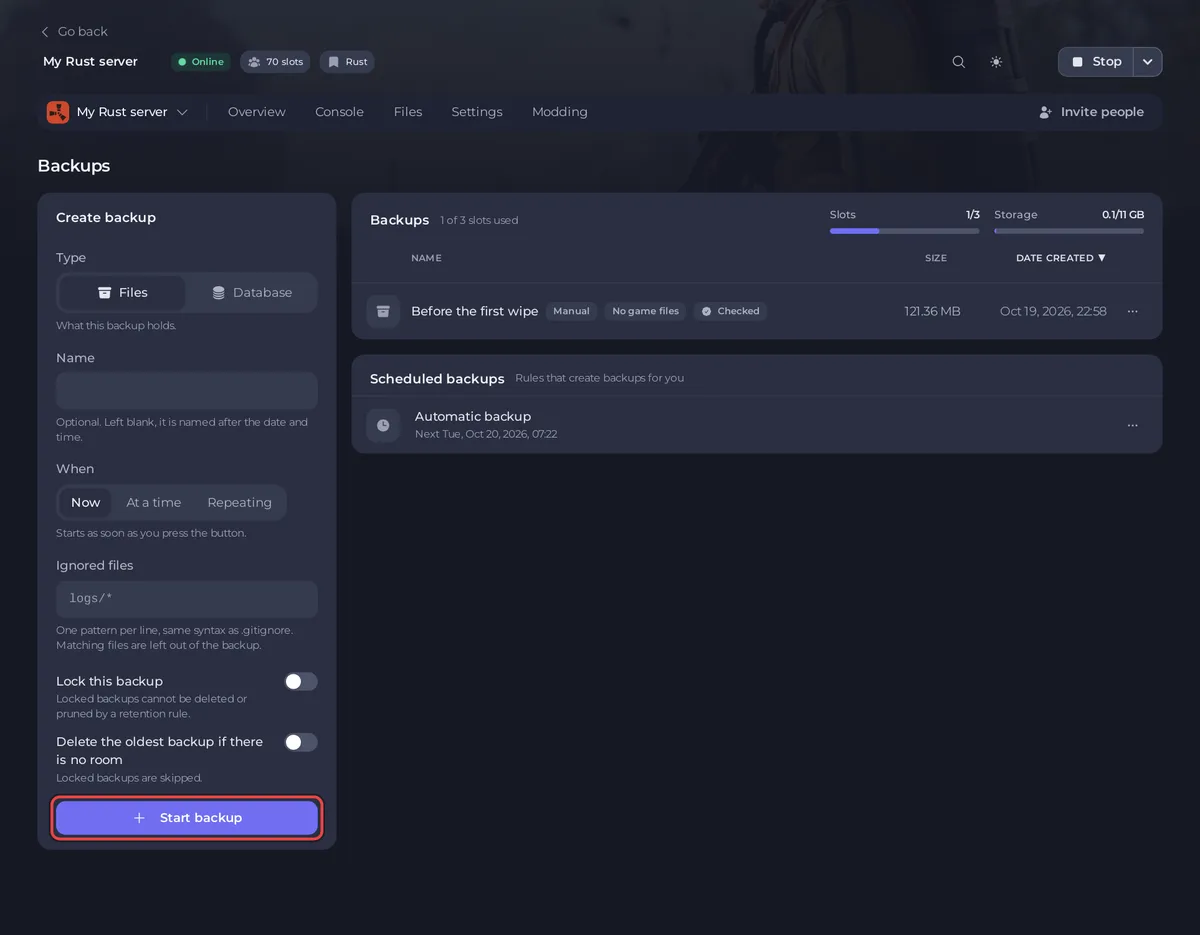
- Open the menu Actions for that backup and choose Restore to server.
- Read the window and click Restore backup. The server stops while the files are replaced.
2. Put the old map numbers back
The wipe set a new seed, or the next map of your rotation, for the next start. The restored world is still named after the old one.
- Open the Files tab and go to
server/rust. - Find the restored map file. Its name looks like
proceduralmap.3000.123456.289.map: the first number is the world size and the second is the seed. If the server was started after the wipe, the new map's files are there too: they carry the seed the Wipe page shows as Current seed and the newer date. Use the other one. - Open the Settings tab, then Game Settings. Set World Size and World Seed to those two numbers.

If the old world used a custom map, put its link back in Custom Map URL instead: How to use a custom map on your Rust server.
3. Start the server
- Click Start.
- Watch the Console until it shows Server startup complete.
- Join and check that the old world is there.
Good to know
- If you use a map rotation, the wipe moved the Next mark on. To use the same next map at the next wipe, click Make next on it and Save rotation: How to set up a map rotation on your Rust server.
- If a ready-made schedule ran the wipe, it is still switched on and runs again at its next time. Switch it off under Schedules on Quick Tasks if you do not want that.
- The restore also brings back the owners, moderators, bans and plugin data from the time of the backup.
- To bring back only the world files, see How to restore only some files or one area of your map from a backup.
- More on backups: How to back up and restore your Rust world.





