

To download your ARK: Survival Ascended world, take a backup on Backups and choose Download in its menu. That file holds your worlds, settings and mods. For the world folder alone, open ShooterGame/Saved in Files and choose Download folder on SavedArks.
Download a backup
- Stop the server, or type
saveworldin the Console, so the latest world is on disk. - Click Backups in the left menu and click Start backup.
- When it is done, open its menu and choose Download.
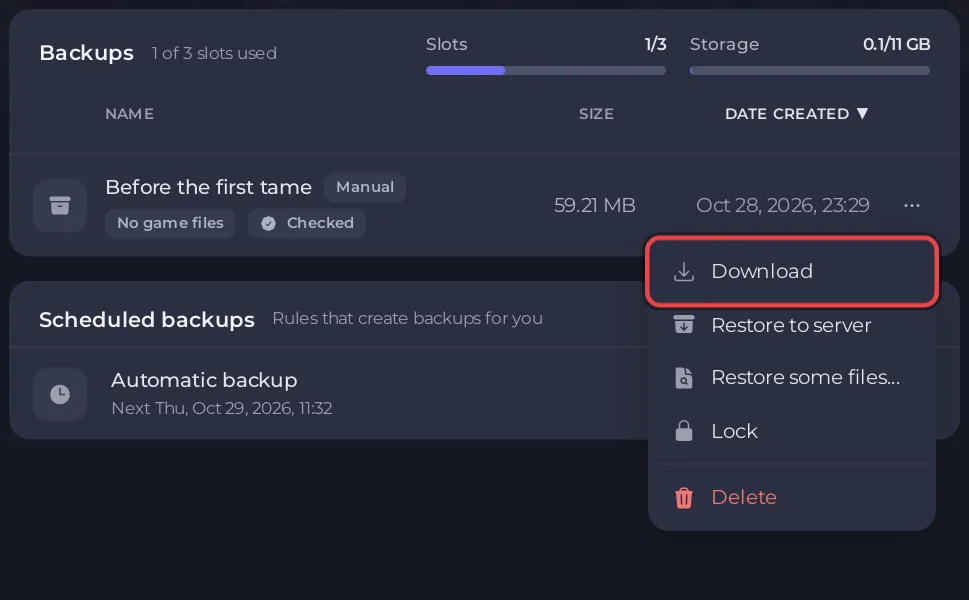
The file holds the whole ShooterGame/Saved folder and your mods, without the game's own files. See How to back up and restore your ARK: Survival Ascended world.
Download only the worlds
- Stop the server or type
saveworld. - Click the Files tab and open
ShooterGame, thenSaved. - Open the menu of the
SavedArksfolder and choose Download folder. - If you prefer a zip file on the server first, choose Zip folder instead, then Download file on the zip, and Delete file on it afterwards.
SavedArks holds one folder per map, such as TheIsland_WP, with the world, the players and the tribes of that map.
Good to know
- Large worlds make large files. A backup leaves out the game files, so it is the smallest full copy.
- To put a world back on a server, see How to upload your own ARK: Survival Ascended world.
- Managing files: How to upload, edit and manage your server files.


