

To bring an ARK: Survival Ascended world to your PlayNHost server, stop the server, upload the map's world folder as a zip into ShooterGame/Saved/SavedArks, unzip it there, and set Server Map to the same map. The folder is named after the map, such as TheIsland_WP, and holds the world, the players and the tribes.
Back up first. Uploading replaces the world of that map. See How to back up and restore your ARK: Survival Ascended world.
Get the world from the old server
On the old host, stop the server so the world is saved. In its files, find ShooterGame/Saved/SavedArks and the folder of your map, for example TheIsland_WP. Download that whole folder, and zip it on your computer if the host does not.
The world must come from ARK: Survival Ascended. A world from ARK: Survival Evolved does not load on Ascended.
Upload it
- Open your server in the panel and click Stop. Wait for Offline.
- Click the Files tab and open
ShooterGame, thenSaved, thenSavedArks. - If a folder with the same map name is there, open its menu, choose Rename folder and call it, for example,
TheIsland_WP-old, so you keep it. - Click Upload and choose your zip. The panel cannot upload a folder, only files, so it has to be a zip.
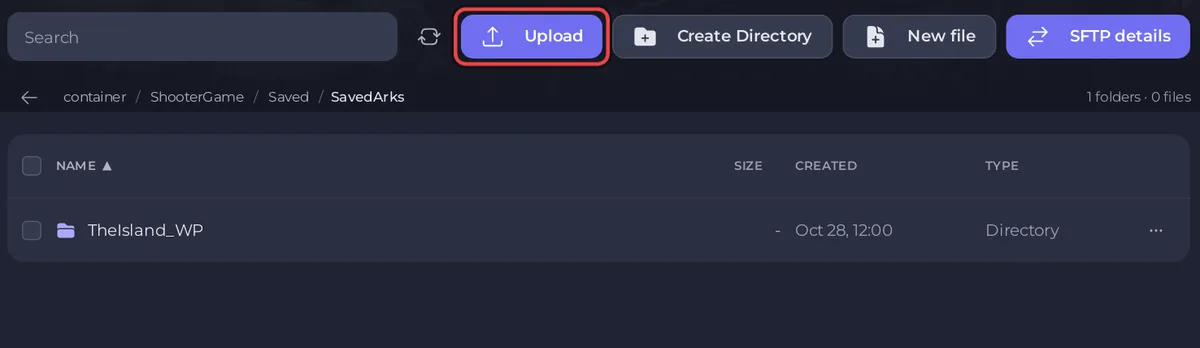
- Tick the zip's checkbox and click Unzip in the bar that appears. Check that you now have
SavedArks/TheIsland_WPwith the files directly inside, not a folder inside a folder. - Open the zip's menu and choose Delete file.
Load it
- Click the Settings tab. In Game Settings, make sure Server Map is the same map, such as
TheIsland_WP. - Start the server and watch the Console until it is Online.
- Join and check your base and tames.
Settings and mods
- Copy the rates you had into Game User Settings and Game Rules (Game.ini) on the Settings tab, rather than uploading old settings files: How to edit GameUserSettings.ini and Game.ini on your ARK: Survival Ascended server.
- If the world used mods, put the same CurseForge IDs in Mod IDs before the first start, or what the mods added can go missing: How to add mods to your ARK: Survival Ascended server.
If the old world does not load
If the server starts with a fresh world, the folder is in the wrong place or has the wrong name. Stop the server, check that the map folder sits directly in SavedArks and matches Server Map, and start again. Moving from another host in general: How to move your existing server to PlayNHost.


