

To change the name or the join password of your ARK: Survival Ascended server, open the Settings tab, edit Server Name or Server Password in Game Settings, and restart the server. The new name shows in the in-game list once the server is back online, and players are asked for the new password.
Change the name
- Open your server in the panel and click the Settings tab.
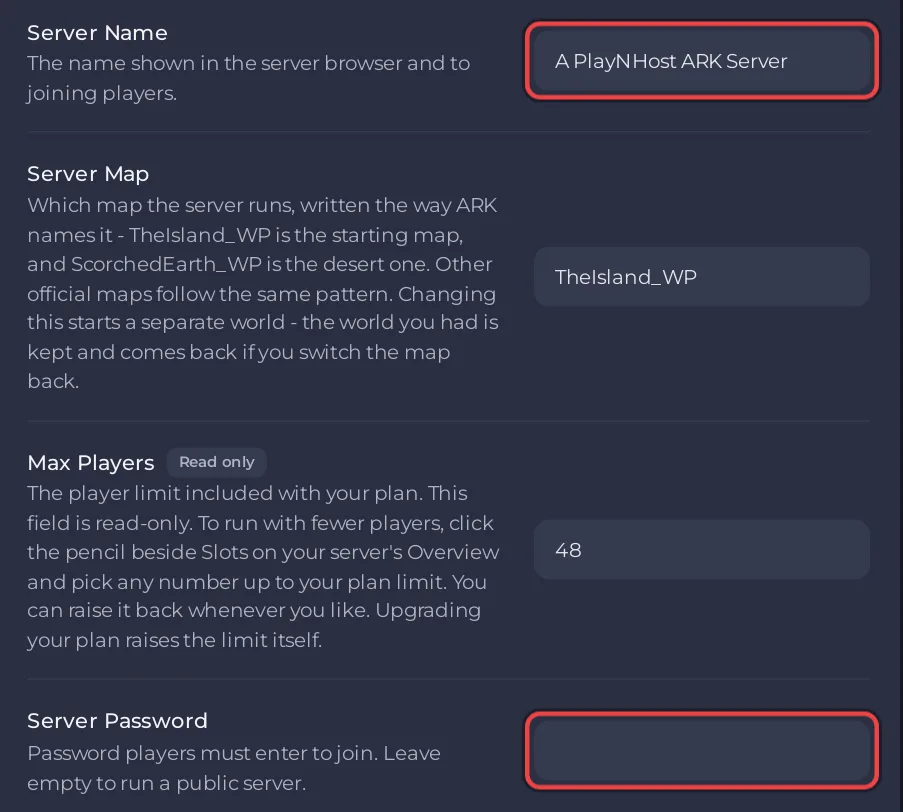
- On Game Settings, click in Server Name and type the new name.
- Click outside the field. The panel saves it and says
Saved. The server must restart before these take effect.
- Click Restart now, or restart later.
The name can be up to 64 characters: letters, numbers, spaces and these symbols: _ - . [ ] ( ) ! + #. Other symbols, such as |, & or ', are refused and the old name stays.
Set, change or remove the join password
- On Game Settings, type the password in Server Password.
- Click outside the field to save, then restart.
Up to 64 characters, made of letters, numbers, dashes and underscores. Spaces and other symbols are refused. To make the server public again, empty the field and restart.
Which name is which
- Server Name in Game Settings is the name in the game's server list. Players search for it.
- Server Name on the Overview card, with the pencil, is only for the panel, to tell your servers apart.
Good to know
- The admin password is a different field: How to become admin on your ARK: Survival Ascended server.
- These fields are on the server's start line, which wins over
GameUserSettings.ini, so set them here, not in the file. - Tell your players the new name or password: How to invite friends to your ARK: Survival Ascended server.


