

Structure decay and building rules for your ARK: Survival Ascended server are in the Structures group of Game User Settings. Stop the server, switch on No structure decay to keep abandoned bases forever, or raise Structure decay time to make them last longer, and click Save & start.
Change the settings
- Open your server in the panel and click Stop. Wait for Offline.
- Click the Settings tab, then Game User Settings under Config files.
- Open the Structures group.
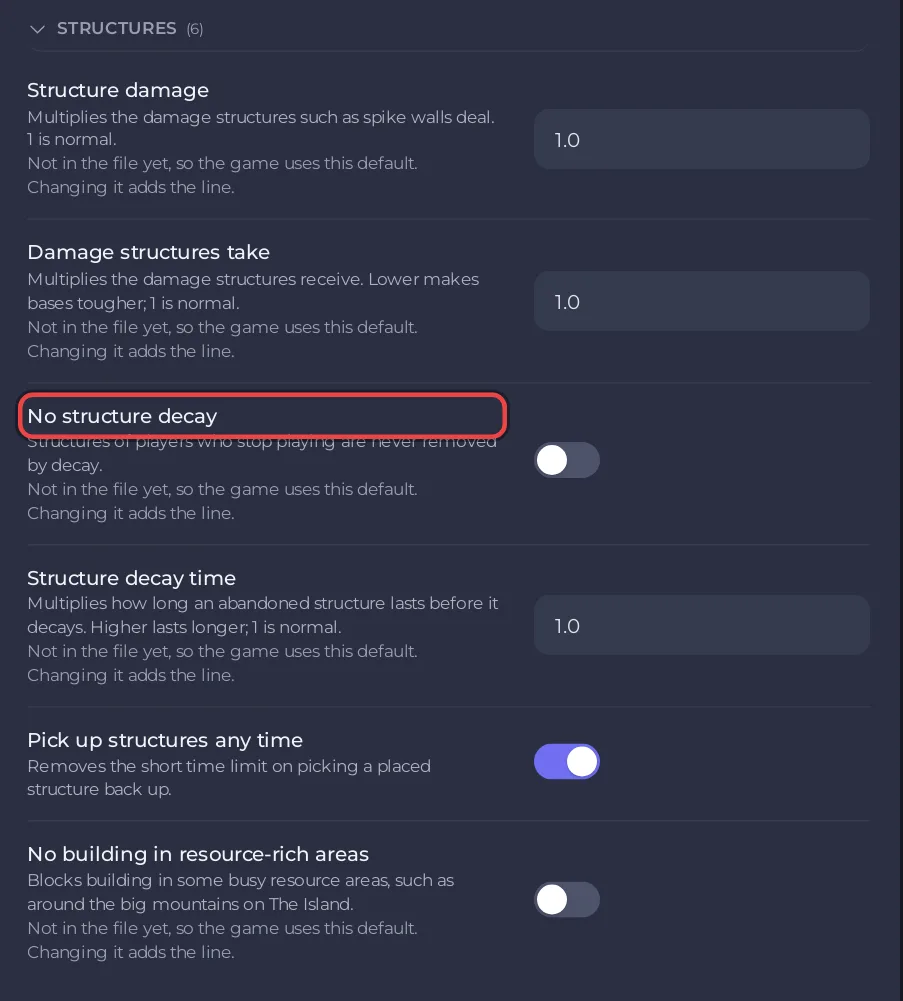
- Change what you want and click Save & start.
The Structures group
| Setting | What the panel says | Default |
|---|---|---|
| Structure damage | Multiplies the damage structures such as spike walls deal. | 1.0 |
| Damage structures take | Multiplies the damage structures receive. Lower makes bases tougher. | 1.0 |
| No structure decay | Structures of players who stop playing are never removed by decay. | off |
| Structure decay time | Multiplies how long an abandoned structure lasts before it decays. Higher lasts longer. | 1.0 |
| Pick up structures any time | Removes the short time limit on picking a placed structure back up. | off |
| No building in resource-rich areas | Blocks building in some busy resource areas, such as around the big mountains on The Island. | off |
Building rules in Game.ini
Game Rules (Game.ini) has two more building rules in its Rules group:
- Build into the terrain: structures can be placed partly inside the ground and rocks.
- Several floors on platform saddles: players can build more than one floor on a platform saddle.
See How to set tribe size and tame limits on your ARK: Survival Ascended server for the rest of that group.
Good to know
- Without decay, the bases of players who left stay on the map. Many structures make the world bigger and the server busier: Why is my ARK: Survival Ascended server lagging?
- The ARK wiki marks the game setting behind Structure decay time (
PvEStructureDecayPeriodMultiplier) as unknown on Ascended, so check in the game that it has the effect you want. PvE rules: How to make your ARK: Survival Ascended server PvE. - The labels and defaults follow the ARK wiki.


