

To change hunger, thirst and damage on your ARK: Survival Ascended server, stop it, open Game User Settings on the Settings tab and set the numbers in the Survival and combat group. 1 is normal, lower is slower or weaker. Click Save & start to apply them.
Change the values
- Open your server in the panel and click Stop. Wait for Offline.
- Click the Settings tab, then Game User Settings under Config files.
- Open the Survival and combat group and type the new numbers.
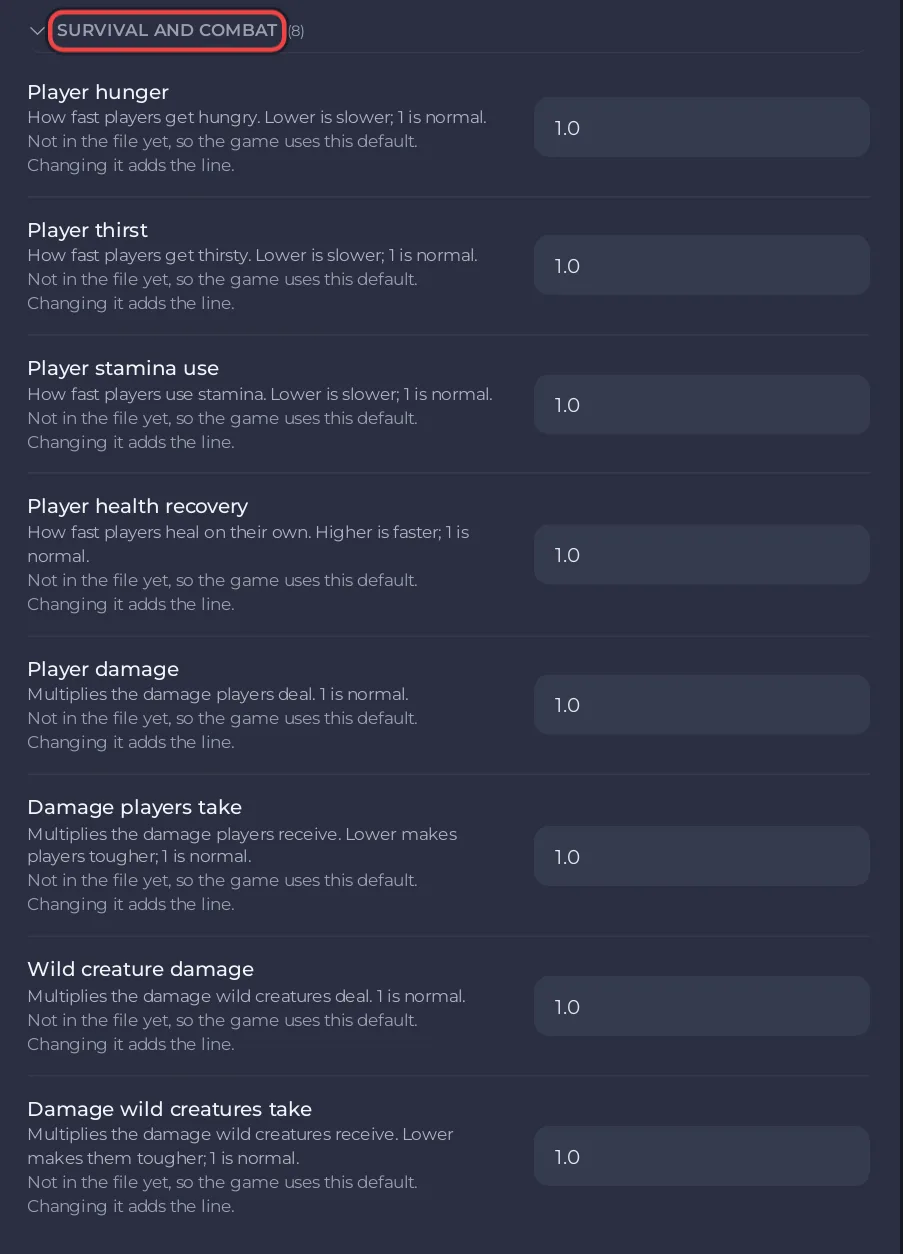
- Click Save & start.
The Survival and combat group
| Setting | What the panel says | Default |
|---|---|---|
| Player hunger | How fast players get hungry. Lower is slower. | 1.0 |
| Player thirst | How fast players get thirsty. Lower is slower. | 1.0 |
| Player stamina use | How fast players use stamina. Lower is slower. | 1.0 |
| Player health recovery | How fast players heal on their own. Higher is faster. | 1.0 |
| Player damage | Multiplies the damage players deal. | 1.0 |
| Damage players take | Multiplies the damage players receive. Lower makes players tougher. | 1.0 |
| Wild creature damage | Multiplies the damage wild creatures deal. | 1.0 |
| Damage wild creatures take | Multiplies the damage wild creatures receive. Lower makes them tougher. | 1.0 |
Examples
- A relaxed server: Player hunger and Player thirst at
0.5, Damage players take at0.75. - A harder server: Wild creature damage at
1.5and Damage wild creatures take at0.75.
Good to know
- Creature levels and spawns are in the Difficulty group: How to change the difficulty and creature levels on your ARK: Survival Ascended server.
- Saved but nothing changed? Save with the server stopped: Your ARK: Survival Ascended Game User Settings will not save.
- The labels and defaults follow the ARK wiki.


