

Most of what you want to change on an Unturned server is on one page of the panel.
Open Game Settings
- Open your server in the panel and click the Settings tab.
- Click Game Settings.
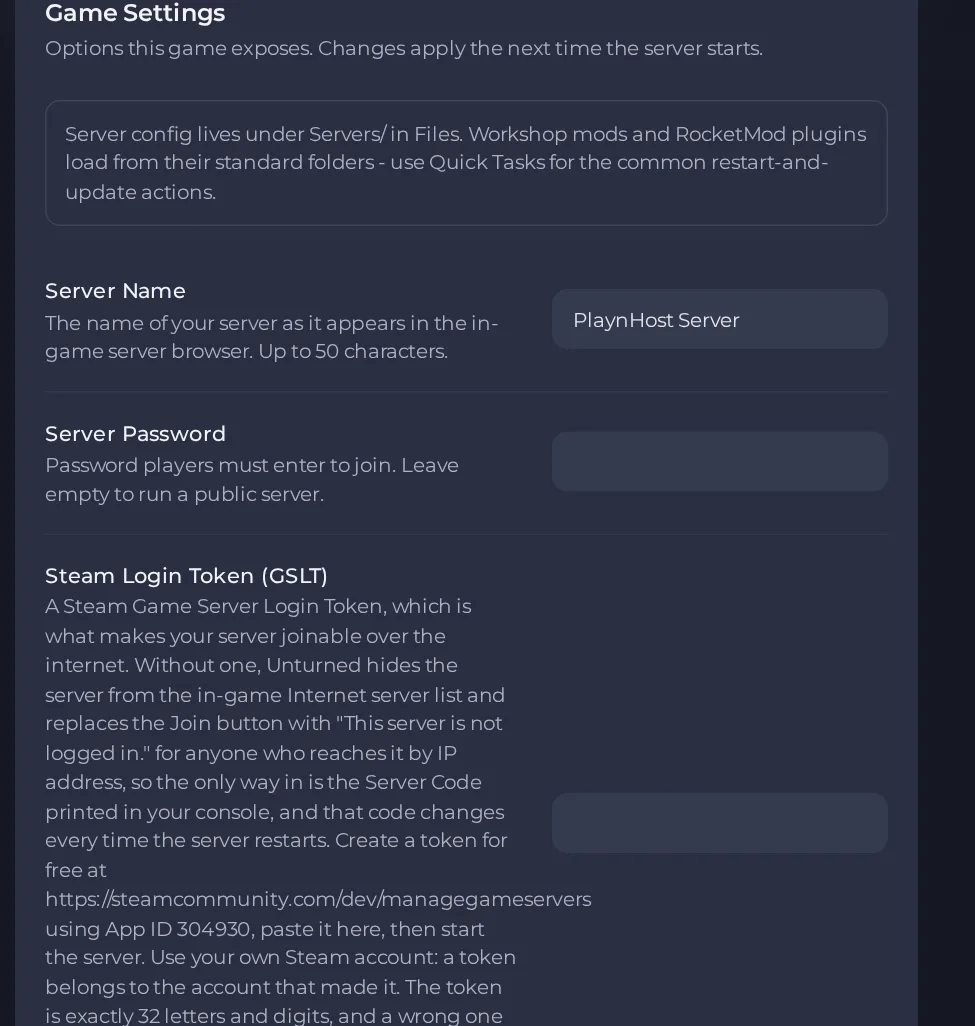
- Change a value and click outside the field, or press Enter. The panel saves it. Switches save as soon as you flip them.
- Restart the server so the change takes effect. See How to start, stop, restart and force-stop your server.
Options most owners change first
- Server Name. The name shown in the in-game server browser, up to 50 characters.
- Server Password. Players must enter this to join. Leave it empty for a public server. Do not use spaces, quotes, backslashes, asterisks or question marks, because a space or one of those characters breaks the password.
- Steam Login Token. Create a free token at steamcommunity.com/dev/managegameservers with App ID 304930, using your own Steam account. It is exactly 32 letters and digits and makes the server joinable by address and listed in the Internet server list. Without it the game shows "This server is not logged in." and only the Server Code works. A wrong token stops the server from finishing its start, so leave it empty if unsure.
- Steam Workshop Item IDs. Comma-separated Workshop IDs with no spaces. The server downloads them itself on every start.
- Auto update. Checks for a game update on each start. Turn off only to stay on a specific build.
- Max Players. Read-only field showing your plan limit. To run with fewer players, use Players on the server Overview page (this restarts your server).
- Map (Commands.dat file). The official maps are PEI, Washington, Yukon, Russia and Germany. Add a line such as Map PEI to choose one.
- Perspective (Commands.dat file). Restricts the camera to Both, First, Third or Vehicle.
- Gameplay options (Config.txt file). Config.txt sits in your server's folder under Servers in Files and holds the gameplay options. Edit Config.txt itself: the official documentation describes per-difficulty files such as Config_NormalDifficulty.txt only for old servers converted from earlier game versions. Stop the server before editing. Empty values use the game default.
Changes to the panel settings (name, password, token, Workshop item IDs, Auto update) apply the next time the server starts, so restart after saving. Edits to Config.txt and Commands.dat also need a restart. The player limit is rewritten into Commands.dat on every start from your plan limit, so editing the MaxPlayers line yourself has no lasting effect. The developer recommends restarting the server about once a day to keep it stable. See How to schedule tasks and automatic backups.
Every option is listed in Unturned server settings: every option explained.





