

Most of what you want to change on a Squad server is on one page of the panel.
Open Game Settings
- Open your server in the panel and click the Settings tab.
- Click Game Settings.
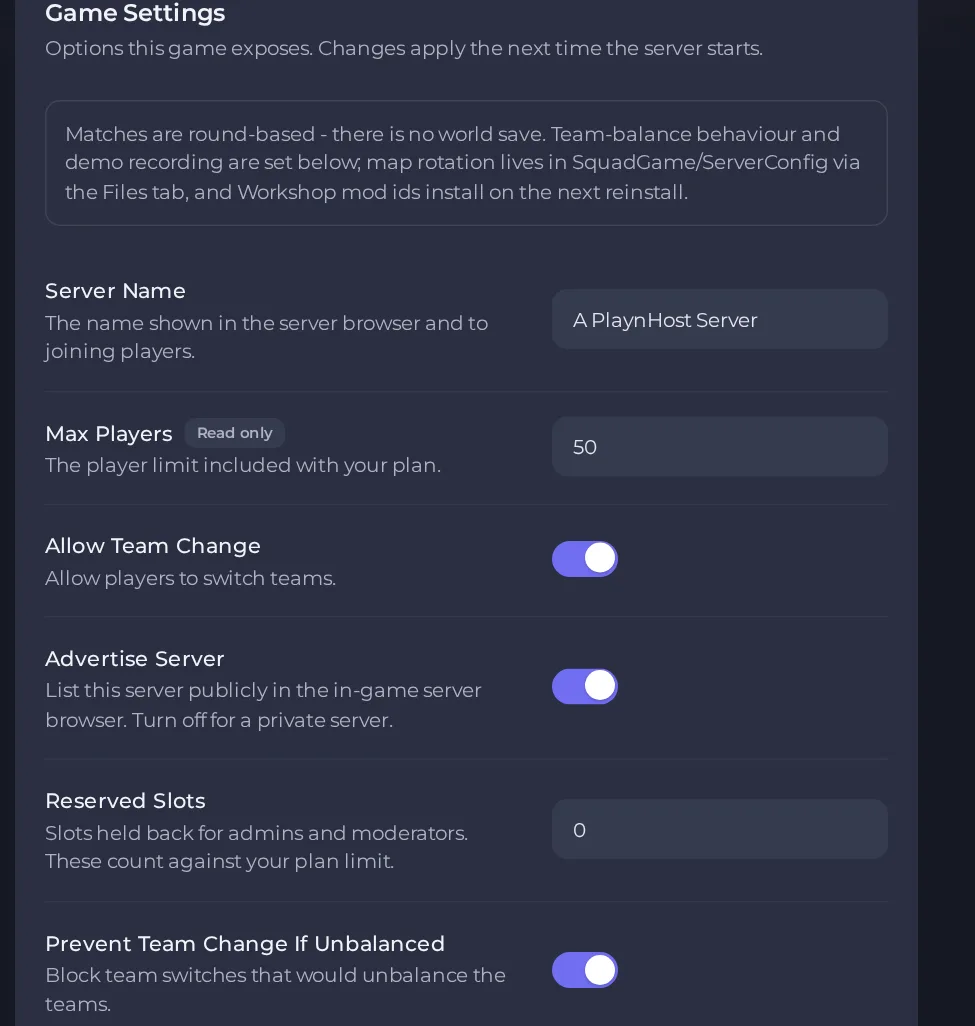
- Change a value and click outside the field, or press Enter. The panel saves it. Switches save as soon as you flip them.
- Restart the server so the change takes effect. See How to start, stop, restart and force-stop your server.
Options most owners change first
- Server Name. The name shown in the in-game server browser, up to 80 characters on one line. Do not use double quotes.
- Advertise Server. Lists the server in the in-game server browser. Turn it off only for a private server, and ask support before you do, because players will then not find it by searching for its name.
- Max Players. Read-only and set by your plan.
- Reserved Slots. Slots held back for admins and moderators, from 0 to 10. They count against your plan limit. Players only get to use them if they are given the reserve permission in the admin file.
- Allow Team Change. Lets players switch teams. Admins with the balance permission can still switch when it is off.
- Prevent Team Change If Unbalanced. Blocks team switches that would make the teams uneven.
- Enforce Team Balance. Pushes players onto the smaller team when the difference grows too large.
- Record Demos. Records server-side demos of matches.
- Download Workshops Items. Steam Workshop mod IDs separated by commas. Do not fill this in on a running server: Squad only reads it when the server files are installed, and installing them again replaces the server files. To add mods, follow the mods guide instead.
- Auto Update. Checks for a game update each time the server starts. Turn it off only if you are deliberately staying on one build.
Changes to the settings in Settings, then Game Settings are written into the server's main settings file on every start, so restart the server to apply them. Because of that, do not edit those same lines by hand in the file, your edit will be replaced. Other options such as the map rotation mode, server tags, server messages and message of the day are set by editing the files in the ServerConfig folder (inside SquadGame, inside Files). Stop the server before editing, save, then start it again.
Every option is listed in Squad server settings: every option explained.





