

Most of what you want to change on a Space Engineers server is on one page of the panel.
Open Game Settings
- Open your server in the panel and click the Settings tab.
- Click Game Settings.
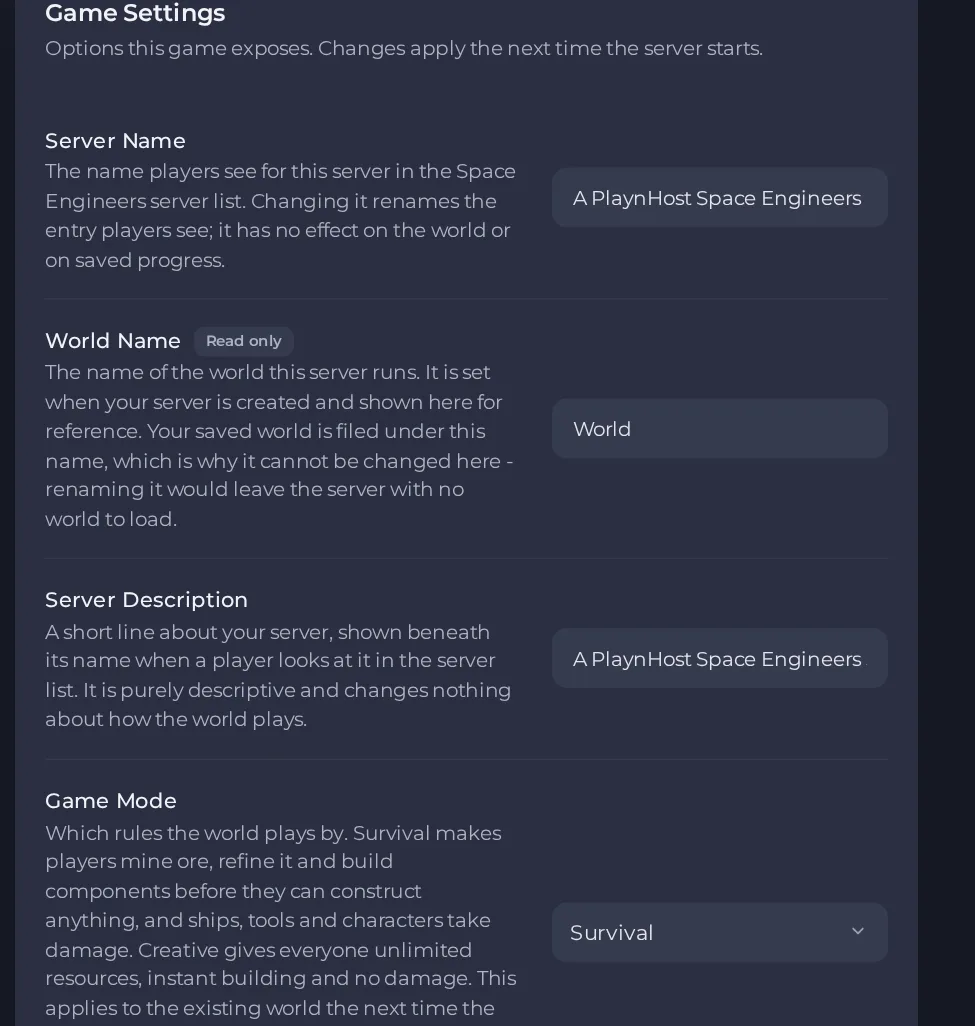
- Change a value and click outside the field, or press Enter. The panel saves it. Switches save as soon as you flip them.
- Restart the server so the change takes effect. See How to start, stop, restart and force-stop your server.
Options most owners change first
- Server Name. The name shown in the Space Engineers server list. Renaming it does not touch the world or saved progress.
- Server Description. A short line shown under the name in the server list; it does not change gameplay.
- Game Mode. Survival or Creative. Applies to the existing world at next start, so a world can be switched between the two.
- Enable Saving. Keep this on, otherwise nothing you build is written to disk.
- Auto Save Interval. Minutes between automatic saves (1 to 180, default 5). Lower loses less work after an unexpected stop, higher causes fewer pauses on a busy world.
- Enable Experimental Mode. Most Steam Workshop mods need this on.
- Enable In-Game Scripts. Lets programmable blocks run player-written scripts. Turn it off if you do not want player code running on the server.
- Auto Update. On installs the newest game build at every start. Turn it off only to stay on a version your mods still work with.
- Steam Workshop Mod IDs. Comma-separated Workshop IDs, no spaces. Leave empty for a vanilla server.
Restart the server after changing settings. Game Mode and Enable Experimental Mode take effect at the next start, and a changed mod list is applied on restart (the first start after a change is slower). Maximum Players is the slot count of your plan and World Name is fixed when the server is created, so both are shown but cannot be edited; a larger plan raises the slot count.
Every option is listed in Space Engineers server settings: every option explained.





