

Most of what you want to change on a SCUM server is on one page of the panel.
Open Game Settings
- Open your server in the panel and click the Settings tab.
- Click Game Settings.
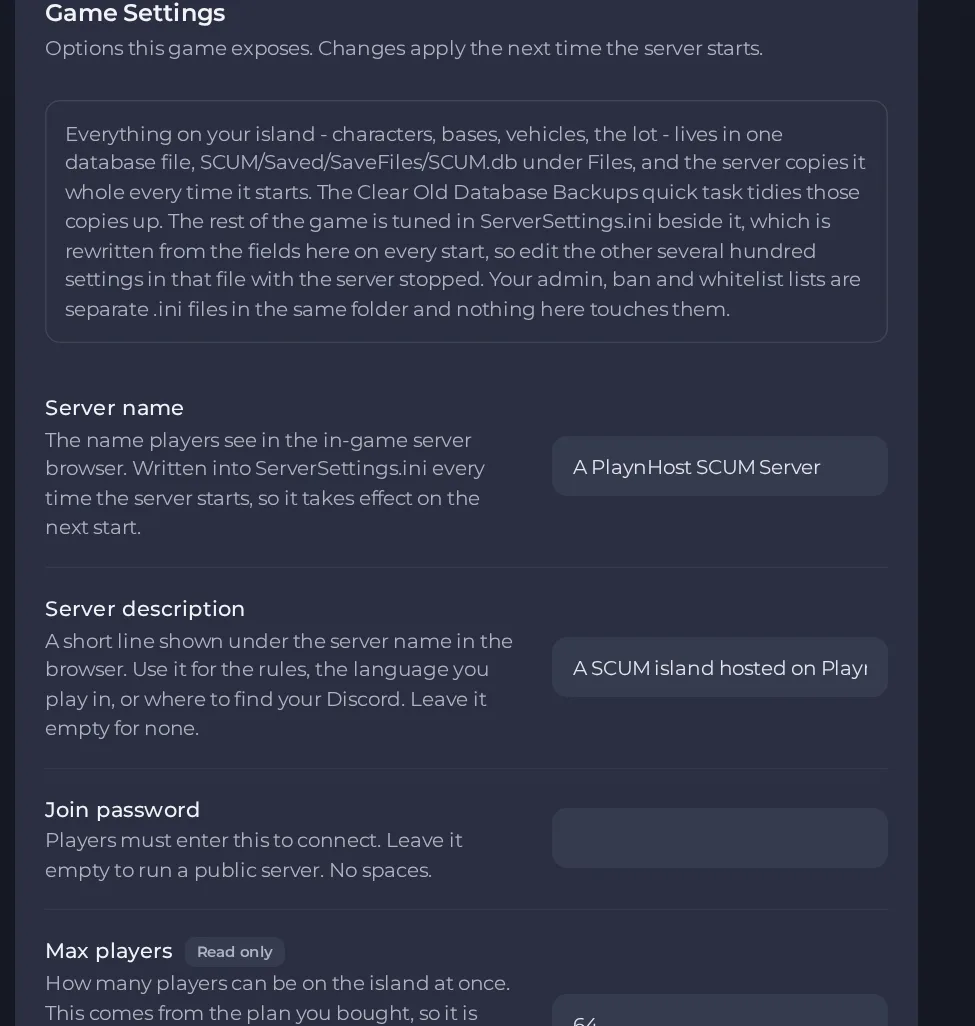
- Change a value and click outside the field, or press Enter. The panel saves it. Switches save as soon as you flip them.
- Restart the server so the change takes effect. See How to start, stop, restart and force-stop your server.
Options most owners change first
- Server name. The name players see in the in-game server browser, up to 50 characters.
- Server description. A short line shown under the server name; use it for rules, language or your Discord. Leave it empty for none.
- Join password. Players must enter it to connect. Leave it empty for a public server. No spaces, up to 30 characters.
- Max players. Read only and set by your plan (up to 64). To run with fewer players use Edit player slots on the Overview page (this restarts your server), or upgrade the plan to raise the limit.
- Playstyle. PVE means players cannot attack each other, PVP is full player versus player.
- Automatic updates. Checks for a game update each time the server starts.
- Detailed gameplay settings. Everything else, such as wildlife, respawn rules, vehicles, damage multipliers and base building or raid protection, is set in the ServerSettings.ini file inside Files, in SCUM, Saved, Config, WindowsServer. Stop the server first, edit the file, save it, then start the server again. Edits made in the in-game Server Settings menu may not be kept, so use the file.
- Mods. Mods are not supported on SCUM servers. The server shuts down if a mod file is added.
Server name, Server description, Join password, Playstyle and Max players are written into ServerSettings.ini every time the server starts, so change them under Settings, then Game Settings and restart. Typing over those values in the file does not stick, they are overwritten at the next start. Other settings in the file are only read at startup, so stop the server, edit, then start it again.
Every option is listed in SCUM server settings: every option explained.





