%7B.s%7Banimation%3Ab%201.5s%20ease-out%20both%7D.d%7Banimation-delay%3A.16s%7D%7D%40keyframes%20b%7B0%25%7Bfill%3A%23F4F6FA%7D18%25%7Bfill%3A%23FFE08A%7D34%25%2C70%25%7Bfill%3A%23FF8A1F%7D80%25%7Bfill%3A%23FFE08A%7D100%25%7Bfill%3A%23FF8A1F%7D%7D%3C%2Fstyle%3E%3Cg%20transform%3D%22translate(143%20428.93)%20scale(3.885906)%22%3E%3Cg%20transform%3D%22translate(0%202)%22%20fill%3D%22%23706EF0%22%3E%3Cpath%20d%3D%22M0%200%20H48%20A40%2040%200%200%201%2048%2080%20V100%20H0%20Z%22%2F%3E%3Cpath%20transform%3D%22translate(91.75%200)%22%20d%3D%22M0%200%20L48%200%20L48%2050%20L76%2050%20L76%20100%20L0%20100%20Z%22%2F%3E%3Cpath%20transform%3D%22translate(173%200)%22%20d%3D%22M0%20100%20L58%20-4%20L116%20100%20Z%22%2F%3E%3Cpath%20transform%3D%22translate(264.25%200)%22%20d%3D%22M0%200%20L104%200%20L76%2050%20L76%20100%20L28%20100%20L28%2050%20Z%22%2F%3E%3Cg%20transform%3D%22translate(375%200)%22%3E%3Cpath%20d%3D%22M0%200%20L50%2038%20L50%200%20L100%200%20L100%20100%20L0%20100%20Z%22%20fill%3D%22%23F4F6FA%22%2F%3E%3Crect%20class%3D%22s%22%20x%3D%2247%22%20y%3D%2263%22%20width%3D%2219%22%20height%3D%2230%22%2F%3E%3Crect%20class%3D%22s%20d%22%20x%3D%2274%22%20y%3D%2263%22%20width%3D%2219%22%20height%3D%2230%22%2F%3E%3C%2Fg%3E%3Cpath%20transform%3D%22translate(484.75%200)%22%20d%3D%22M0%200%20L48%200%20L48%2037%20L52%2037%20L52%200%20L100%200%20L100%20100%20L52%20100%20L52%2063%20L48%2063%20L48%20100%20L0%20100%20Z%22%2F%3E%3Cpath%20transform%3D%22translate(588.5%200)%22%20d%3D%22M0%2050%20A53%2053%200%201%200%20106%2050%20A53%2053%200%201%200%200%2050%20Z%22%2F%3E%3Cpath%20transform%3D%22translate(698.25%200)%22%20d%3D%22M25%200%20H102%20V50%20H77%20A25%2025%200%200%201%2077%20100%20H0%20V50%20H25%20A25%2025%200%200%201%2025%200%20Z%22%2F%3E%3Cpath%20transform%3D%22translate(804%200)%22%20d%3D%22M0%200%20L90%200%20L90%2050%20L69%2050%20L69%20100%20L21%20100%20L21%2050%20L0%2050%20Z%22%2F%3E%3C%2Fg%3E%3C%2Fg%3E%3C%2Fsvg%3E)


Your server runs Build 42 unless you choose otherwise. The build is set by one option, Beta Branch, under Settings, then Game Settings. Players can only join a server that runs the same build as their game, so whenever you change it, your players have to change too. A world made on one build does not open on the other.
The four choices
Open your server in the panel, click the Settings tab, then Game Settings, and find Beta Branch. It is a list:
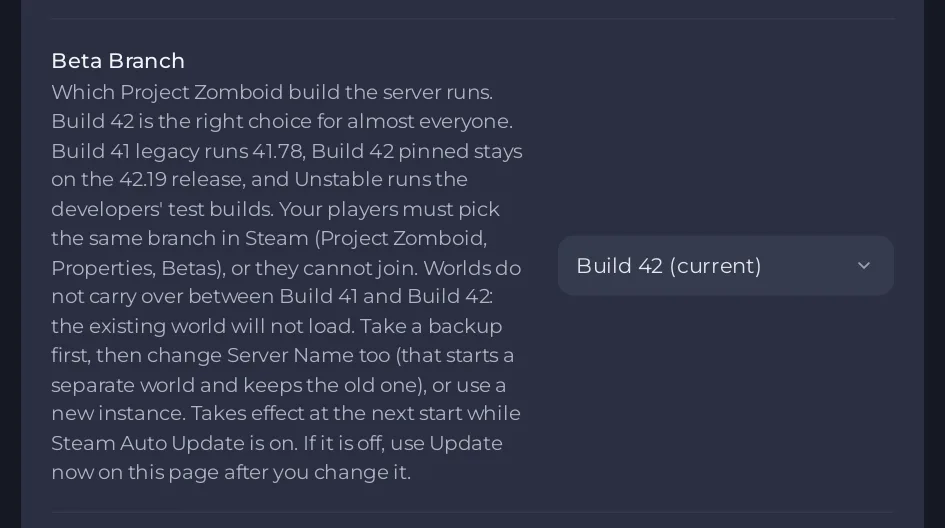
| Choice | What it runs |
|---|---|
| Build 42 (current) | The current public Build 42 release. Right for almost everyone, and what a new server uses. |
| Build 41 legacy | Build 41 (41.78). |
| Build 42 pinned (42.19) | Build 42 held on the 42.19 release. |
| Unstable | The developers' test builds. Expect problems. |
What your players must do
Players choose the same branch in Steam, on their own computer: open the game's Properties in the Steam library, go to Betas and pick the matching branch. A player on a different build cannot join. Steam updates players' games by itself, which is why a server that stays on an old build slowly stops matching the people who want to join it.
Back up before you switch between Build 41 and Build 42
When you pick a branch on the other side, the panel asks Switch between Build 41 and Build 42? before it saves anything. Your world is not deleted, but the server cannot open it on the other build.
- Create a backup first: How to back up and restore your Project Zomboid world.
- Change Server Name in the same list of settings. A new name starts a separate world and keeps the old one on disk, so you can switch back later by setting the old name and the old branch again.
- Pick the new Beta Branch and confirm Switch build.
To keep both worlds side by side with one click between them, use an instance: How to keep a Build 41 world and a Build 42 world on one server. Your mods may need other versions on the other build: Project Zomboid mods and Build 42: what to know.
Moving to an older build in the same family
A world saved by a newer version cannot be opened by an older one. If you pick a branch that runs an older build than the one already installed, for example Build 42 pinned (42.19) while the current release is newer, the panel asks Switch to an older build? and warns that the game refuses the world and the server stops. Take a backup first, or start a new world by changing Server Name.
If that has already happened, a notice on the Game Settings page says The server could not load its world: Your Project Zomboid server could not load its world.
When the change takes effect
- With Steam Auto Update on, the new build is installed at the next start. A start after a build change takes a few minutes longer while it downloads.
- With Steam Auto Update off, the server stays on the build it has. After you change the branch, the page shows Your branch change is not installed yet with an Update now button: How to update your Project Zomboid server.
Good to know
- The labelled Sandbox Settings editor only reads Build 42 files: Project Zomboid Sandbox Settings says the file is from a different build.
- Players refused after an update: Players cannot join your Project Zomboid server after a game update.
Looking for a server to run it on? See Project Zomboid server hosting.





