

Your players join your Necesse server with its Server Address, shown on the server's Overview page in the panel. Necesse is a top-down sandbox adventure about building a settlement, exploring an endless world and fighting bosses; a hosted server keeps your world online so friends can join without anyone leaving the game running.
Join in a few steps
- Open your server in the panel. If the status badge says Offline, click Start and wait until it says Online. See How to start, stop, restart and force-stop your server.
- On the Overview page, click the copy icon next to Server Address. It looks like
address:port.
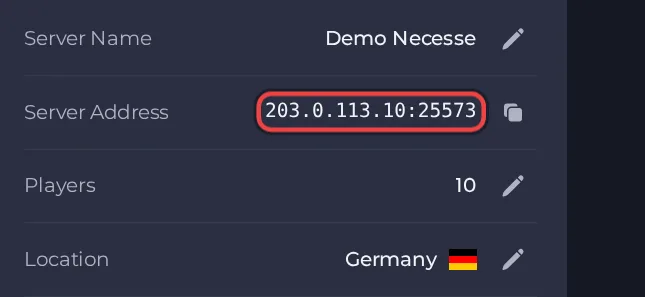
- Launch Necesse from Steam and make sure it is on the same version as the server.
- From the main menu choose Multiplayer.
- Click Add Server.
- Type any name you like in the Name field.
- Type the address part of the Server Address (before the colon) in the IP address field.
- Type the number after the colon in the Port Number field.
- Click Add.
- Double-click the server in your list to join. If the server has a password, enter it when asked.
Ports
Players only need the address and the port from the Server Address on the Overview page. Necesse asks for them in two separate fields, so split the Server Address at the colon. There is no second port for players to open.
Game version
The game version on the server and on the players' computers should match, otherwise players may be unable to connect. Steam Auto Update is off by default, so the server stays on the build it already has. After Necesse releases an update, turn Steam Auto Update on and restart the server so it catches up with players who updated through Steam. Leave Steam Beta Branch empty unless you deliberately want a beta build.
If you cannot join
- The server must be Online. Check the badge at the top of the page.
- Copy the address again from the panel. A missing or mistyped port is the most common cause.
- Make sure every player runs a compatible game version.
- Check the password, if you set one. See How to set up your Necesse server.
- More checks: How to join your server and Necesse server problems and fixes.





