

Most of what you want to change on a Necesse server is on one page of the panel.
Open Game Settings
- Open your server in the panel and click the Settings tab.
- Click Game Settings.
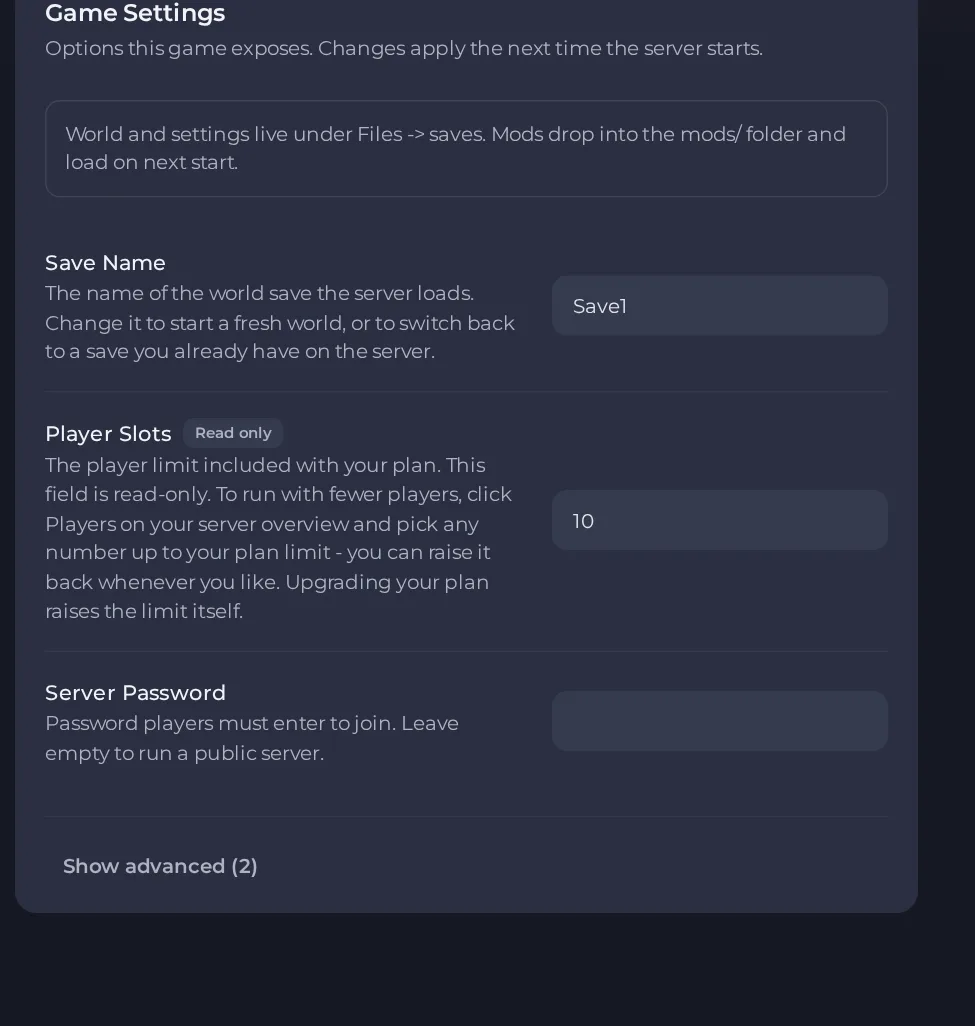
- Change a value and click outside the field, or press Enter. The panel saves it. Switches save as soon as you flip them.
- Restart the server so the change takes effect. See How to start, stop, restart and force-stop your server.
Options most owners change first
- Save Name. The world the server loads. Change it to start a fresh world, or to switch back to a save already on the server. Up to 20 characters, no spaces.
- Player Slots. Read-only here and set by your plan. To run with fewer players, use Players on the server overview and pick any number up to your plan limit.
- Server Password. Players must enter it to join. Leave it empty for a public server. Up to 32 characters.
- Steam Auto Update. Checks for a game update each time the server starts. It is off by default, so turn it on after Necesse releases an update. Turn it off again only if you must stay on one build.
- Steam Beta Branch. Leave empty for the normal public release, which is what almost everyone wants.
Changes made in Settings, then Game Settings take effect after you restart the server. Difficulty, death penalty and raid frequency are not panel settings: an Admin or Owner changes them in game with the difficulty, deathpenalty and raids commands. Until you are an Admin or Owner you cannot change them, so ask support to make you Owner first (the admin guide explains how).
Every option is listed in Necesse server settings: every option explained.





