

Most of what you want to change on an Insurgency: Sandstorm server is on one page of the panel.
Open Game Settings
- Open your server in the panel and click the Settings tab.
- Click Game Settings.
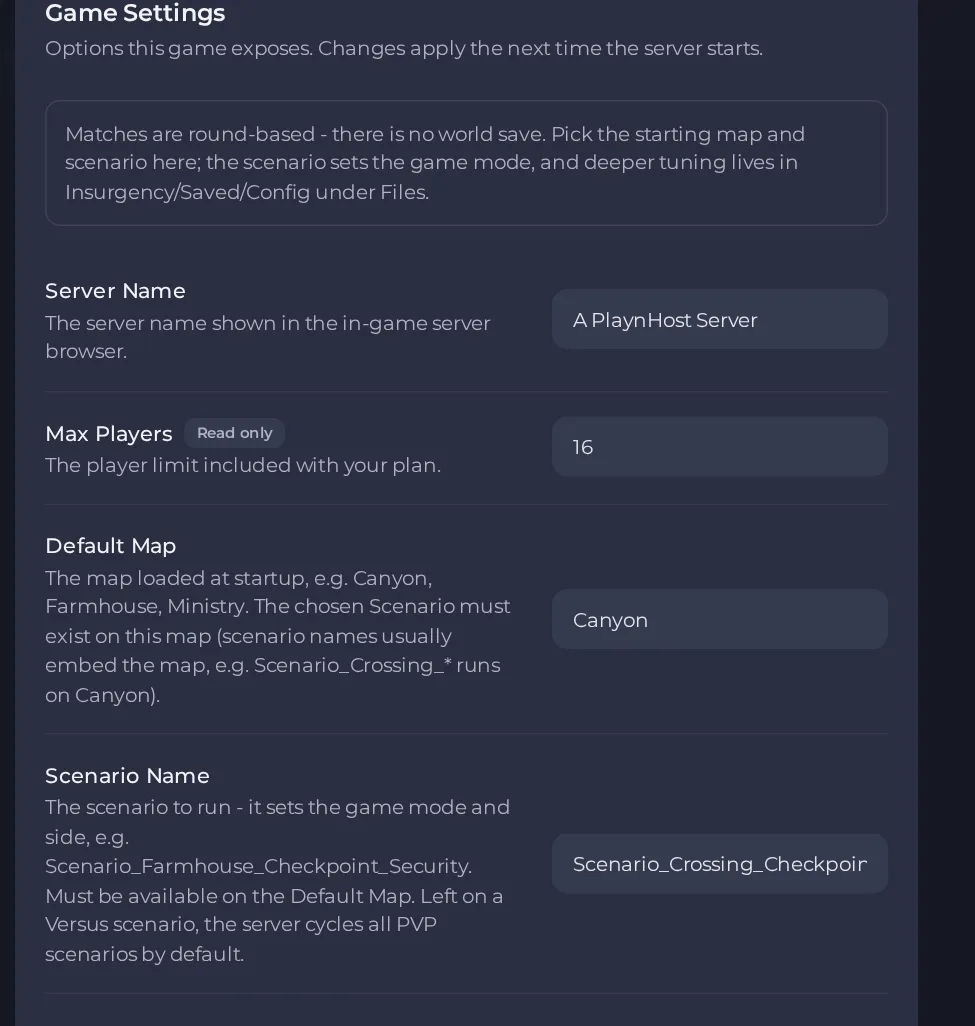
- Change a value and click outside the field, or press Enter. The panel saves it. Switches save as soon as you flip them.
- Restart the server so the change takes effect. See How to start, stop, restart and force-stop your server.
Options most owners change first
- Server Name. The name shown in the in-game server browser, up to 64 characters and no quotation marks.
- Default Map. The map loaded at startup, for example Canyon, Farmhouse or Ministry. The Scenario Name you pick must exist on this map.
- Scenario Name. Sets the game mode and side, for example Scenario_Farmhouse_Checkpoint_Security. Left on a Versus scenario, the server cycles through the Versus scenarios by default.
- Additional Switches. Extra launch switches added to the start line, for advanced options described in the official server admin guide on mod.io. A wrong switch can stop the server starting, so leave it empty unless you were given a switch.
- Steam Game Server Login Token. Optional. Without one the server still works but gets a new Steam identity every restart. Create a free token on your own Steam account at steamcommunity.com/dev/managegameservers using App ID 581320, paste it in, then restart.
- Game Stats Token. Optional. A token from gamestats.sandstorm.game that records player stats and progression. Leave it empty and stats are simply off.
- Auto Update. When on, the server files are updated and checked through Steam every time the server starts.
- Mods. Mod ids from mod.io, separated by commas. Needs the mod.io access token below.
- mod.io access token. Your own mod.io token with read access, which lets the server download the mods listed. Without it the mods do not download.
Changes made in Settings, then Game Settings take effect the next time the server starts, so restart after saving. Max Players is fixed by your plan and cannot be edited there. The game's own Game.ini file is in Files under Insurgency, then Saved, then Config, then LinuxServer; the panel sets the player limit in it at every start, so do not change that line by hand.
Every option is listed in Insurgency: Sandstorm server settings: every option explained.





