

 MINECRAFT HOSTING
 GAME SERVERS
 Game Panel
Most of what you want to change on a Valheim server is on one page of the panel.
Open Game Settings
- Open your server in the panel and click the Settings tab.
- Click Game Settings.
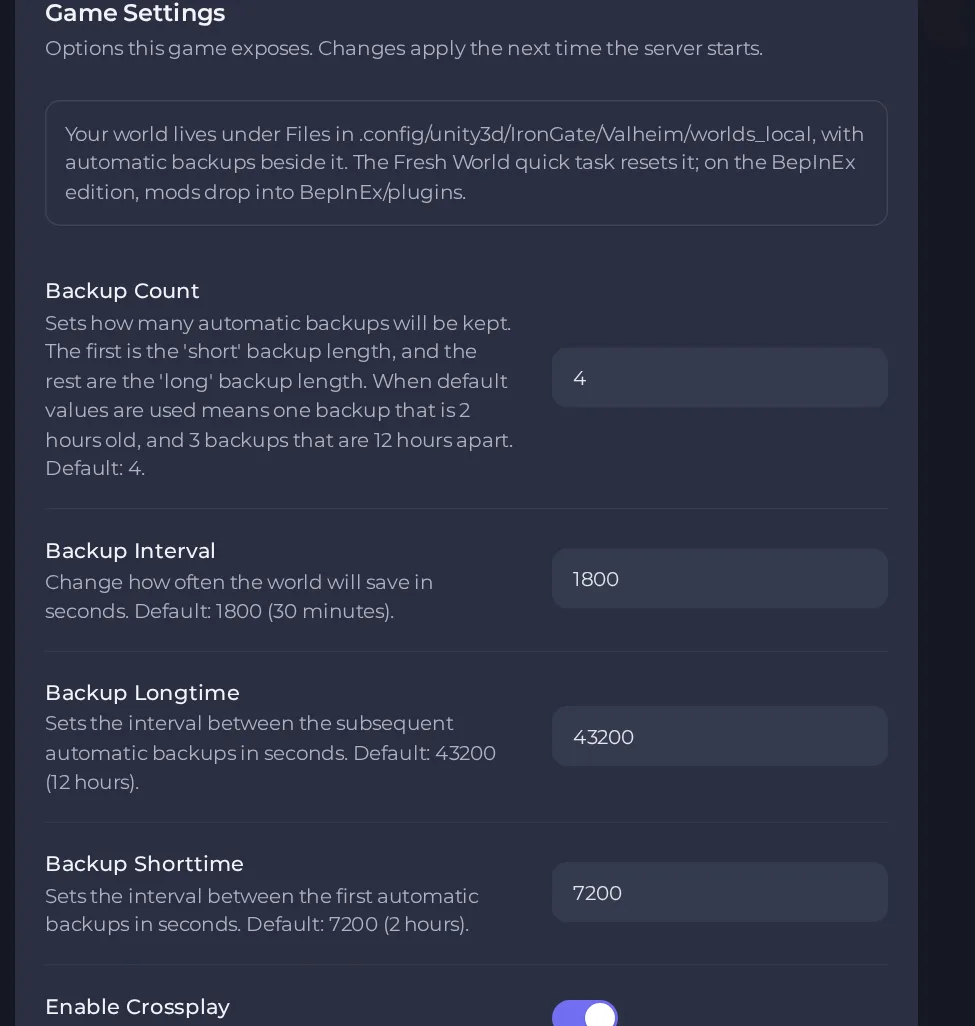
- Change a value and click outside the field, or press Enter. The panel saves it. Switches save as soon as you flip them.
- Restart the server so the change takes effect. See How to start, stop, restart and force-stop your server.
Options most owners change first
- Server Name. The name shown in the server browser and to joining players; up to 60 characters, no double quote or backslash.
- Server Password. Required by Valheim: 5 to 20 characters, and it must not be part of the server name. Your server starts with a password already set; open Settings, then Game Settings, and change it before you invite anyone.
- World Name. The world the server loads (up to 20 characters); change it to start a fresh world or to switch back to one you already have.
- Public Server. On lists the server in the in-game browser; off keeps it joinable only by address or join code.
- Enable Crossplay. On by default on the standard server, which lets Xbox, PlayStation and other non-Steam players join with the join code. Turn it off for a Steam-only server; console players then cannot join.
- Auto Update. On downloads the newest Valheim build at every start; off holds the server on its current version.
- Backup Interval. How often the world is saved, in seconds; default 1800 (30 minutes).
- Backup Count. How many automatic backups the game keeps; default 4 (one short-interval backup, the rest long-interval).
- Backup Shorttime. Seconds between the first automatic backups; default 7200 (2 hours).
- Backup Longtime. Seconds between the later automatic backups; default 43200 (12 hours).
- Beta Branch. Leave blank for the normal live version; only applies while Auto Update is on.
- Beta Password. Only needed if the beta branch you entered is protected by a password from the developers. Leave blank otherwise.
All of these are found under Settings, then Game Settings. A change takes effect at the next start or restart. Only the Valheim BepInEx server type has a ModPack setting, and a change to it does not take effect on a normal restart (ask support to apply it). Player slots are not configurable: Valheim is hard-capped at 10 players without mods.
Every option is listed in Valheim server settings: every option explained.





