

Most of what you want to change on The Isle server is on one page of the panel.
Open Game Settings
- Open your server in the panel and click the Settings tab.
- Click Game Settings.
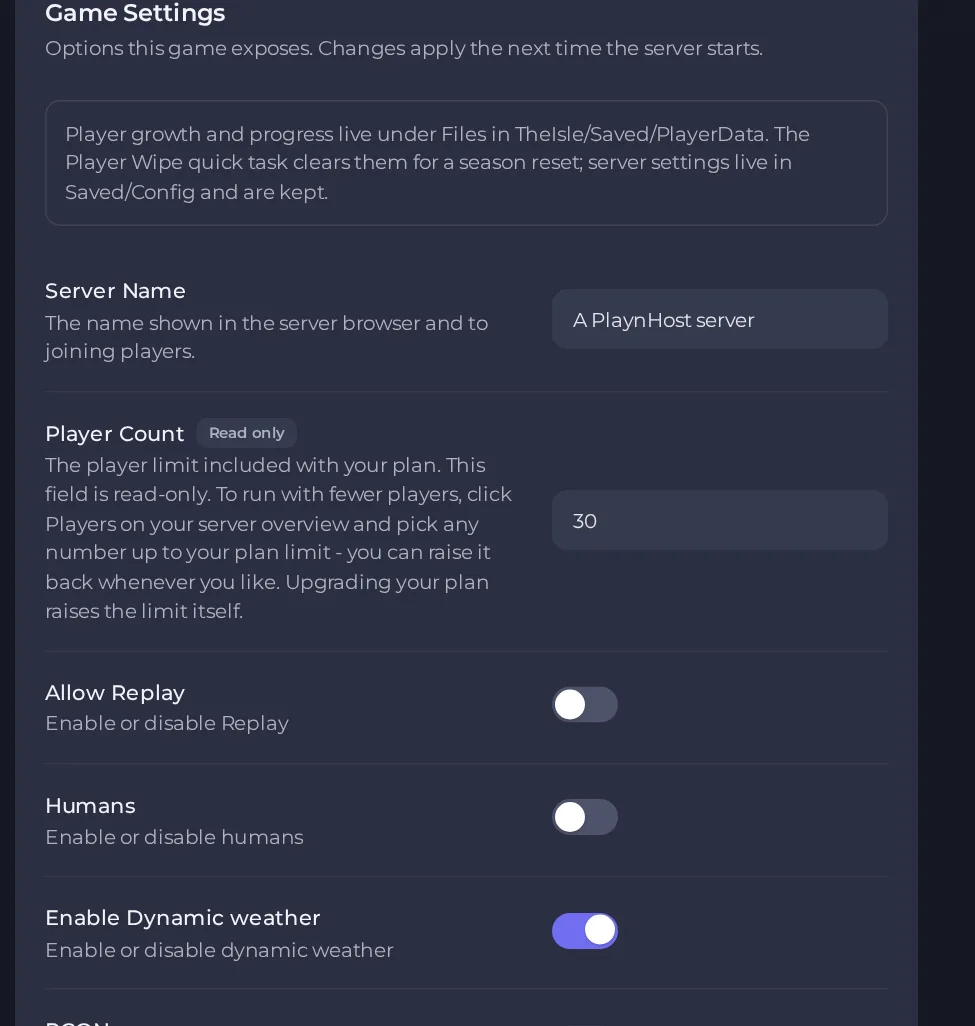
- Change a value and click outside the field, or press Enter. The panel saves it. Switches save as soon as you flip them.
- Restart the server so the change takes effect. See How to start, stop, restart and force-stop your server.
Options most owners change first
- Server Name. The name shown in the in-game server list. Players search for it to find you, so pick a name that is easy to type and find.
- Server Password. Players must enter this to join. Leave it empty to run a public server. Setting a password turns the password check on and clearing it turns the check off, so you only need this one setting.
- Player Count. Read-only and set to the limit included with your plan. To run with fewer players, click Players on your server Overview page and pick a number up to your plan limit; upgrading your plan raises the limit itself.
- Enable Queue. When on (the default), players who try to join a full server wait in a queue instead of being turned away.
- Enable Dynamic weather. Switches the island's changing weather on or off. It is on by default.
- Humans. Switches the human characters on or off. It is off by default.
- Allow Replay. Switches the replay feature on or off. It is off by default.
- RCON. Turns on the server's remote administration. Leave it off unless you use an RCON tool and support has confirmed it can reach your server. If you do turn it on, set your own RCON Password first. The password allows letters, numbers, dashes and underscores, up to 32 characters. It is off by default.
- Auto Update. Updates the game files each time the server restarts. It is on by default.
Server Name, Player Count, the RCON settings, Enable Queue, Server Password, Enable Dynamic weather, Humans and Allow Replay are written into the server's Game.ini file every time the server starts, so change them in Settings, then Game Settings, and restart. A value you type over them in Game.ini is replaced at the next start.
Every option is listed in The Isle server settings: every option explained.





