

Most of what you want to change on a Mordhau server is on one page of the panel.
Open Game Settings
- Open your server in the panel and click the Settings tab.
- Click Game Settings.
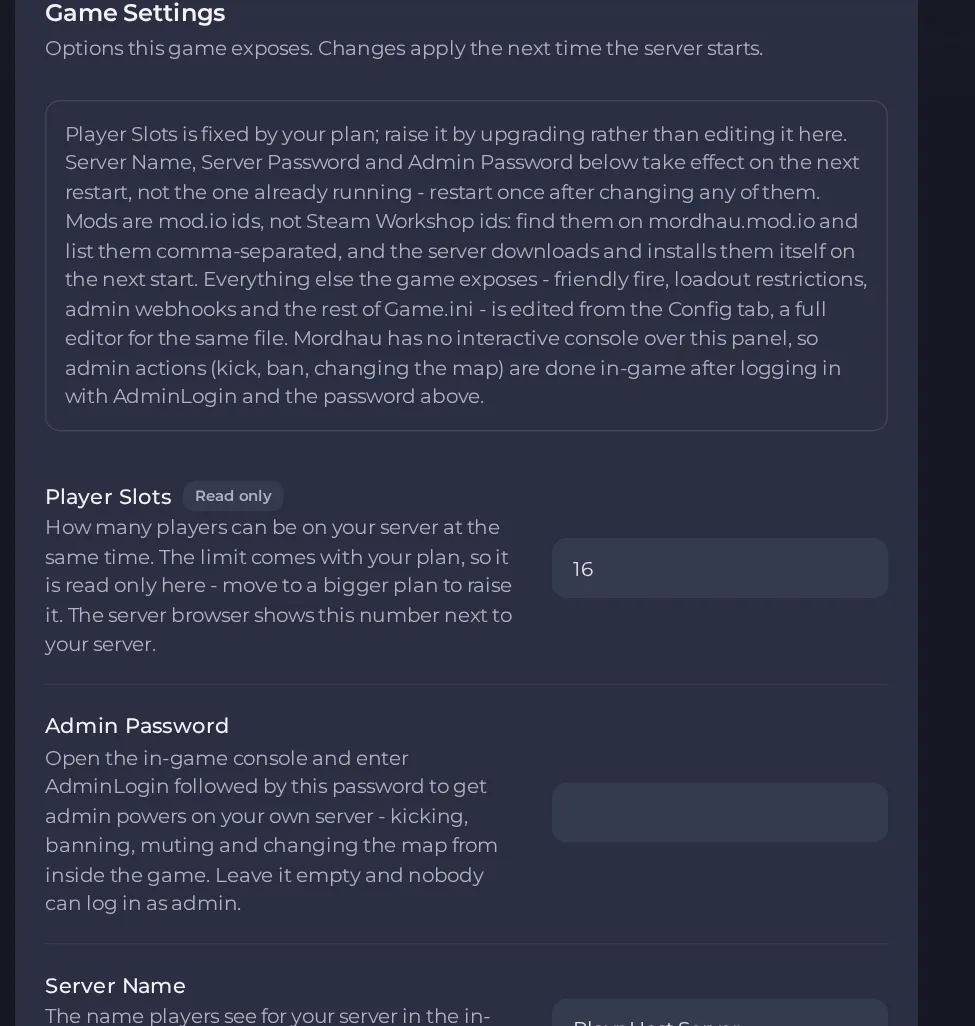
- Change a value and click outside the field, or press Enter. The panel saves it. Switches save as soon as you flip them.
- Restart the server so the change takes effect. See How to start, stop, restart and force-stop your server.
Options most owners change first
- Server Name. The name players see for your server in the in-game server browser. It takes effect on the next restart.
- Server Password. Players are asked for this password before they can join. Leave it empty and anyone can join.
- Admin Password. Gives you admin powers in the game when you enter it with the AdminLogin command in the in-game console. Leave it empty and nobody can log in as admin.
- Starting Map. The mode and map your server starts on, and the one it falls back to. The panel lists each choice as a map code such as Grad/FL_Grad, which means Frontline on Grad. The Starting Map description in the panel names every mode and map. Players land on the new map the next time the server restarts.
- Server Mods. mod.io mod numbers separated by commas. The server downloads them at its next start and players who join get them automatically. Leave it empty to run the game unmodded.
- Auto Update. Keep this on and the server installs the newest Mordhau patch every time it starts, so it stays joinable when the game updates.
- Player Slots. Read-only and set by the limit included with your plan. Move to a bigger plan to raise it. The server browser shows this number next to your server.
Server Name, Server Password and Admin Password are written into the server's Game.ini file every time the server starts, so change them in Settings, then Game Settings, and restart. A value you type over them in Game.ini is replaced at the next start. Starting Map and Server Mods are also read when the server starts. Both passwords are empty until you set them, so set a Server Password and an Admin Password before you invite players.
Every option is listed in Mordhau server settings: every option explained.





