

To kick or ban a player who is online, open the menu on their name on the Active players card on the Overview page and choose Kick or Ban. To ban someone who is offline, or to lift a ban, use the Bans tab on the Players page. A kicked player can rejoin straight away. A banned player cannot rejoin until you pardon them.
Kick or ban someone who is online
- Open your server in the panel. On the Overview page, find the Active players card. The Online tab of the Players page shows the same card.
- Click the menu at the end of the player's row. It has Copy name, Kick and Ban.
- Choose Kick or Ban. A window asks you to confirm, with the server's name.
- Click Kick or Ban in the window. A message says
KickedorBannedand the name.
You need the Use the console permission. If a name cannot be sent, the panel says This player has no name we can send. Use the console instead. Then use the Console commands below.
Someone is on but not named? When the server counts more players than it names, the card says how many more there are, and the Online tab of the Players page has a Someone not listed card: type the name and click Kick or Ban. If nobody by that name is on, the Console says no player was found.
Ban someone who is offline
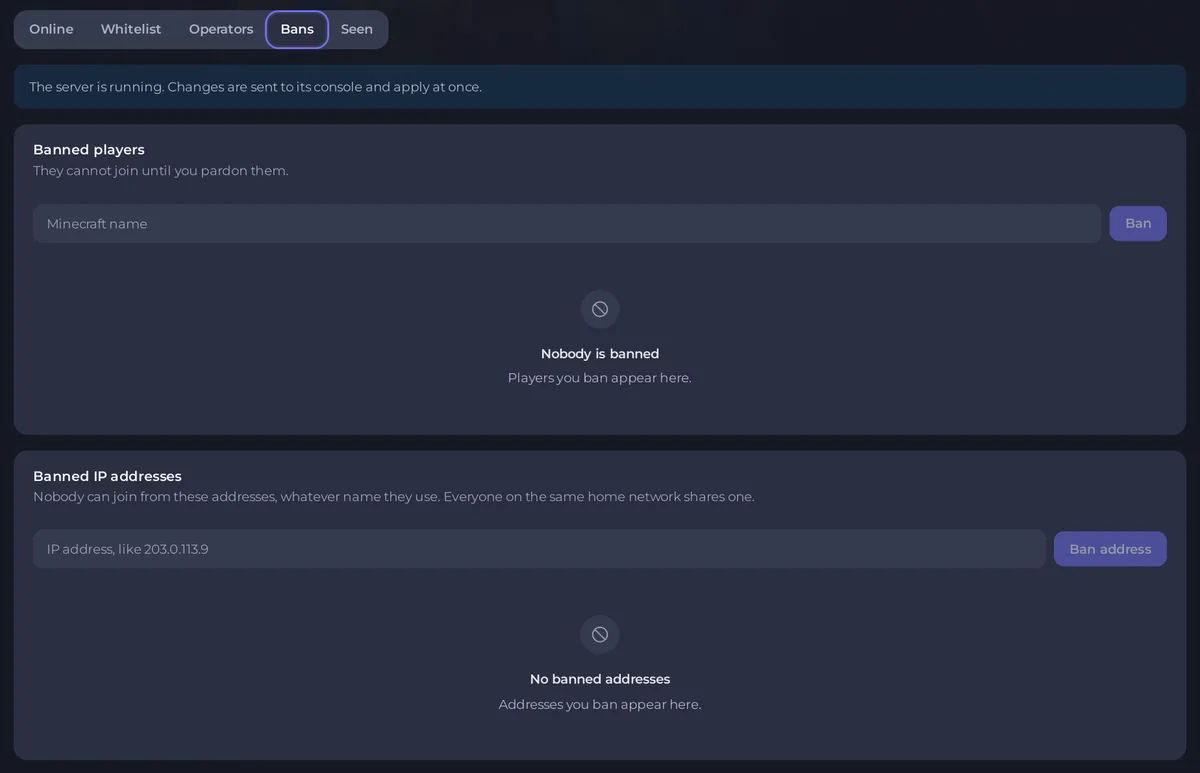
- Click Players in the left menu and open the Bans tab.
- Under Banned players, type the name and click Ban.
- To block an address instead, type it under Banned IP addresses (for example
203.0.113.9) and click Ban address. Nobody can join from it, whatever name they use, and everyone on the same home network is blocked too.
This works whether the server is running or stopped. Use Seen to find the exact spelling of a name.
Unban
- Open Players, Bans.
- Click Pardon next to the player or the address. A message says
PardonedorLifted the ban onand the name.
The ban window on the Overview card says the player stays out until you unban them in the console: the Pardon button does the same as the Console command, so either works.
With Console commands
Open the Console tab, type a command without a slash and press Enter. The server must be running.
kick Alex
kick Alex Please read the rules
ban Alex
ban-ip 203.0.113.5
banlist
pardon Alex
pardon-ip 203.0.113.5
The text after the name in kick is the message the player sees. Without one, Minecraft shows Kicked by an operator. In the game, operators type the same commands with a slash and need operator level 3.
Good to know
- A kick is a warning: the player can rejoin at once. For someone who keeps coming back, ban them.
- To keep everyone out except people you choose, a whitelist works better than bans: How to set up a whitelist and ban players on your Minecraft server.
- Bans are stored in
banned-players.jsonandbanned-ips.jsonin the main folder. They stay through restarts. - To undo griefing after a ban, see How to undo griefing with CoreProtect on your Minecraft server.
- Every kick and ban from the panel is recorded in Activity: How to see what happened on your server.


