

Most of what you want to change on an Arma Reforger server is on one page of the panel.
Open Game Settings
- Open your server in the panel and click the Settings tab.
- Click Game Settings.
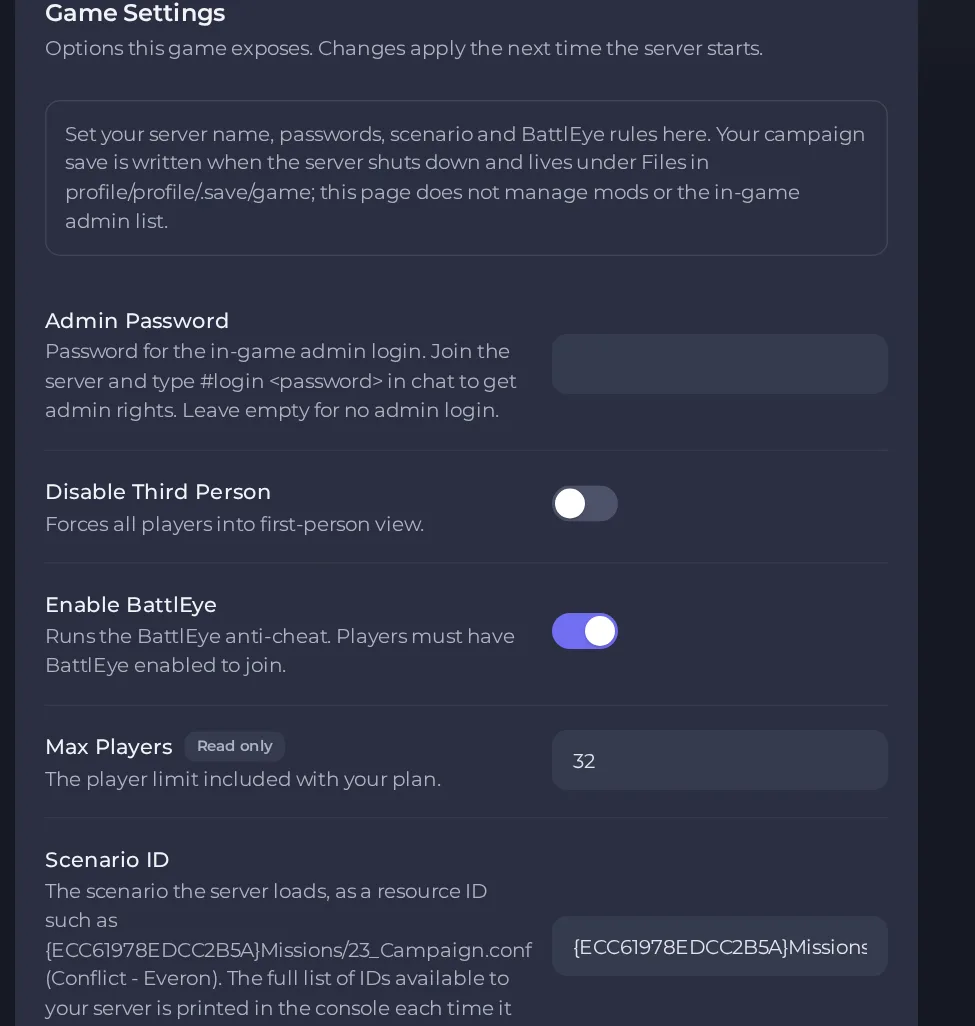
- Change a value and click outside the field, or press Enter. The panel saves it. Switches save as soon as you flip them.
- Restart the server so the change takes effect. See How to start, stop, restart and force-stop your server.
Options most owners change first
- Server Name. The name shown in the in-game server browser.
- Server Password. Players must enter it to join; leave it empty for an open server.
- Admin Password. Used with the #login command in game chat to become an admin; no spaces or quote marks, up to 32 characters, and leave it empty to switch admin login off.
- Scenario ID. Chooses the mission or game mode. The server prints the IDs it can load in the console each time it starts, so copy one exactly.
- Max Players. Set by your plan's player limit and cannot be edited.
- Visible in Server Browser. Turn it off to hide the server from the browser; players then join by direct connect.
- Enable BattlEye. Runs the anti-cheat; players must have BattlEye enabled to join.
- Disable Third Person. Forces every player into first-person view.
- Workshop mods. Comma separated Workshop mod IDs; the server downloads them itself on start.
- Automatic Updates. Checks Steam for a game update at every start.
- Max Server FPS. Caps the server simulation rate; the default of 120 suits most servers.
- Performance Log Interval. Seconds between FPS and memory lines in the console; 0 turns it off.
- Verify Server Files. Re-checks and repairs every game file on the next start; slow, so leave it off unless the server misbehaves.
Open Settings, then Game Settings, change the value, and restart the server. The game reads its configuration only at start, so nothing changes while it is running.
Every option is listed in Arma Reforger server settings: every option explained.





