

Outdated client and Outdated server mean the player's Minecraft and your server run different versions. Outdated client means the player's game is older than the server, and Outdated server means the server is older than the player's game. The quickest fix is for the player to pick your server's version in the Minecraft Launcher.
Find your server's version
- Open your server in the panel and go to the Overview page.
- Read the Version row on the Play with friends card. It says
Pick this version in the Minecraft Launcher.
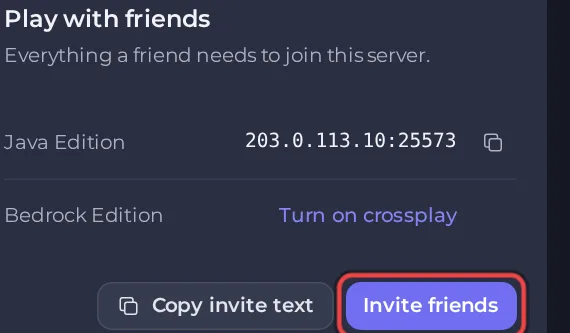
The Settings tab shows it too: Game Settings starts with Minecraft version: and the number.
Fix 1: the player picks the server's version
This is the fix the panel's own join check gives:
- In the Minecraft Launcher, open Installations.
- Choose New installation and pick the version from the Version row.
- Save it, then play that installation and join.
Fix 2: move the server to the newer version
If most of your players are on a newer version than the server, update the server. Open Edit Server Type on the Overview page, keep the same type and pick the newer version. On the review step, untick Delete my existing files and start clean (recommended). to keep your world, and keep Back up first (recommended). ticked: a world opened in a newer version cannot go back. See How to change your Minecraft version or server type.
The server cannot move to an older version than its world. See Your Minecraft world cannot go back to an older version.
Fix 3: let other versions in with ViaVersion
On a plugin server (Paper, Purpur, Spigot), the ViaVersion plugin lets players on newer versions join an older server. The setup adds it for you on the Plugins and crossplay paths when it picks a version older than the newest. See How to let older and newer Minecraft versions join with ViaVersion.
Bedrock players
Bedrock players join a Java server through crossplay (Geyser), not with a Java version. If they cannot get in, see Bedrock players cannot join your Minecraft server.
Modded servers
On Forge, Fabric, NeoForge or a modpack, players need the same Minecraft version, the same loader and the same mods. The Play with friends card shows a Modpack row or the loader. See How to install mods on Forge, Fabric and NeoForge.
Can my friends join? on the Overview page shows Friends need Minecraft and the version: How to find out why friends cannot join your Minecraft server.


